
How Ask Albert searches and shows its work
Ask Albert is the R&D assistant in Albert OS. It shows you which searches it ran and states the limits of what it found. When an answer looks wrong or incomplete, that lets you judge where it came from and adjust your question.
Semantic similarity search
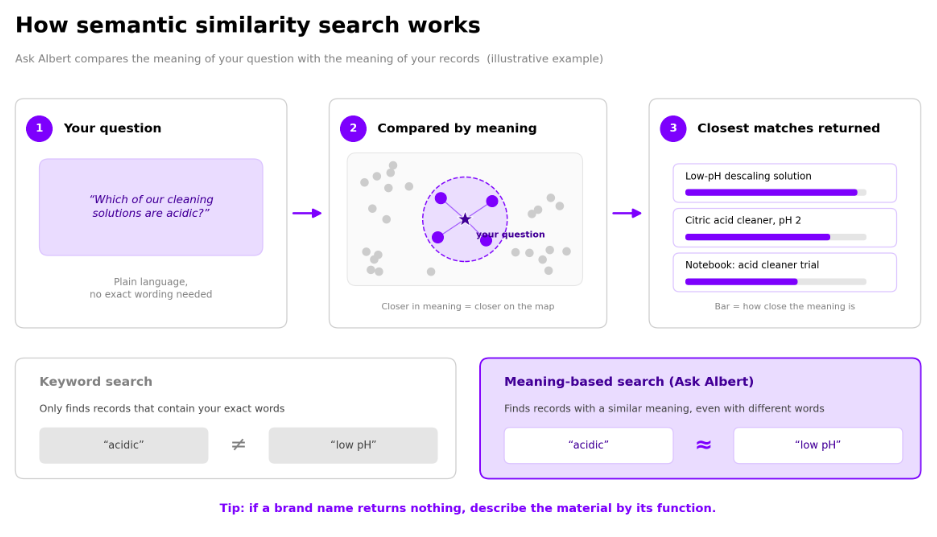
Ask Albert uses semantic similarity search. It compares the meaning of your question with the meaning of your records and returns the closest matches, so a record can match even when it does not contain your exact words. A brand name that returns nothing may still work if you describe the material by its function.
Ask Albert also runs structured lookups, such as by name, ID, project, status, or value range. When you know the material, formulation, or project, naming it narrows the results.
The searches Ask Albert shows
Above each answer, Ask Albert shows a line such as Ran 16 commands. Select it to expand the list of steps.
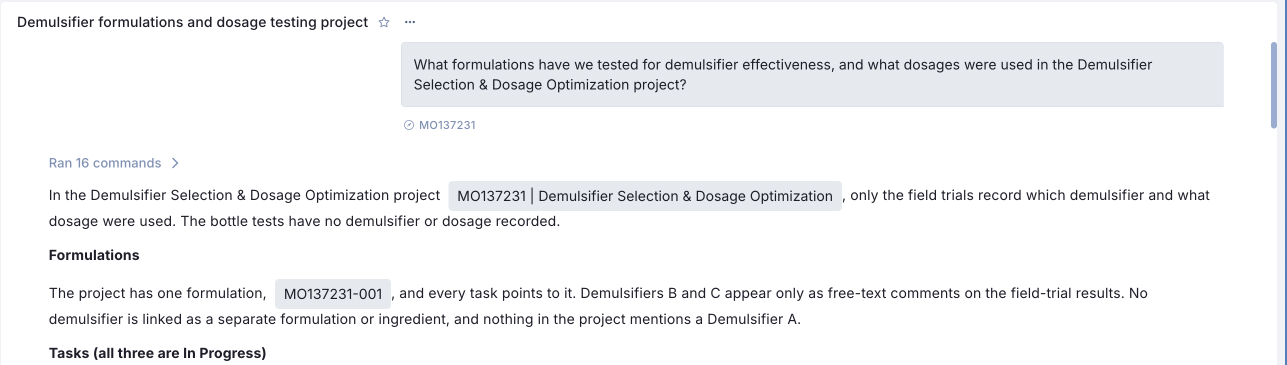
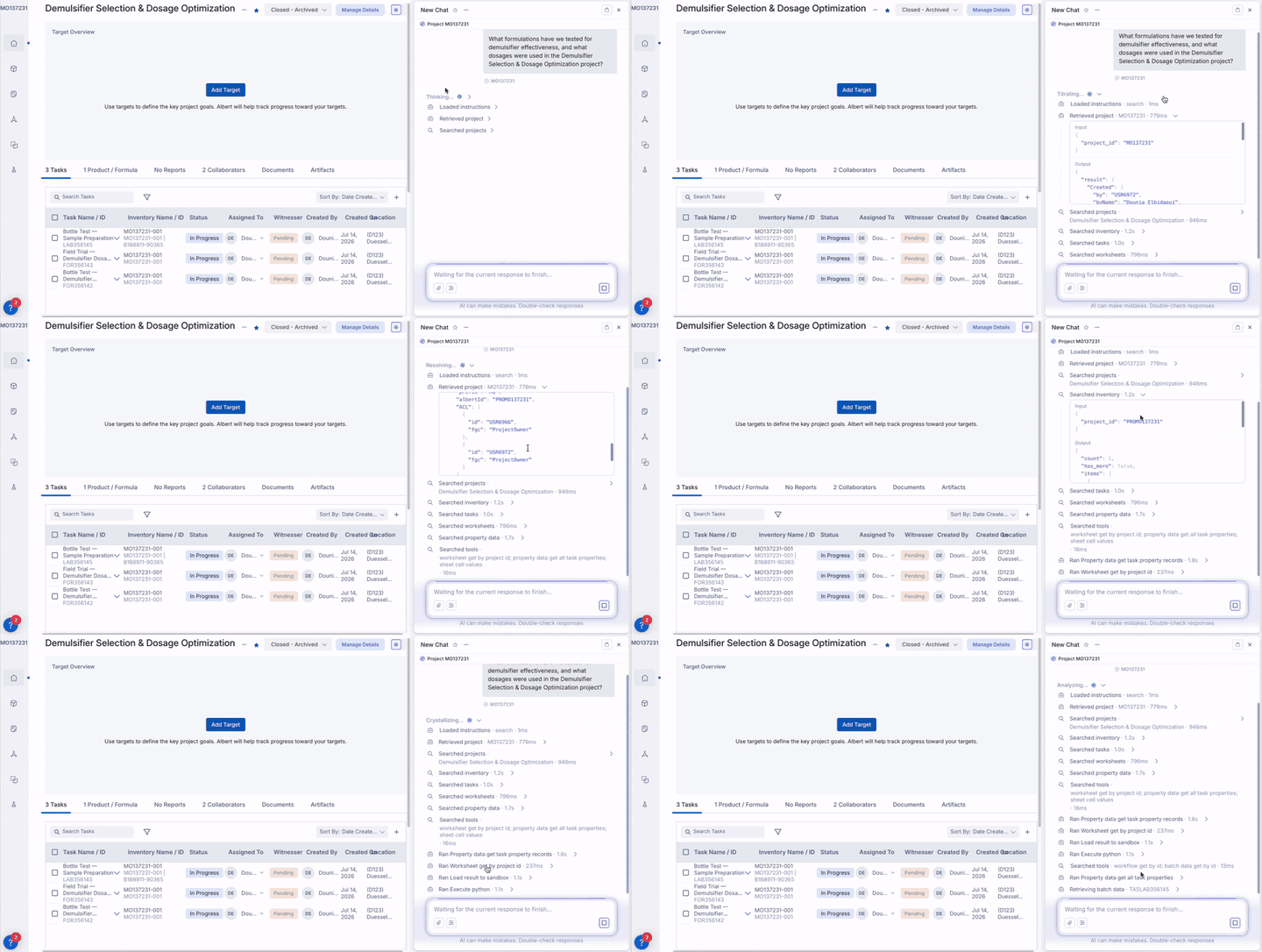
Each step names what was searched and how long it took, for example a search of tasks or documents. Some steps show more detail about what was searched and what came back.
Ask Albert may also summarize its own search in the written answer. It lists what it searched, how many matches each search returned, and where it stopped early.
Checking where an answer came from
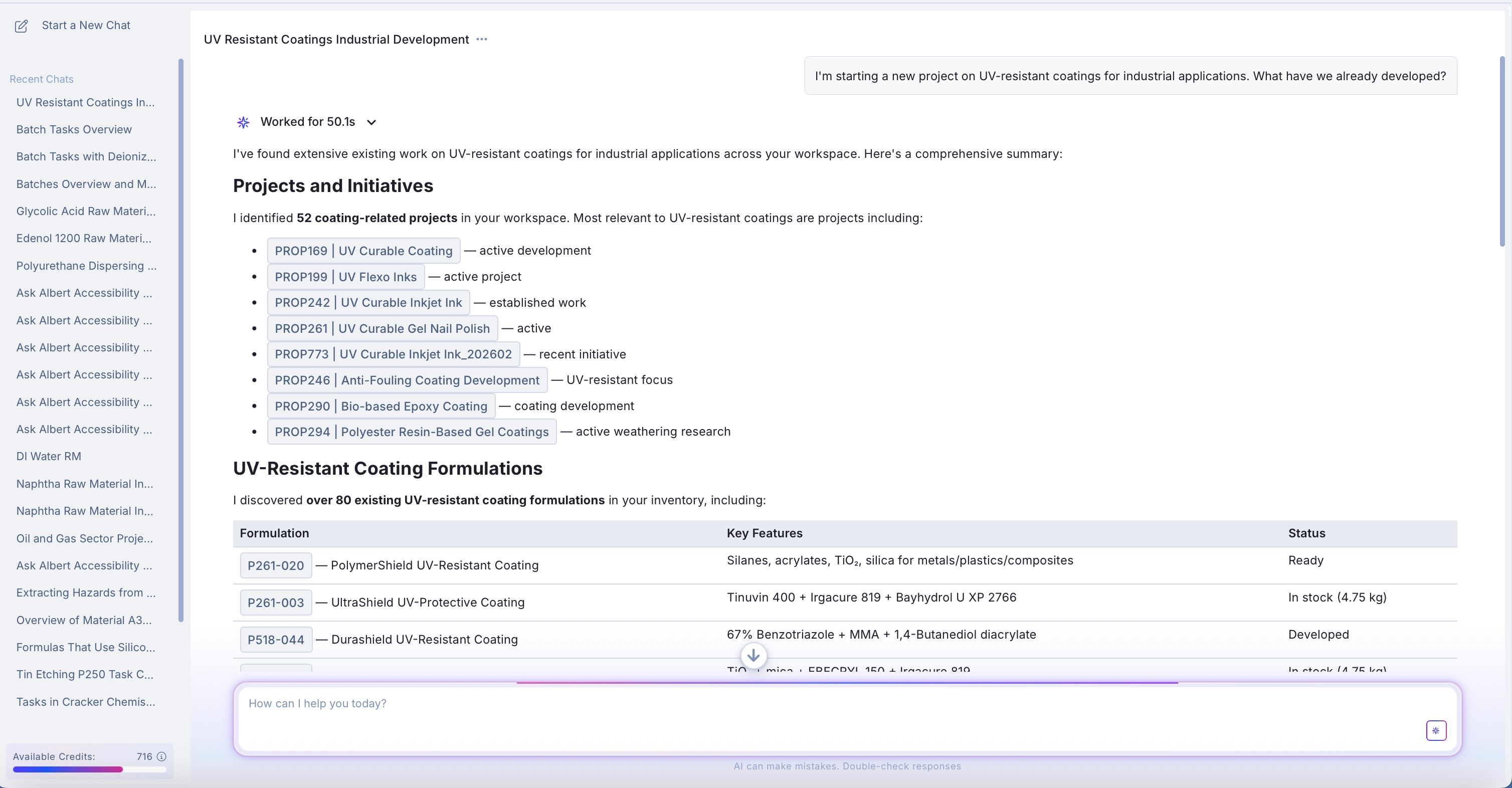
Ask Albert shows project, notebook, task, inventory and document names as links or highlighted labels inside the answer and its tables. Select one to open the original record, then confirm the detail there. A table row usually states where the match was found, such as a project name, a task ID, or a formulation.
Ask Albert can only reference records you have permission to see.
Why results can vary
Ask Albert works from a limited set of the most relevant records for each search, about the top 100. When many records are equally relevant, the ones it picks can change between runs, so two runs of the same question can return slightly different lists. If a result matters, ask a narrower follow-up that names the project or material.
Measured results from your property tasks, such as viscosity, pH, or hardness, are stored in a specific unit, so units matter. A search in a different unit can return nothing even though matching data exists. For example, if your viscosity data is recorded in Pa·s and you search in mPa·s, the range won't match. State the unit your team records the property in, and check how the property is stored when a range search comes back empty.