Fix Ask Albert answers that miss
Sometimes Ask Albert returns nothing, returns the wrong records, or gives a different list than last time. Because it searches by meaning, a small change in how you ask often fixes it. Work through the steps below in order.
Diagnose a missed answer
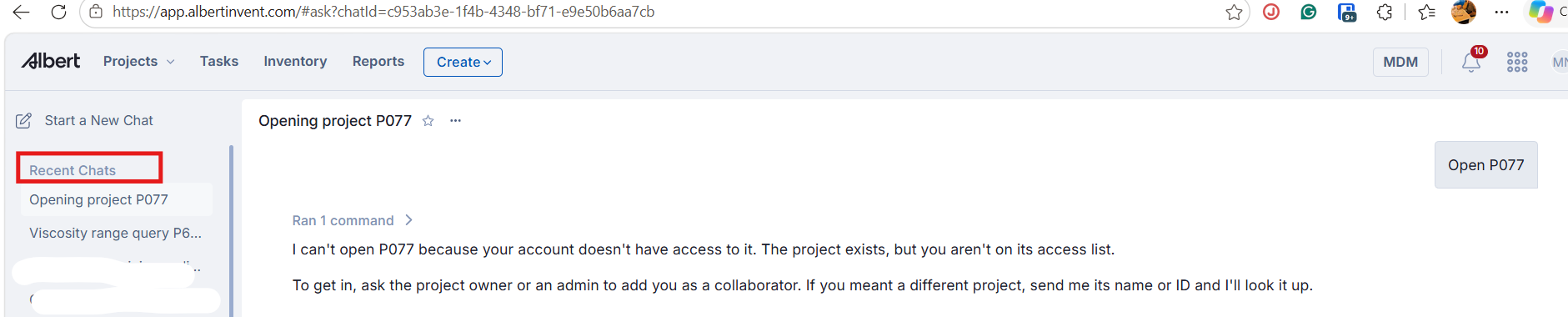
Select the line above the answer that starts with Ran, such as Ran 4 commands, to see which searches Ask Albert ran. See How Ask Albert searches and shows its work.
Check that it searched the kind of record you wanted, such as projects, notebooks, or documents.
Read the notes in the answer. Ask Albert says when a search stopped early or returned only part of the matches.
Rephrase the question with the fixes below.
Ask a follow-up in the same chat that names the project or material.
The searches and notes tell you whether the problem is the question or the data.
Fix a range search that misses values
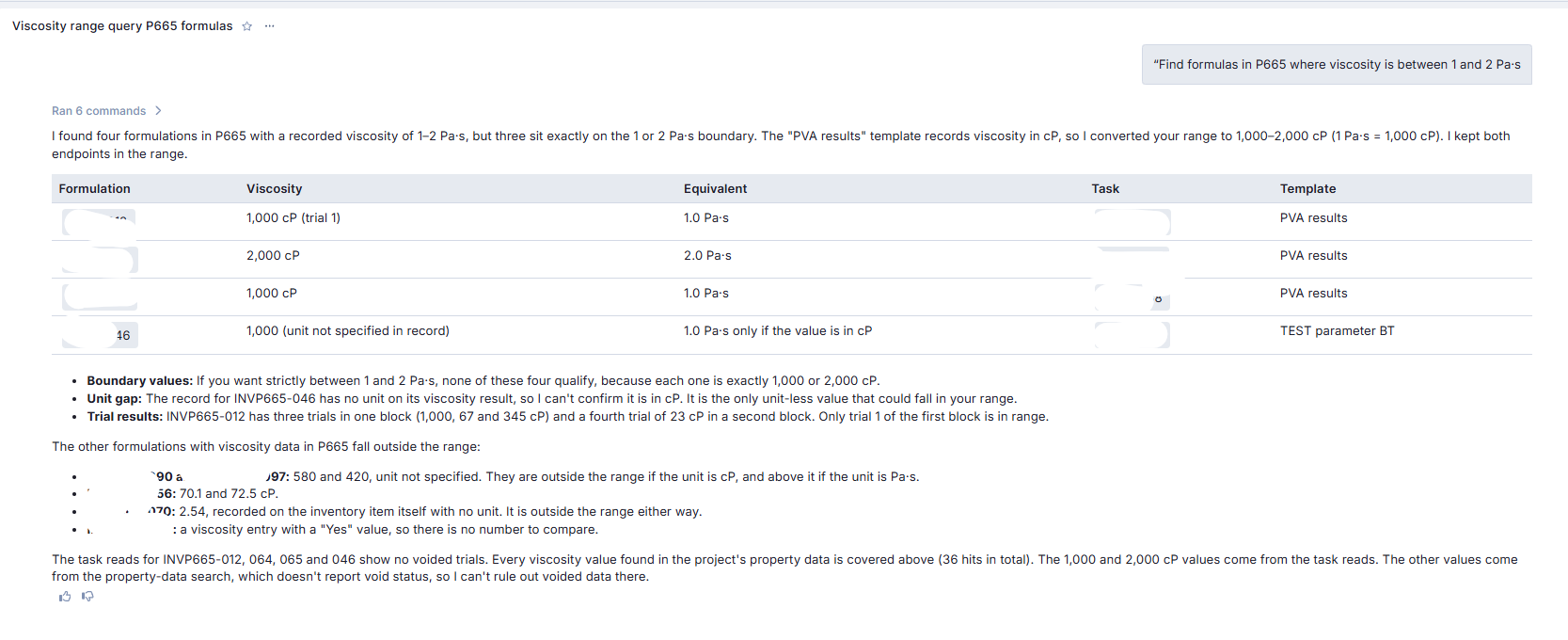
Ask Albert reads the unit stored with each value. If your range uses a different unit, it converts when it can. For example, a range of 1 to 2 Pa·s becomes 1,000 to 2,000 cP when the data is stored in cP.
Check the answer for:
The unit it used. If the answer looks wrong, ask again with the unit your team stores.
Boundary values. Ask Albert says whether it kept both ends of your range. Ask for “strictly between” to leave them out.
Values with no unit. Ask Albert cannot confirm the unit for these, so it lists them separately. Add the unit to the record, then ask again.
Trials and voided data. Ask Albert notes when a result has several trials, and when it cannot rule out voided data.
For more on units in prompts, see Write prompts that get good answers.
[!NOTE] Numeric range searches are not always reliable, so confirm any value in the original record.
Fix a property search that returns an error
A free-text property search, such as just "viscosity", can sometimes return an error. Use a structured range query with a unit and a measurement type instead, for example "viscosity between 500 and 1000 mPa·s".
Fix a brand name that returns nothing
Describe the function instead of the trade name, for example "surfactant for low-pH systems". Ask Albert finds records close in meaning, so a description often works when a name does not.
Narrow too many results
Name the project and the material in the same question. A narrower question gives a smaller, more relevant set of records.
Fix the wrong kind of records
Open that line again and look at what Ask Albert searched. If it searched the wrong kind of record, say which kind you want, for example "formulas" or "notebooks". If you asked for ingredients and got formulas, ask for the raw materials in a named project, for example "what raw materials are in this project", instead of describing the ingredient.
Check your access
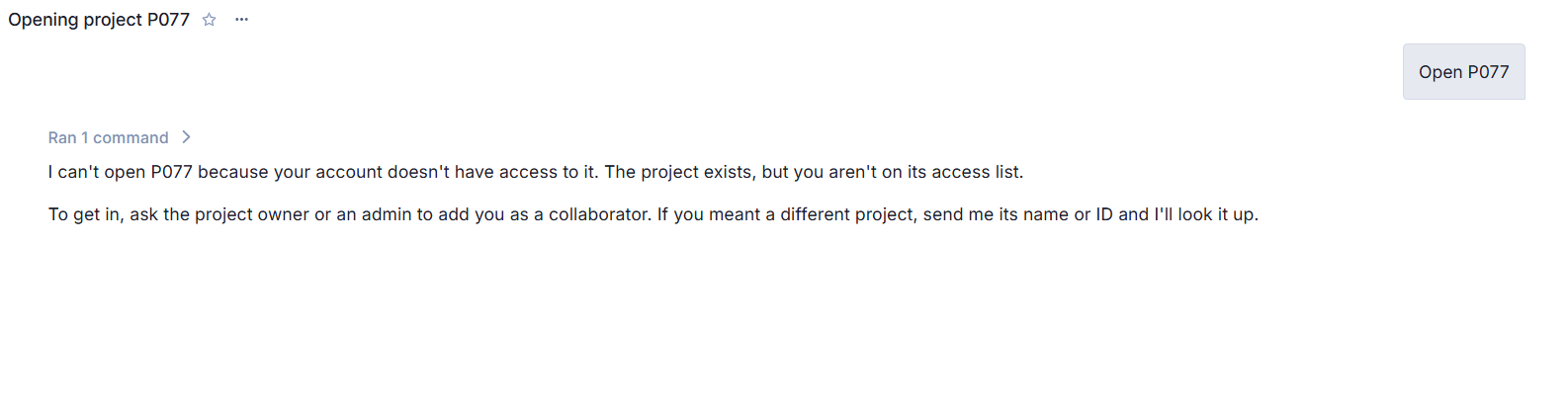
Ask Albert only shows records you have access to. If it says results matched but are not accessible to you, ask for access to that project. See [Actions, approvals and permissions in Ask Albert] and [Troubleshoot why you cannot see, open or edit something].
Fix a question about a document
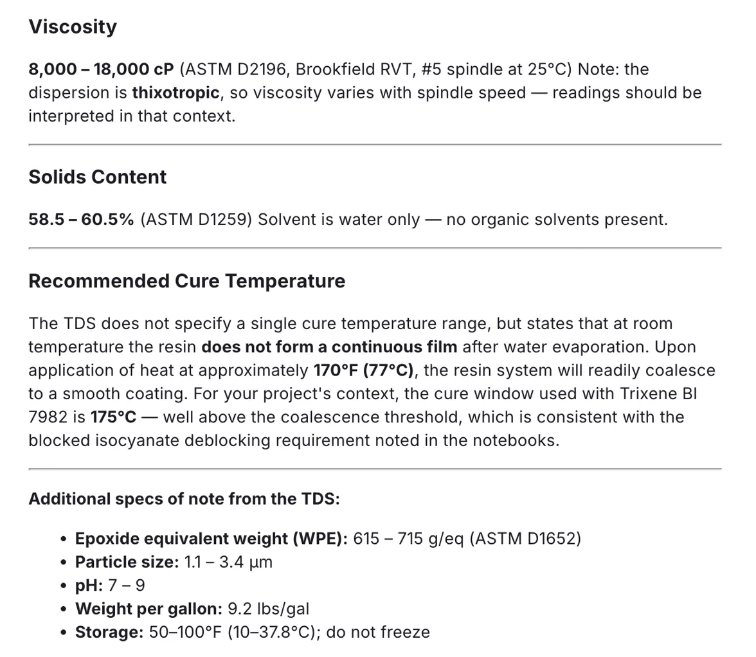
Upload the document into the chat with the paperclip icon, then ask your question. A file saved in a project’s Documents tab is not read this way.
Ask Albert to read the document contents and extract specific values, referencing your project context where relevant.
Fix a file or chart that does not come out right
Check that the record exists and has data, then ask for the change in the same chat. See Create files, charts and documents with artifacts.
Common questions
What if Ask Albert finds nothing at all?
If the searches listed under Ran covered the right places, the data may not exist. Treat that as a possible data gap, and check the record directly before you decide.
Why do I get different results when I ask again?
Ask Albert works from a limited set of the most relevant records, so lists can vary between runs. Ask a narrower follow-up when a result matters.
Where are my earlier chats?
Open Ask Albert and look at the Recent Chats list. Select a chat to reopen it.