
Mobile App - Overview
The Albert mobile application is available on both iOS and Android devices. The Albert mobile application contains lightweight capabilities of our web application such as viewing tasks and inventory management. Some mobile app functionalities include: adding lots, inventory transfer, inventory adjustment, barcode scanning, managing notifications, and viewing property task data.
Getting Started
Features
The Albert mobile application is built on providing an additional useful and easy to use tool while in the laboratory. The following features are available to use:
View and Filter
Re-assign
Analyze parameter values and results (property tasks)
Add notes
Inventory
Scan barcodes to view details of inventory items
View notifications
Sign-In
After downloading the Albert Invent app from the iOS or Google Play store, launch the application. The sign-in screen will appear.
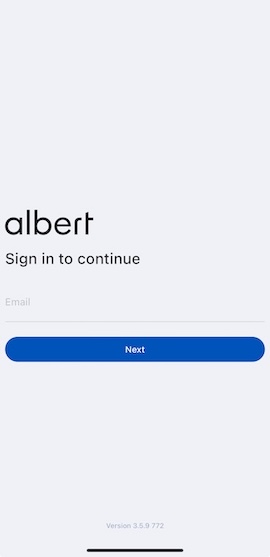
Enter the email with which you use to login to Albert. Then, if SSO is enabled, click on the Single Sign-On (SSO) bar with the blue key symbol. Otherwise, type in the Authenticator code from the Authenticator app connected to Albert.
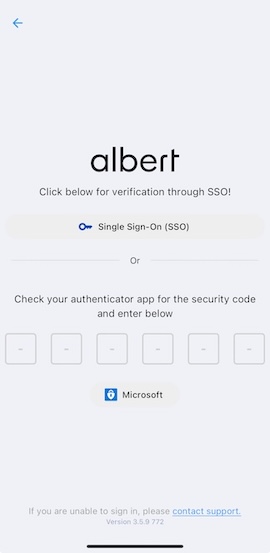
TIP: If you are having trouble signing in, click the contact support button at the bottom of the sign-in screen. The default email app for your device will fill in the Albert Support email, and you can then submit a ticket.