
Introducing Smart Projects
Overview
Smart Projects introduces a new way to define, track, and visualize your project goals directly inside Albert — no spreadsheets, no manual report matching, no lag between your data and your decisions.
At the heart of Smart Projects is a new targets grid on your project home screen. Here, you set your project goals upfront and watch your results populate as your work progresses.
To learn more about how to use Smart Projects, check out our Smart Projects Overview article.
Why this matters
Every project starts with a set of goals. Some are non-negotiable. Some are aspirational. Most live in a spreadsheet or a shared document disconnected from the actual science.
That disconnect creates work. You run experiments, export results, open Excel, match values against targets, and build a status update. By the time it's ready, something has changed.
Smart Projects closes that gap. Your targets and your results live in the same place, updating as you collect data.
What you can do with Smart Projects
Set project targets from day one
On your project home screen, define the goals your team is working toward. Organize them by priority — must have, should have, nice to have. This way everyone on the team is aligned on what success looks like before the first experiment runs.
Track progress in real time
As results come in, the targets grid updates by clicking Sync. You can see at a glance where each goal stands, what's been achieved, and where there's still work to do — without leaving Albert.
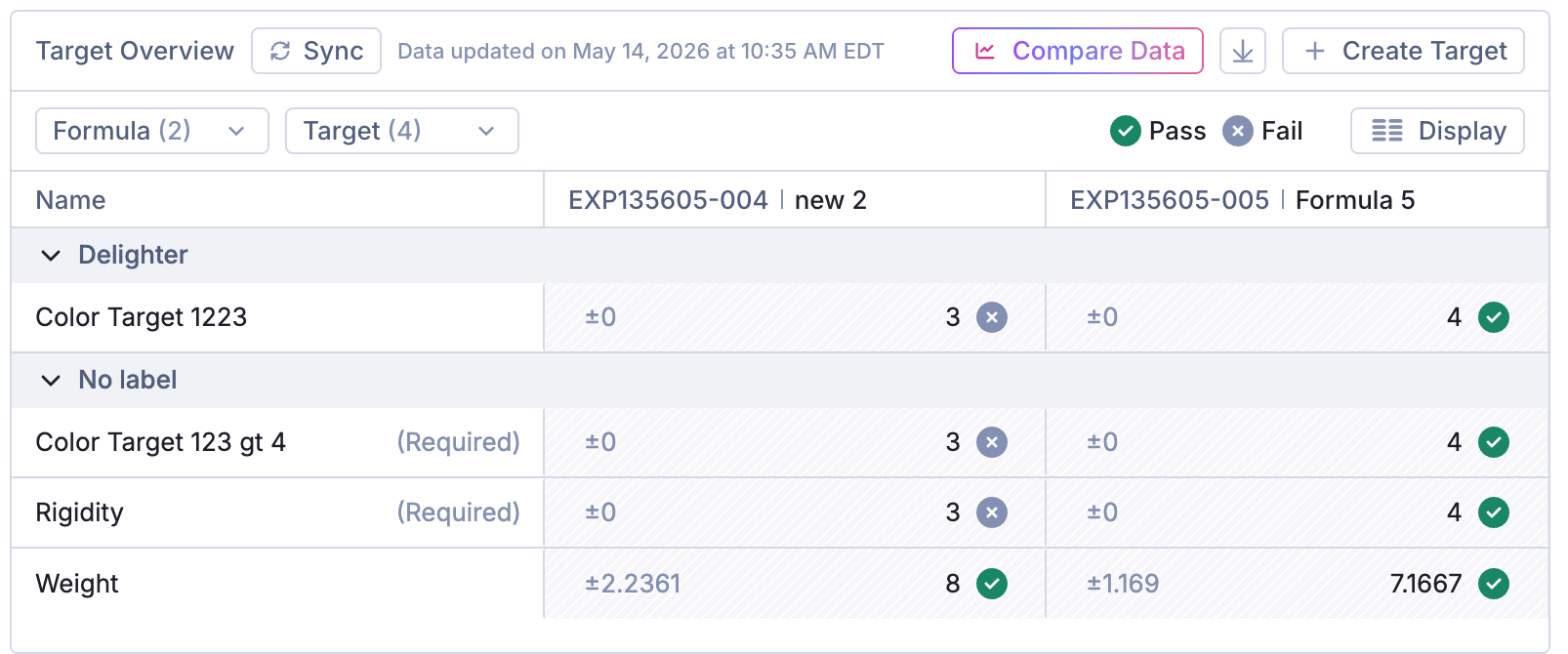
Generate graphs on the spot
Need a chart for a presentation or written report? Generate visualizations directly from the grid. No exporting or reformatting required. Your data is already structured and ready to share.
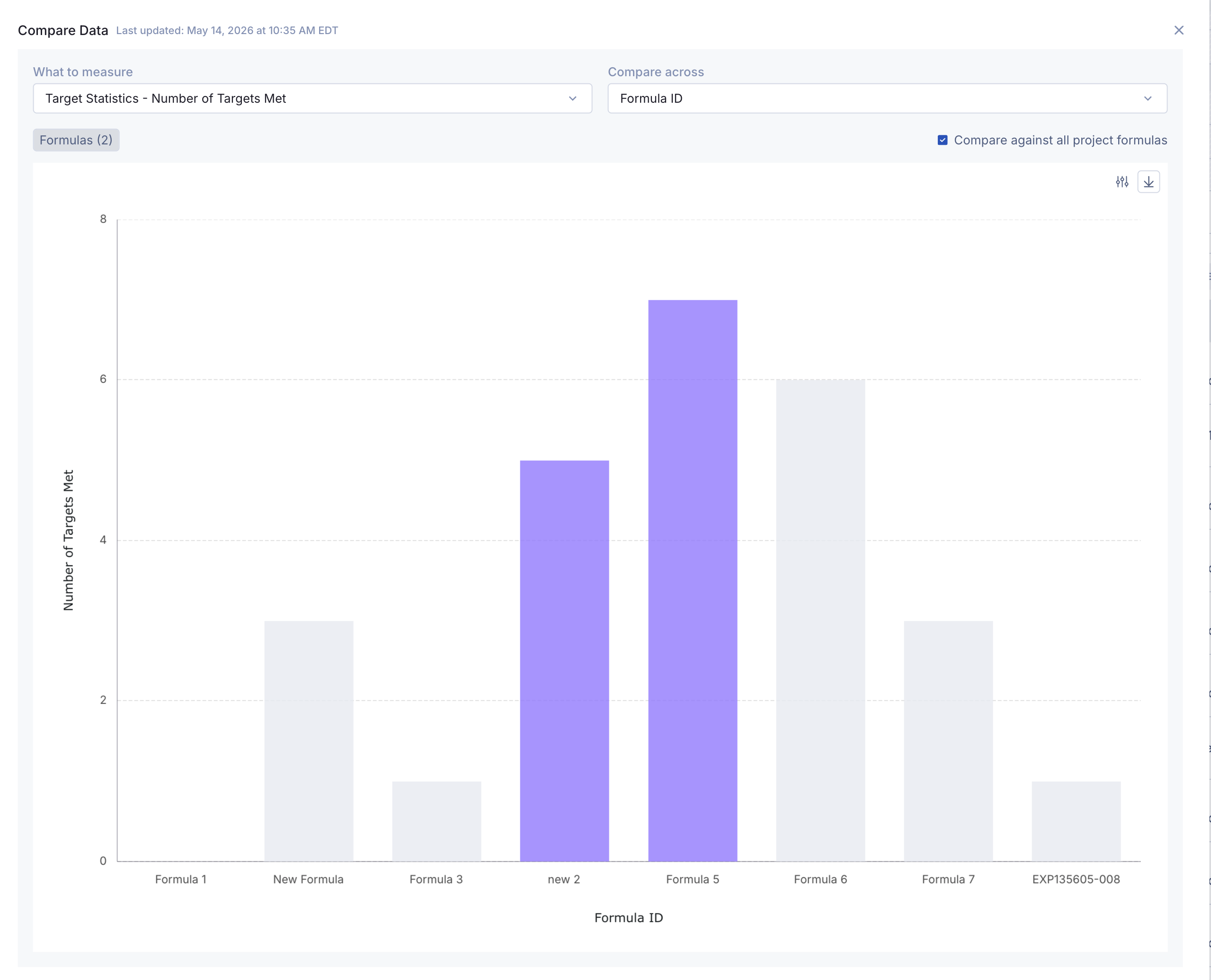
How it fits into your workflow
Smart Projects is built around the way chemistry actually gets done. Projects have goals. Results either meet them or they don't. Now Albert reflects that reality from the moment a project opens to the moment it closes.
Whether you're reviewing progress in a team meeting, preparing a stage-gate summary, or deciding where to focus next, Smart Projects gives you a single, live view of where things stand.
Getting started
Smart Projects is available on the project home screen for all active projects. To get started:
Open an existing Project, or Create a new one!
You will see the Smart Projects targets grid at the top of project home screen
Add your project goals and assign priority levels
As results are collected, your progress will update automatically