
Getting Started with Ask Albert
What is Ask Albert?
Ask Albert is a chat-based AI assistant embedded throughout Albert that understands your context and searches your R&D data using natural language. Describe what you're looking for and Ask Albert finds matching results, makes recommendations, and analyzes data.
Ask Albert lets you search your organization's R&D data using plain language. Instead of browsing project folders or digging through notebook archives, you ask a question and Albert finds the answer.
Ask Albert searches across:
Notebooks — lab notes, observations, experimental records across every project
Raw Materials — inventory items, supplier materials, prior usage context
Formulas — formulations, compositions, development history
Property Data — measurement results from property tasks: viscosity, pH, hardness, drug release, and any other structured test data your team has captured
Batch Tasks — manufacturing records, processing parameters, equipment used, batch composition data
This article covers how Ask Albert works, how to write prompts that get the best results, and what to do when something doesn't go as expected.
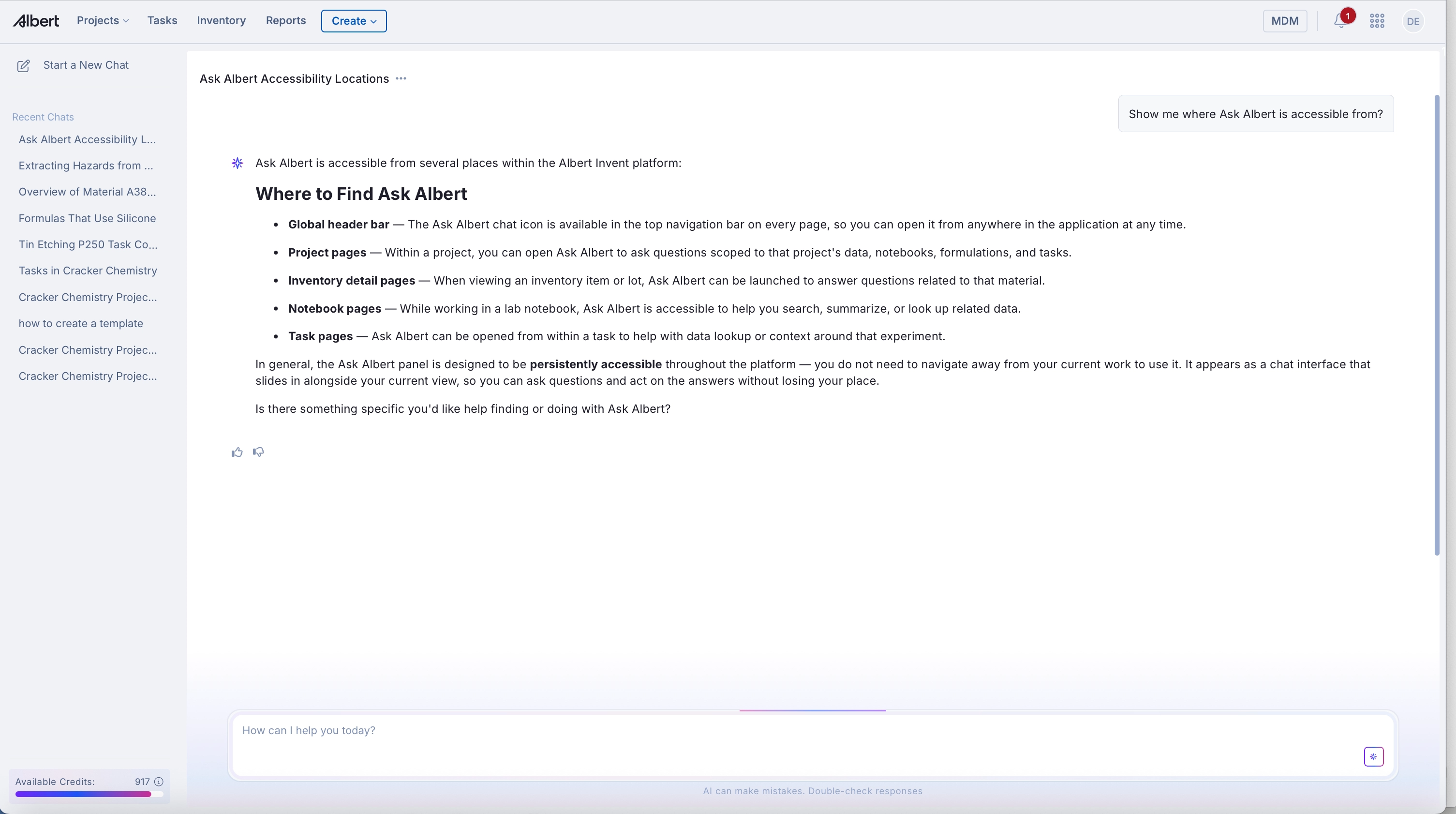
Where to Find Ask Albert (Ask Albert is Everywhere)
Open Ask Albert from any page in Albert and get answers informed by exactly where you are and what you're looking at.
Key features:
Accessible from anywhere in Albert (no need to navigate away from your work)
Conversations follow you across pages (full history persists)
Search across notebooks and worksheets simultaneously
Context-aware to what you're currently viewing
How it works
Ask Albert uses semantic similarity search — it finds conceptually related content, not just exact text matches. That means you can ask "what have we done with polyurethane dispersing agents in coatings?" without knowing the exact material name, and Albert will surface relevant results.
Every response includes a reasoning block — an expandable section (e.g., "Albert worked for 9 seconds") that shows:
Intent — how Albert interpreted your question
Search approach — which databases were searched
Records examined — how many items were reviewed
If a response misses the mark, check the reasoning block first. It will usually tell you exactly what went wrong.
Basic Workflow
Open Ask Albert from the homepage or any page from the Albert Platform:
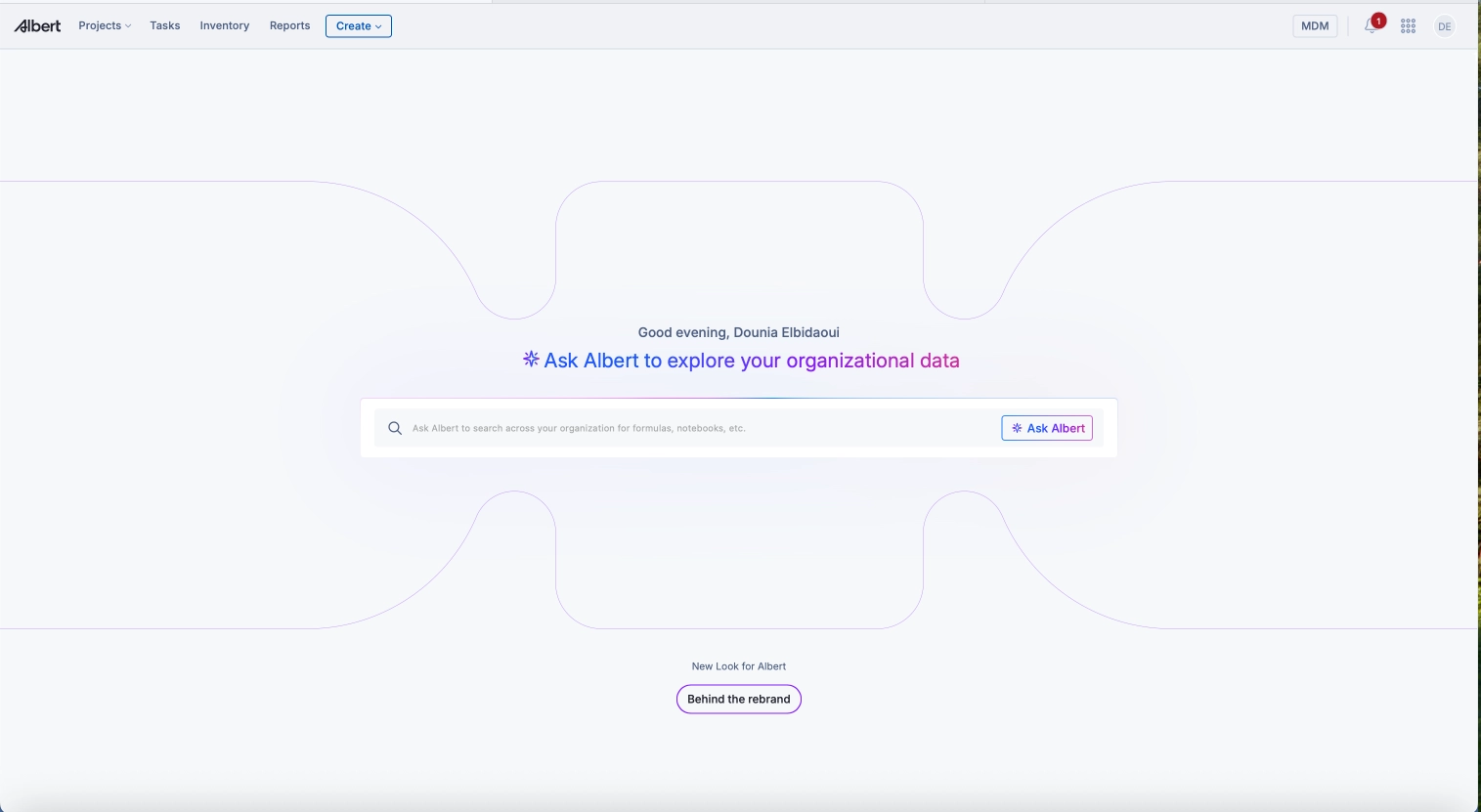
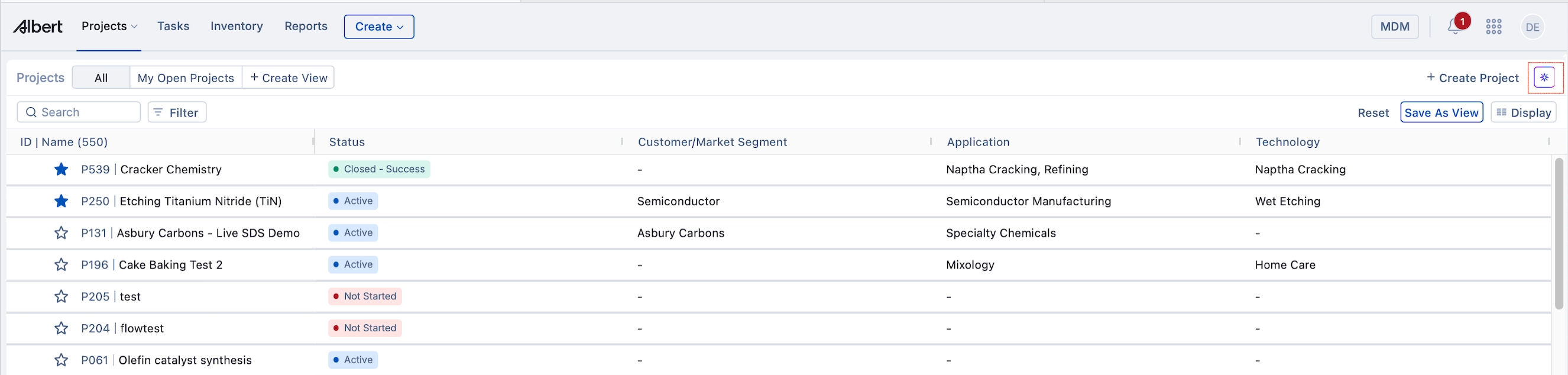
Ask a question in natural language
"Show me formulas with silicone"
"Which batch tasks used the rotary tableting machine?"
"Tell me about this material"
See results displayed as tables, citations, and popovers
Click citations to navigate directly to documents, inventory records, or notebooks
Context-Aware Search
Ask Albert knows what page you're on and what you're viewing.
Example: Open a raw material record for "Glycolic acid" in Inventory then ask: "What formulas use this raw material?"
Ask Albert will surface:
Material properties and specifications
Formulas that use this material
Relevant batch tasks
Notebook entries mentioning it
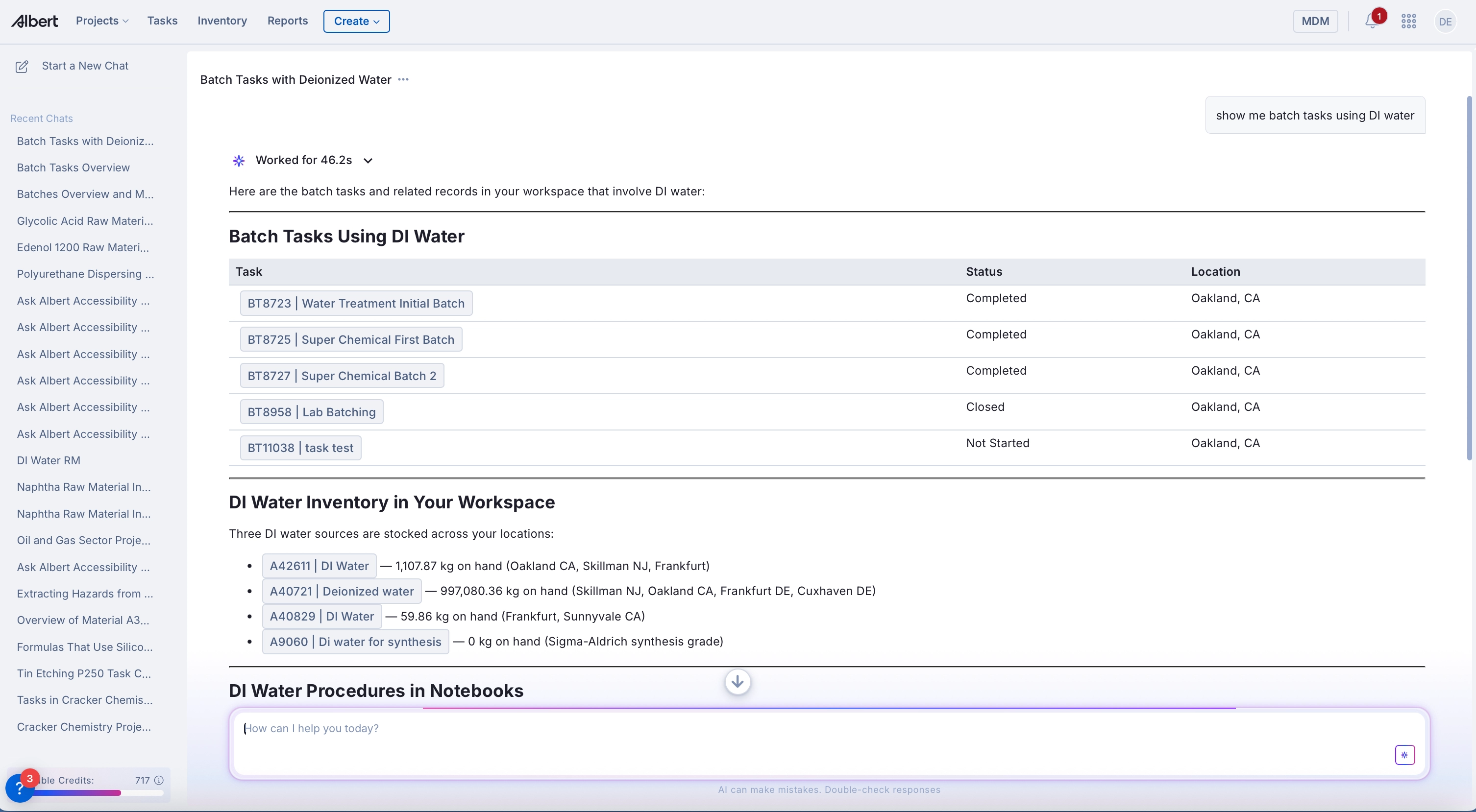
You can then navigate to a worksheet and ask follow-up questions like "Which formulas have the highest TiN etch rate and lowest Tin etch rate?" Ask Albert will show you the patterns across formulations, and you can click any result to jump directly to that specific task.
Works on any page:
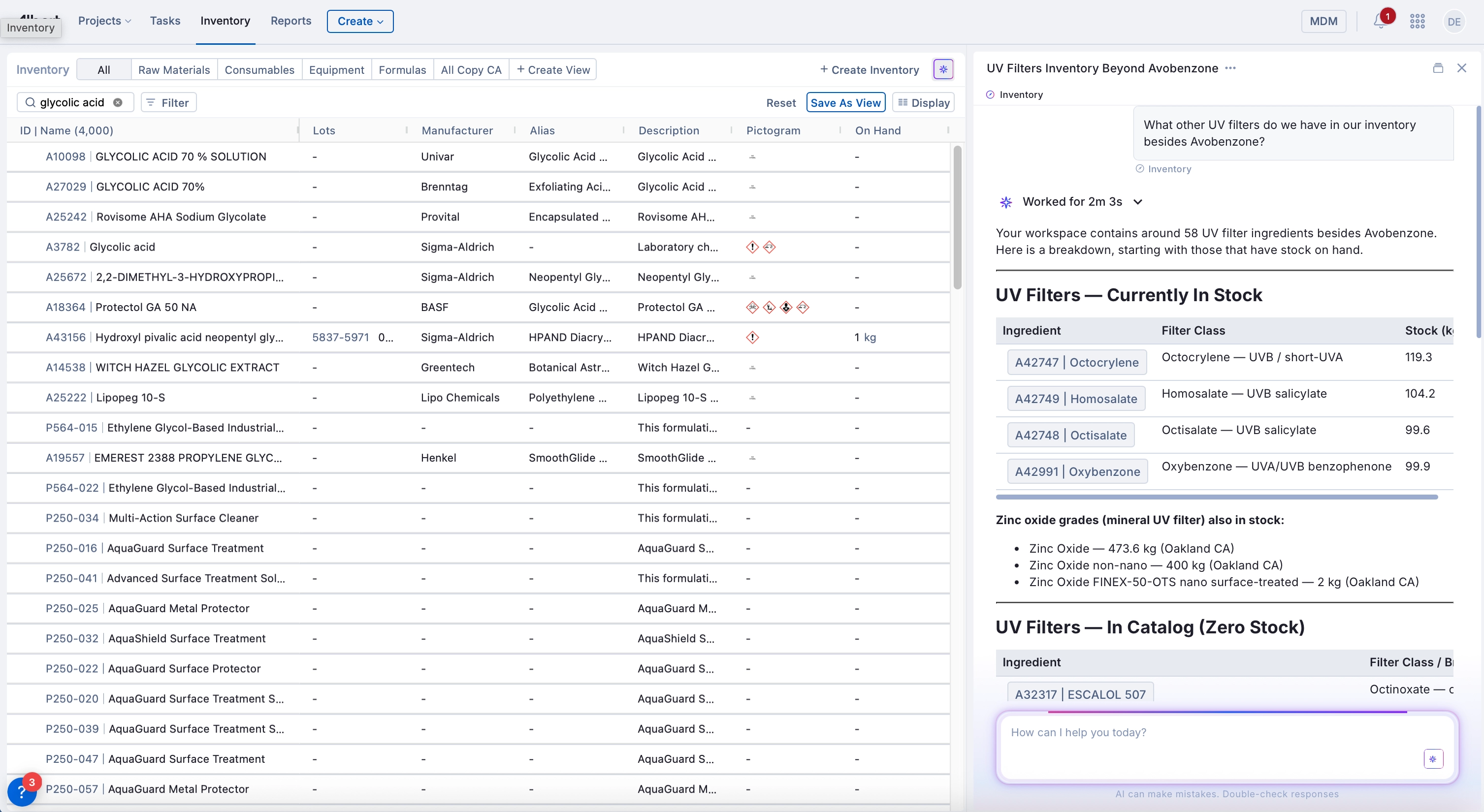
From the example above you can see AskAlbert will work from any page and save the chat info so when navigating to the link it keeps the same information.
On a Worksheet? → "Which materials in this formula have batch records?"
On a Project? → "What notebooks have we used for this?"
On a Notebook entry? → "What formulas reference these materials?"
How to Write Quality Prompts
Specific prompts perform. Include units, material names, and parameters where possible.
Better | Vague |
|---|---|
"Find formulas where viscosity is between 500 and 1000 mPa·s" | "Find viscous formulas" |
"Which batch tasks used Polyox WSR 303?" | "Show me batches" |
"Controlled-release formulations for Pregabalin" | "Find drug formulas" |
"Dissolution data at the 2-hour timepoint" | "Give me dissolution results" |
Vague Prompt:
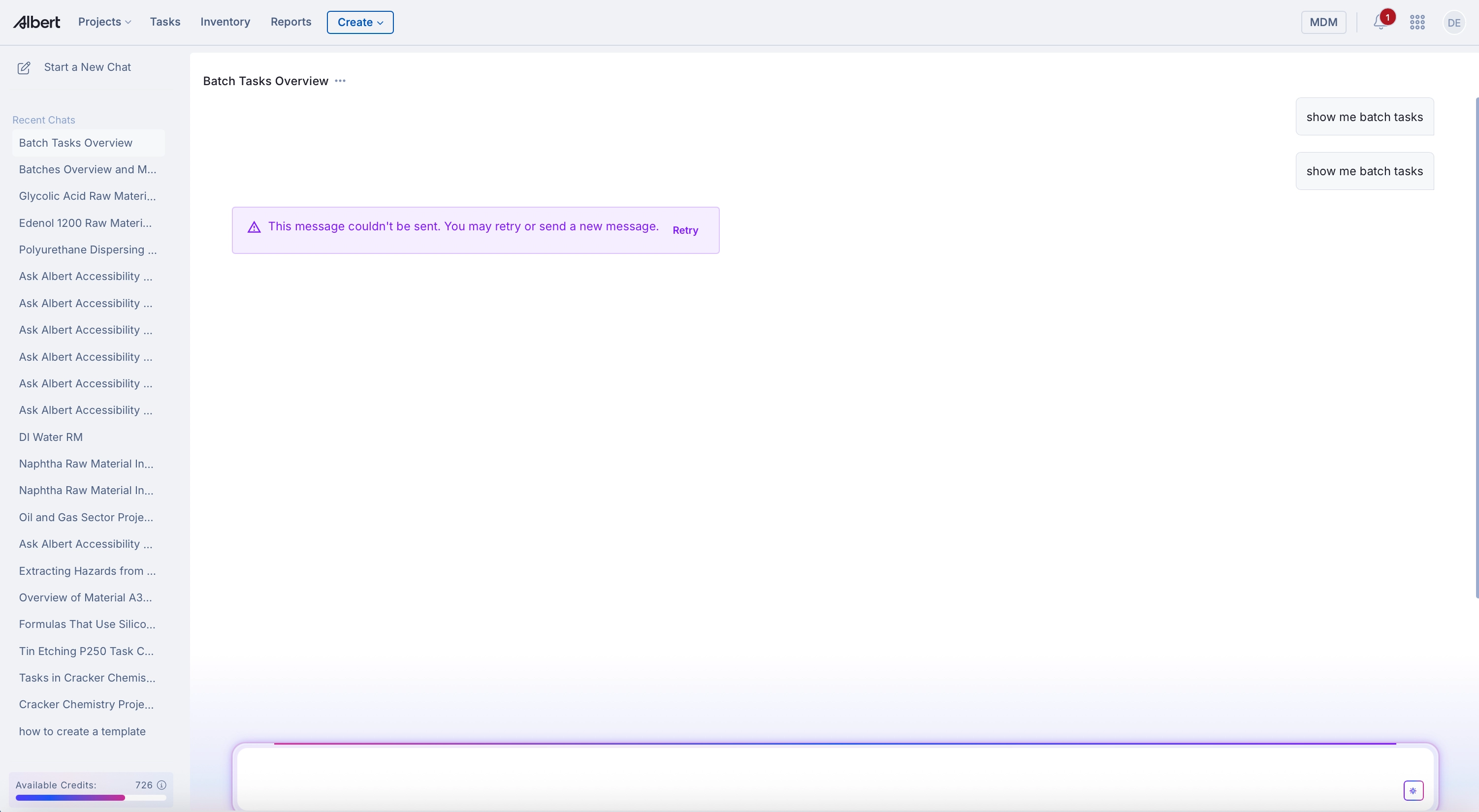
Specific Prompt:
Pro tips:
Include units when specifying ranges (e.g., "18°C to 25°C")
Name specific materials, formulations, or projects
If results have unit mismatches, Ask Albert will flag it
Ask follow-up questions in the same conversation
Ask Albert holds context within a conversation. You can build on previous answers:
"Show me all projects using DI water as a raw material."
"What inventory items are critical to the cracking chemistry process?"
"Which worksheets in that project have the highest steam:naphtha ratios?"
"What batch tasks were run for those formulations, and what equipment was used?"
Each follow-up narrows the focus without you having to repeat yourself.
Use the language of your domain
Ask Albert understands chemistry. You don't need to simplify your questions.
"Do we have any fatty acid methyl esters in our inventory?"
"What thermoplastic polyurethane elastomers have we worked with?"
"Are there any biodegradable polymers in our system that have been used in packaging applications?"
"What were the steam processing parameters in our naphtha cracking experiments?"
Example prompts
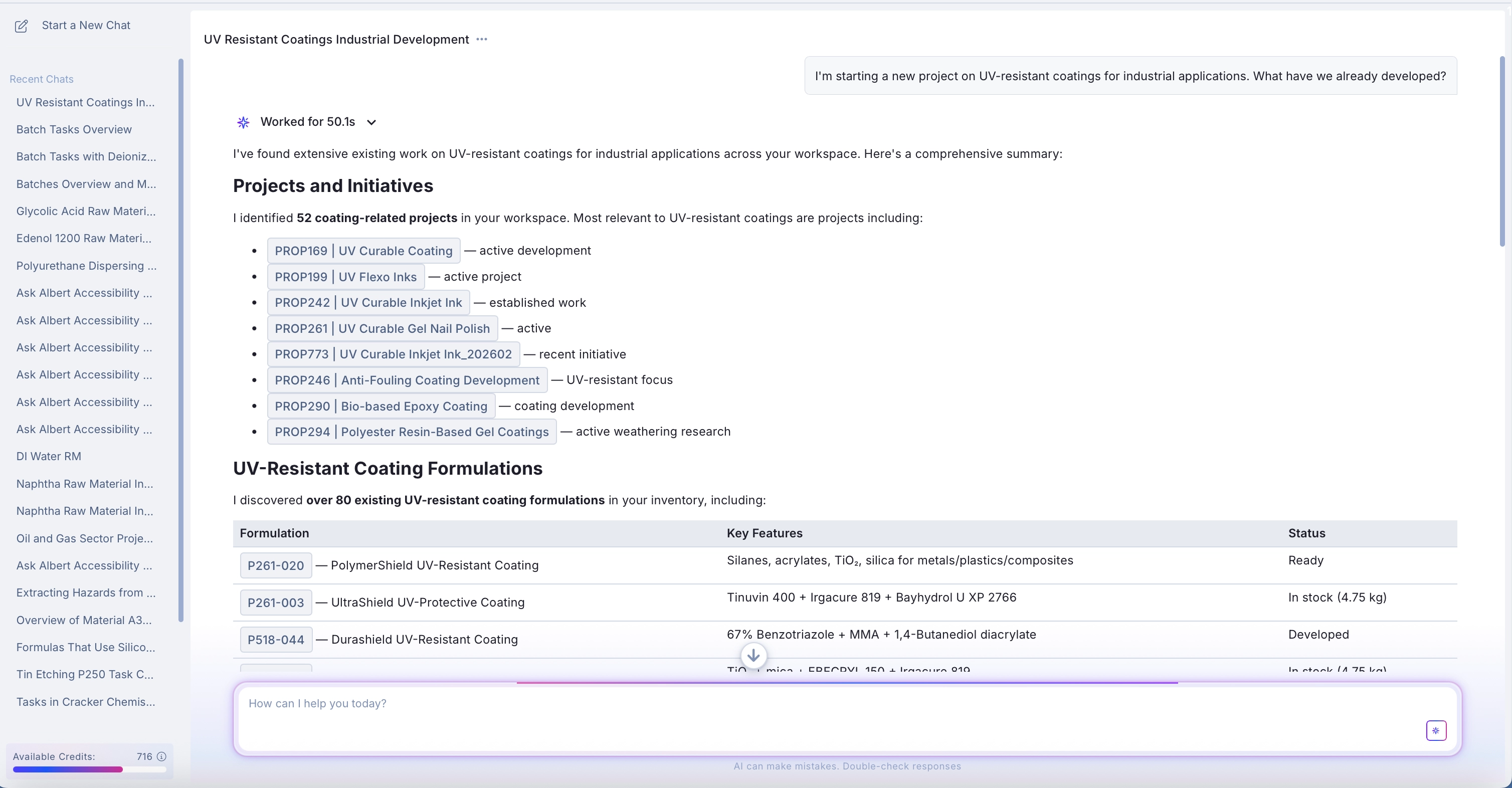
Starting a new project
"I'm starting a new project on UV-resistant coatings for industrial applications. What have we already developed?"
Range-based property searches
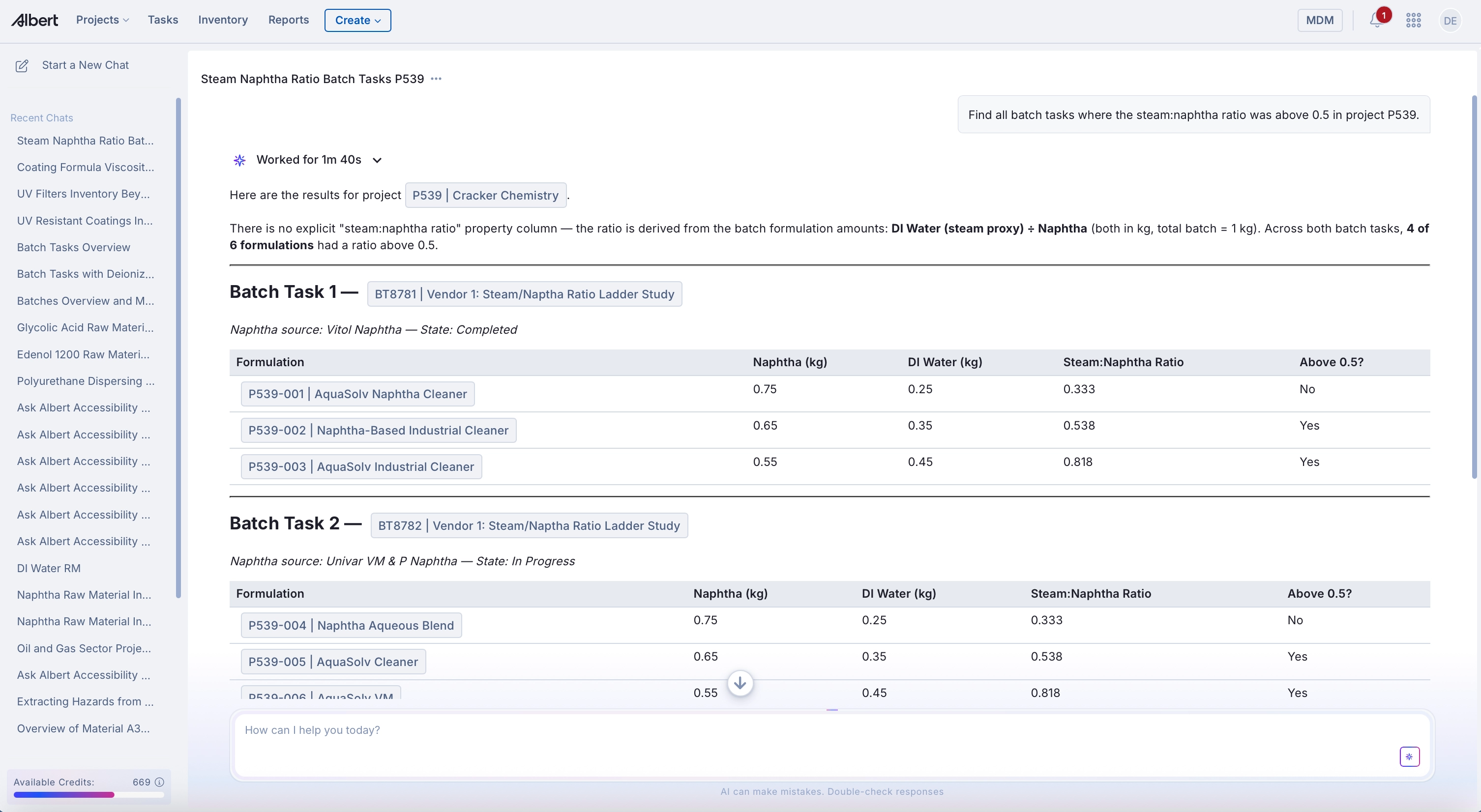
Find all batch tasks where the steam:naphtha ratio was above 0.5 in project P539.
"Find all batch tasks where the steam:naphtha ratio was above 0.5 in project P539."
For concept-based searches without a specific range, Ask Albert uses semantic search to find relevant formulations and notebooks, then surfaces the best available data:
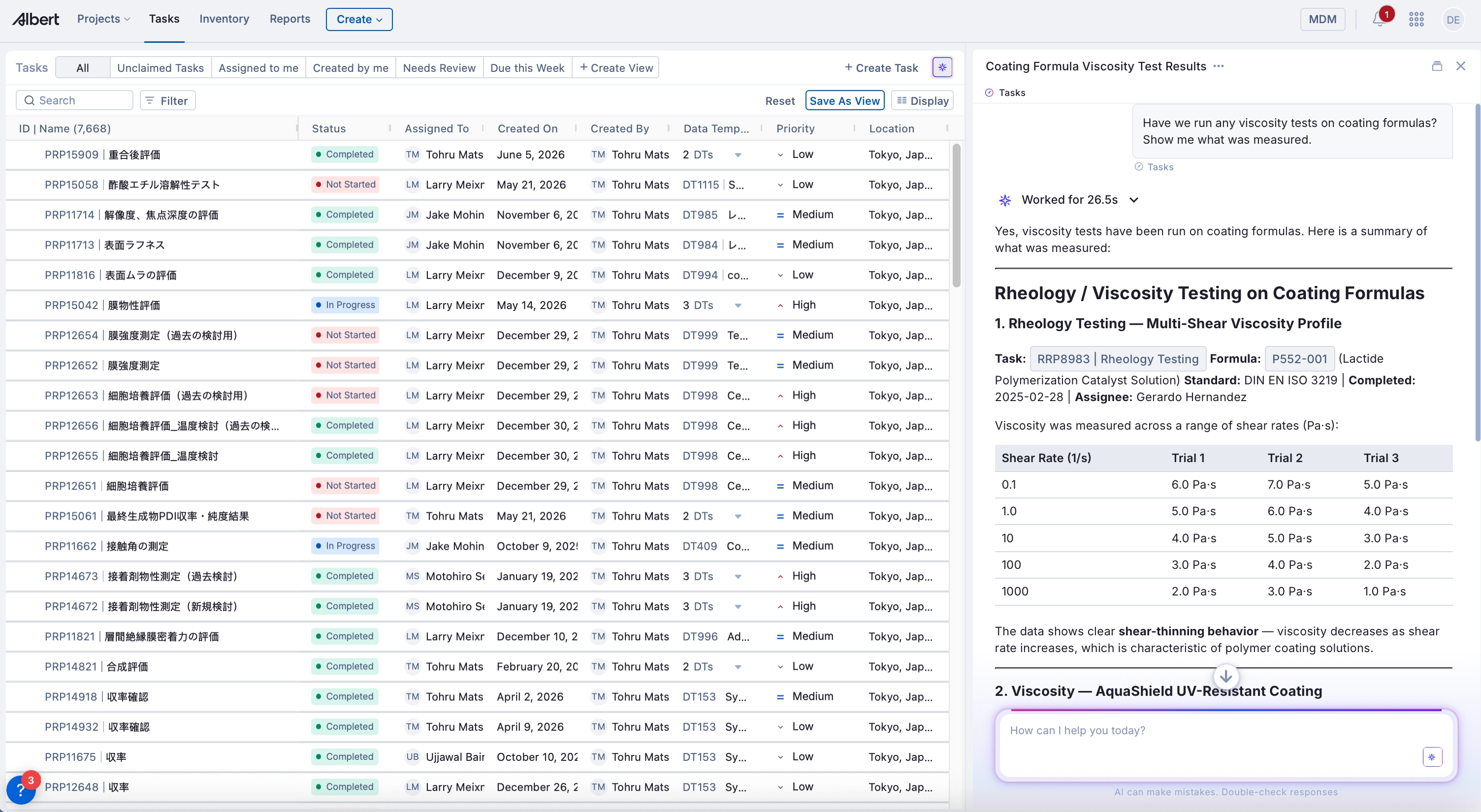
Searching property data and test results
"Have we run any viscosity tests on coating formulas? Show me what was measured."
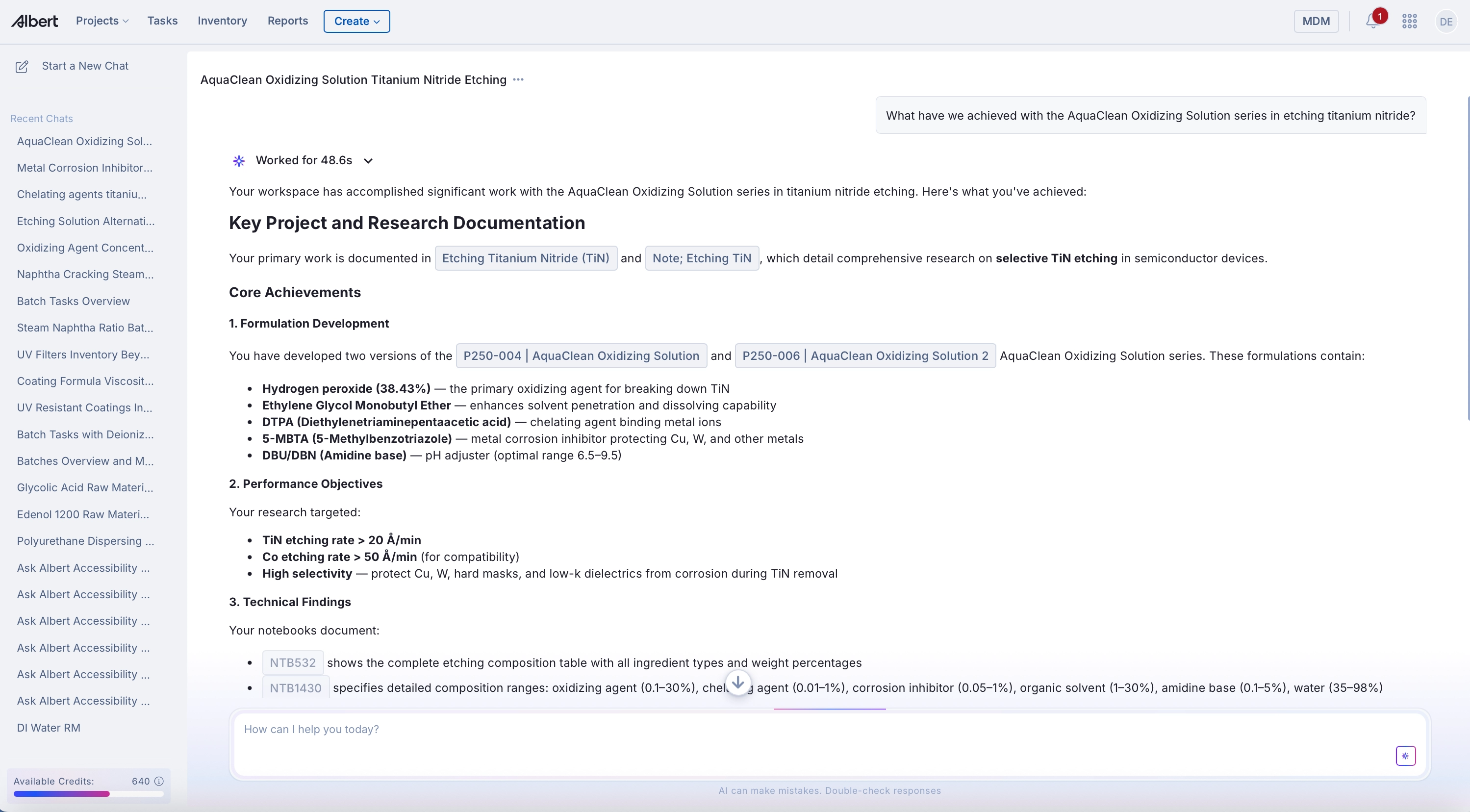
"What have we achieved with the AquaClean Oxidizing Solution series in etching titanium nitride?"
Substitution and alternatives
"Are there alternatives to Efka FL 3730 that we've worked with before?"
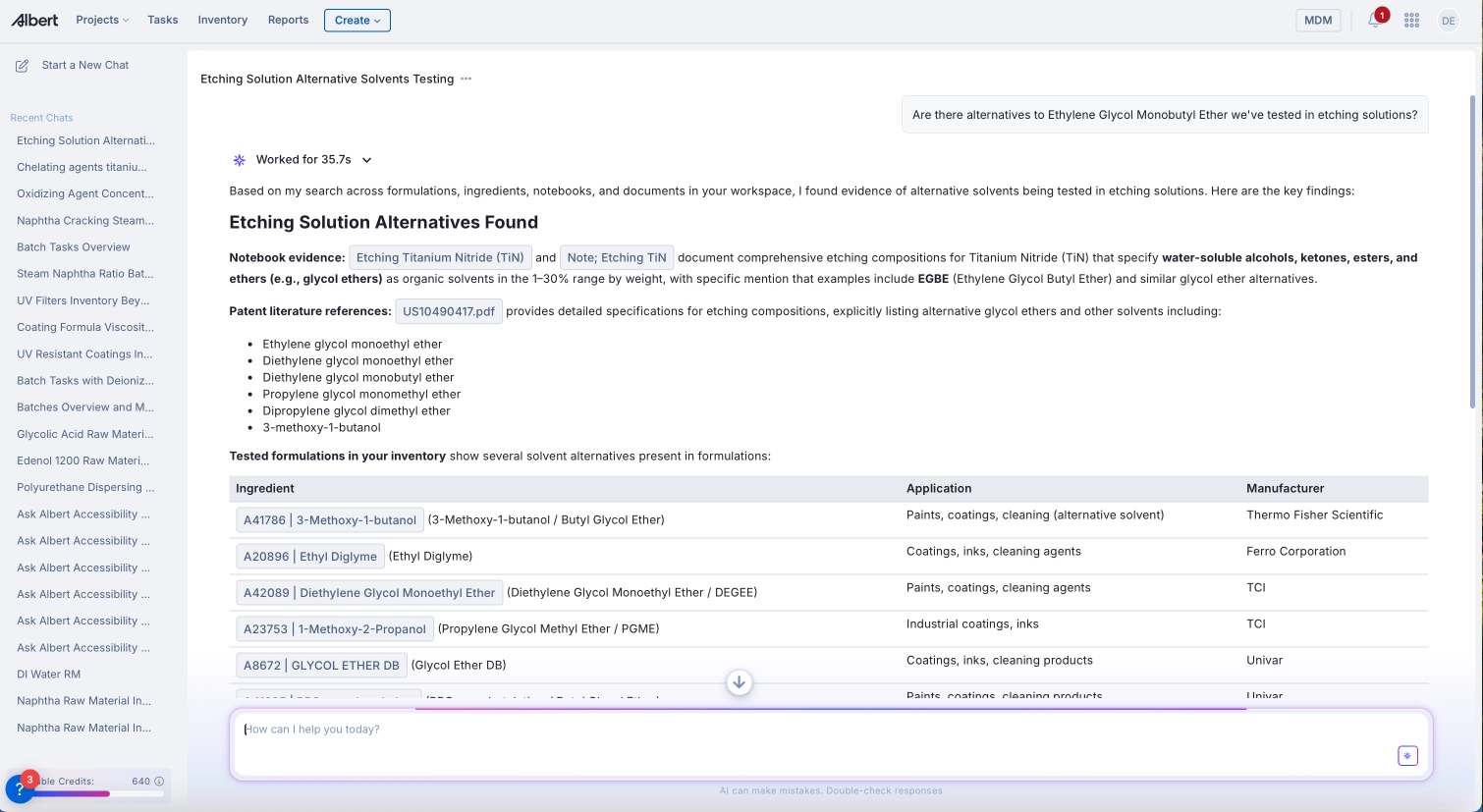
"Are there alternatives to Ethylene Glycol Monobutyl Ether we've tested in etching solutions?"
Tips for getting the most out of Ask Albert
Start broad, then narrow. Begin with a concept or project area, then ask follow-up questions to drill into specifics.
Name the material or formula when you know it. Specific names improve precision significantly.
Check the reasoning block. It's the fastest way to understand why a response looks the way it does.
Don't expect exact keyword matches. Ask Albert finds meaning, not just words. Try describing what you're looking for in plain language if a precise name doesn't work.
Match the units your team uses. When searching property data by range, use the same units your data is stored in. If a range query returns nothing, Ask Albert will tell you what it found — use that to check if a unit mismatch is the cause.
Use project context for better results. Include the project name or ID when searching batch tasks or property data — it narrows the scope and improves precision.
Build on conversations. Each follow-up question in the same chat refines your search without starting over.
What Ask Albert Can't Do Yet
Ask Albert is designed to tell you when it can't answer reliably. A few things to know:
Numeric range filtering works — but units matter. Ask Albert can apply range conditions to property data, for example returning only pour point measurements between 18°C and 25°C. For best results, specify the measurement type, the range, and the project or formula context.
One important detail: Ask Albert searches using the exact unit your team has stored data in. If your viscosity data is recorded in Pa·s and you ask for results in mPa·s, the range won't match. If a range query returns no results, it's worth checking how that property is stored in your system — Ask Albert will tell you what it found and suggest next steps.
Example: A search for "viscosity between 500 and 1000 mPa·s" returned no results — because the workspace stores viscosity in Pa·s. The existing data (1–7 Pa·s) actually falls at 1,000–7,000 mPa·s, just above the requested range. Ask Albert correctly identified the unit mismatch and explained it.
Results can vary across runs. Ask Albert examines the top 100 most relevant records per query. When many records tie on relevance, selection is partially random. Running the same query twice may return slightly different results — this is expected behavior.
Ask Albert doesn't search outside Albert OS. It grounds all answers in your organization's data. It will not pull from external literature or competitor information.
Free-text property search has occasional issues. Searching for properties by generic text (e.g., "viscosity") sometimes encounters errors. Workaround: use structured range queries with specific units and measurement types instead.
If you're not getting the results you expect, expand the reasoning block. If Ask Albert searched the wrong data type or misread your intent, you'll see it there — and you can rephrase accordingly.
Next Steps
Start simple: Ask "Show me all [material name]" or "Which formulas contain [ingredient]?"
Use context: Open a material or formula page, ask Ask Albert about it directly
Check the reasoning: Expand the reasoning block to see how Ask Albert interpreted your question
Review results: Click citations to navigate to source documents and verify in context
Ask Albert works best when you're specific about what you're looking for. The more you use it, the faster you'll discover what questions return the most useful answers for your work.
Questions about Ask Albert? Reach out to your Albert support contact.