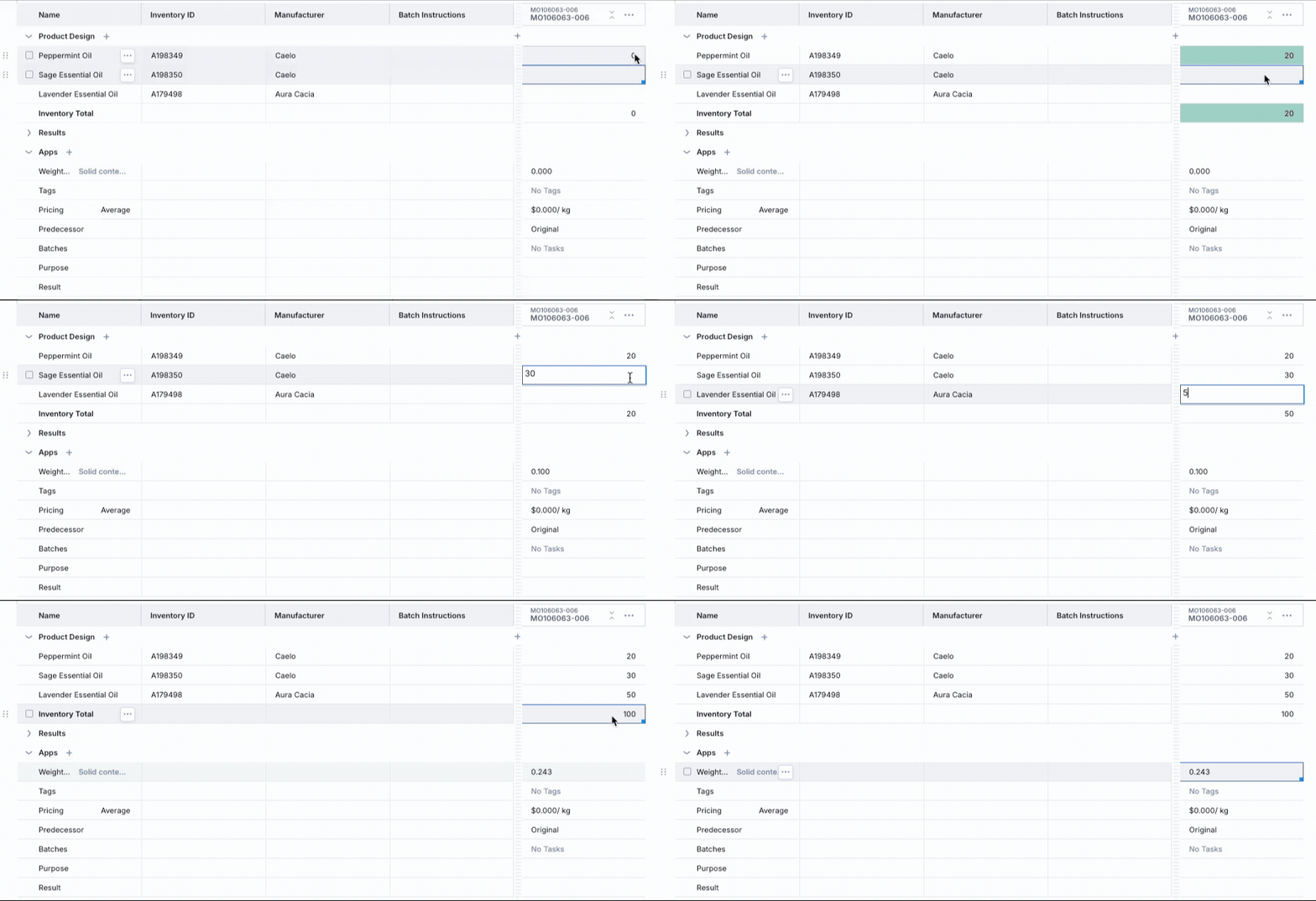
Worksheet - Weighted Average Row
The Weighted Average App Row calculates a weighted average across numeric values in a worksheet, using inventory amounts or other defined weights.
Highlights
This feature dynamically adapts based on the available data—only appearing when numeric custom fields exist—ensuring relevance and simplicity.
You can derive weighted averages (e.g., for properties like VOC content, cost, density) directly within formulation workflows
To use this functionality, you'll need defined custom fields.
How to use Weighted Average Rows
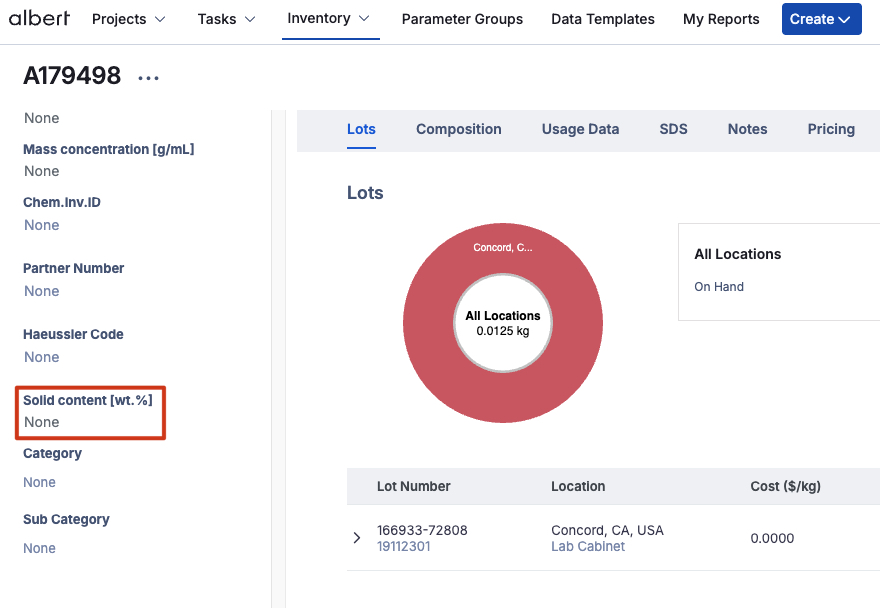
One option is to use the solid content to see the weighted average of an essential oil mixture. In order to do this, we'll first have to enter our solid content values in the raw material's details within the Inventory. if you want to learn more about custom field please got to Inventory - Custom Fields.
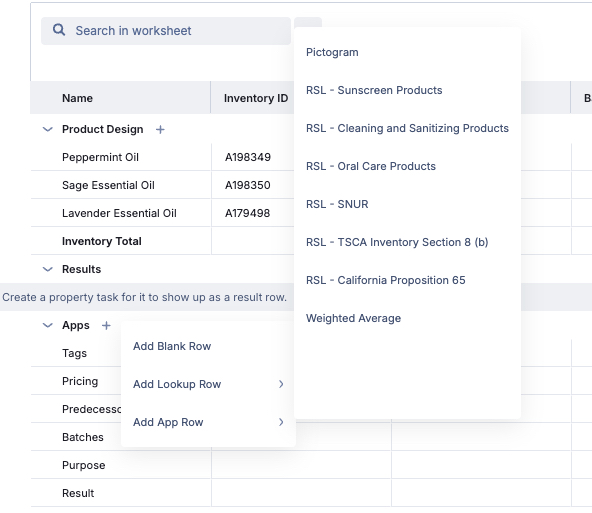
Now, you can go back to your Worksheet and add all of your ingredients. To create a weighted average row, click on the plus sign next to the App section and add a weighted average row.
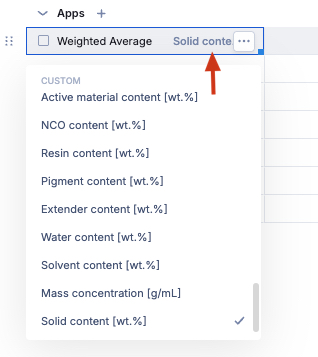
The next step would be the selection of the custom field for the weighted average calculation.
Now, you can see how the weighted average of the solid content field is updated automatically as soon as you add values to your product or formula!