
Inventory - Custom Fields
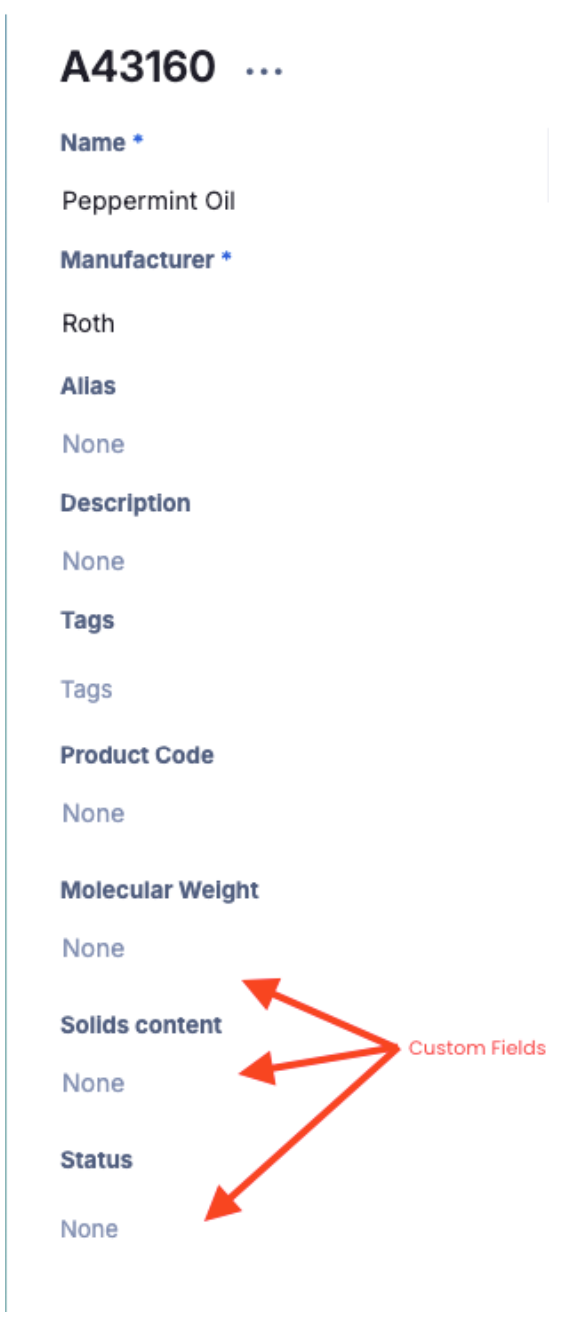
Custom Fields in the inventory module are meant to capture inventory-specific data that is not available in the regular module. We can add custom fields to the inventory for different fields that are relevant to your organization. These fields can be numeric, free text, drop-down, or even pre-defined! These fields are searchable, filterable, and reportable. Some examples are below:
ERP Numbers
Molecular Weight
Solids Content
Regulatory Information
Unique Internal ID
IDH (Ingredient Declaration Handbook) Number
Some organizations use an IDH (Ingredient Declaration Handbook) number as a unique identifier to track and register raw materials in their internal systems. If your organization uses IDH numbers and you need to add or register one against an Inventory item, this will appear as a custom field on the left-hand side of the Inventory item page.
These fields show up on the left-hand side in the inventory metadata, and there are an unlimited amount that can be added.
Weighted Average Rows
When custom fields are numerical (e.g., solids), they can be used in calculations in the Worksheet to perform a weighted average across all inventory items in a formulation containing that custom field. For more information on weighted average rows, see this help article.
Note: If you are interested in adding a custom field to your inventory module, please contact your Albert representative or reach out to us at support@albertinvent.com.