
Substance and Structure Pages
We're excited to bring you one of the most requested improvements to how Albert expresses chemical information: dedicated pages for Structures and Substances. Whether you're a chemist planning experiments or a regulatory specialist checking compliance, you now have a single, organized place to find everything you need about a chemical, right inside Albert.
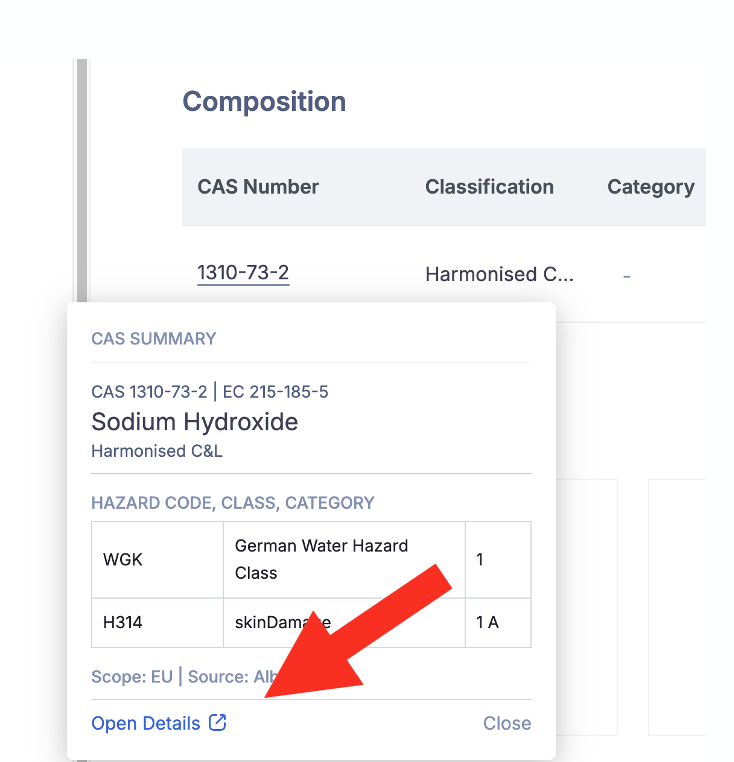
To get started, navigate to the Substance Page first. These can be accessed from Inventory, by clicking Open Details on a Substance from the Composition grid.
Structure vs. Substance — what's the difference?
You'll encounter both types of pages in Albert, and understanding the distinction helps you get the most out of them.
A Structure Page is all about the molecule itself — its chemical identity, molecular geometry, and predicted properties. Think of it as the theoretical blueprint of a chemical. It answers: what is this molecule?
A Substance Page is about how that molecule exists in the real world; its CAS number, how it's regulated, what hazards it carries, and whether you have it in inventory. It answers: what do we know about this chemical in practice?
Most structures link to one or more substances. A substance usually links back to one structure, but sometimes many (xylene, for example, is a mixture of isomers. It can link to multiple structures). Some substances, like polymers or proprietary materials, have no discrete structure at all, and that's handled too.
Structure Pages
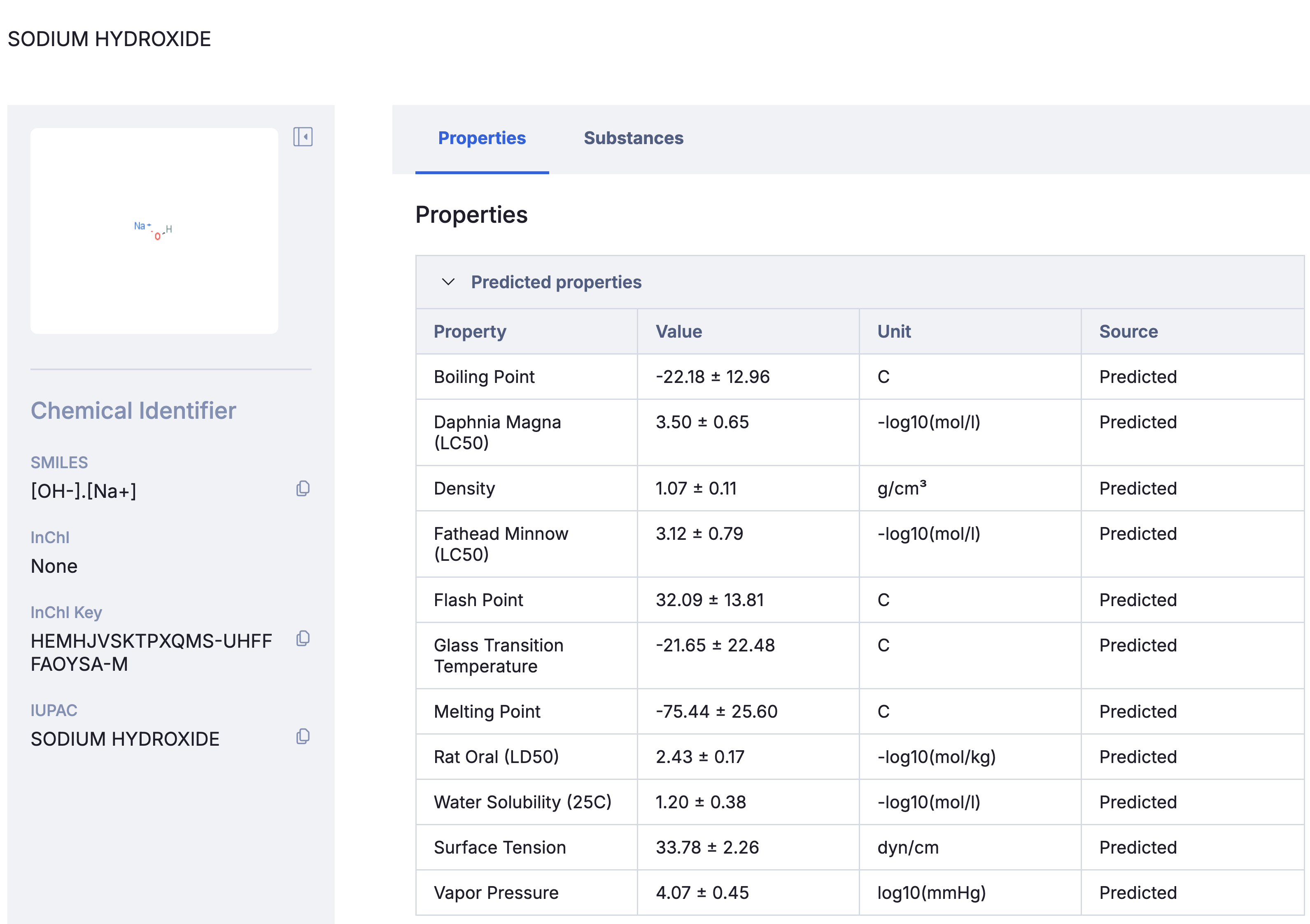
See the full chemical picture at a glance. The left sidebar gives you the structure image and all key identifiers: Common Name, Molecular Formula, IUPAC Name, SMILES, InChI, and InChI Key the moment you land on the page.
Access predicted properties without opening Breakthrough. The Physical Properties tab shows computed and AI-predicted values from Albert Breakthrough - boiling point, melting point, flash point, density, vapor pressure, water solubility, surface tension, and more. Previously a Breakthrough Molecule insight was the only visibility for these.
Why are predicted properties here and not on the Substance Page? Predicted values are derived from molecular topology so they belong to the structure. Experimental values were measured on a real physical sample, they belong to the substance.
Jump straight to real-world context. The Substances tab lists every real-world substance linked to this structure. One click takes you from the molecular blueprint to inventory, regulatory status, and hazard data.
Getting around
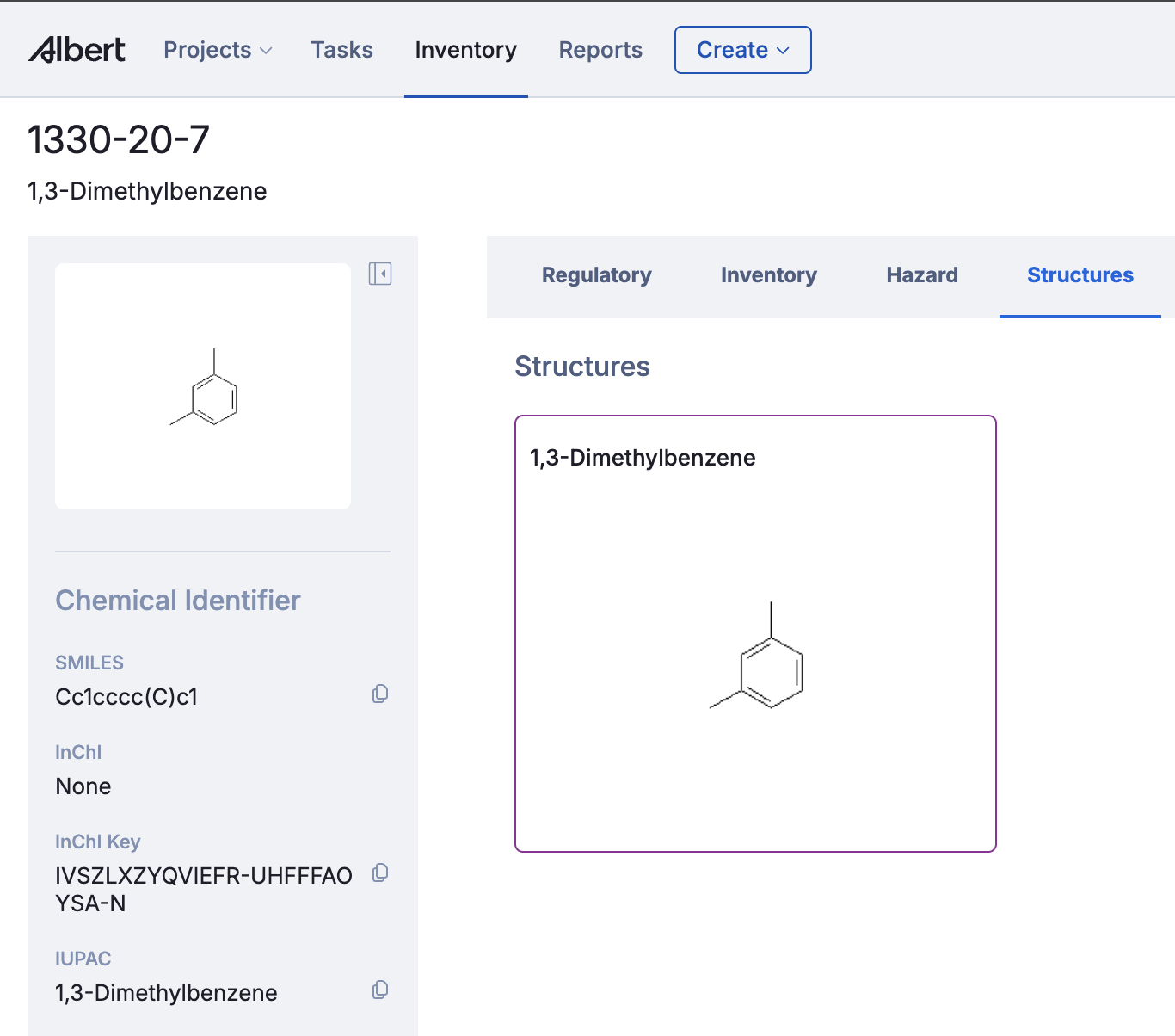
You can reach a Structure Page by clicking through from a Substance Page. From a Structure Page, clicking any substance in the Substances tab takes you to that Substance Page. Navigation is bidirectional so you can always move fluidly between the chemical identity and real-world context.
Substance Pages
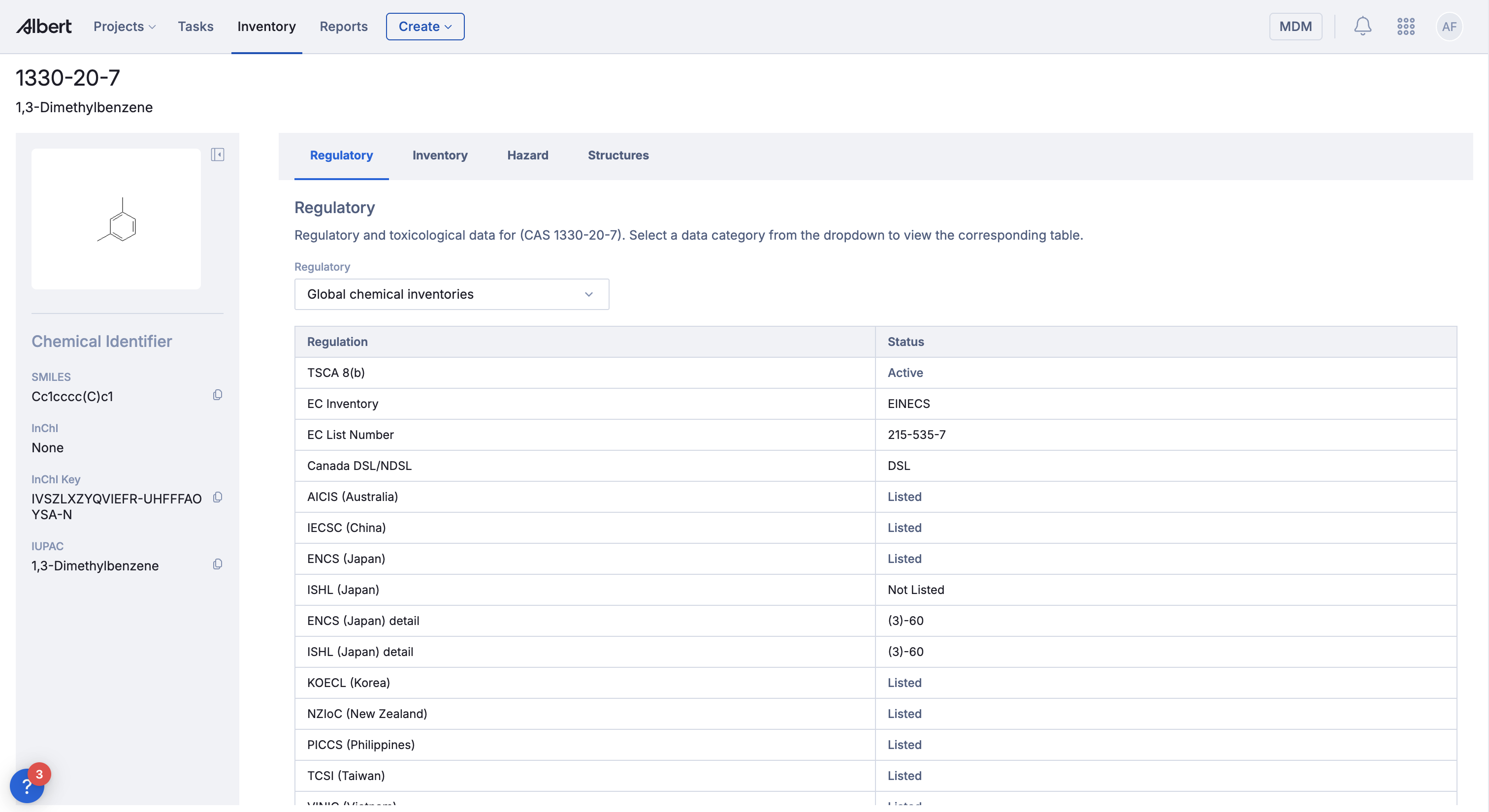
This is one of the bigger changes in this release. Before, substance information was spread across different parts of Albert. Identifiers in one place, regulatory data in another, hazards tied up in SDS workflows. The Substance Page pulls all of that into one place.
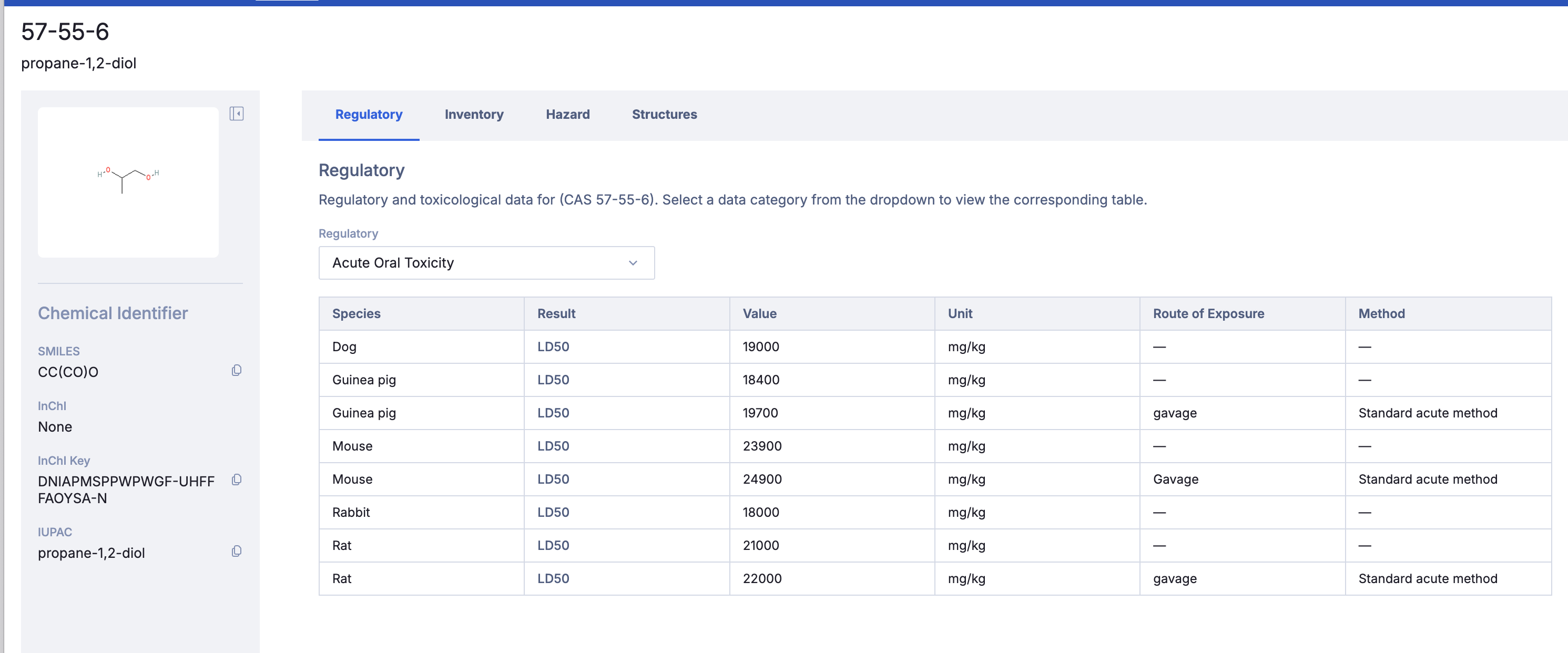
Every substance now has its own dedicated page, anchored by its main identifiers (INCI name, CAS, IUPAC name)
Left Sidebar
The sidebar shows the substance's identifiers, CAS number, EC number, and others, alongside a structure image. Albert handles a few different states here depending on the substance: if it links to a single structure, you'll see its image. If it links to multiple structures (xylene, for example, is an isomeric mixture), you'll see a multi-structure indicator. If there's no discrete structure — polymers, UVCBs, trade secret materials — Albert shows an appropriate empty state rather than leaving it blank or broken.
Regulatory Tab
Physical Properties
This section shows measured, experimental property values with citable sources. Each row links to the source reference so you know exactly where a value came from.
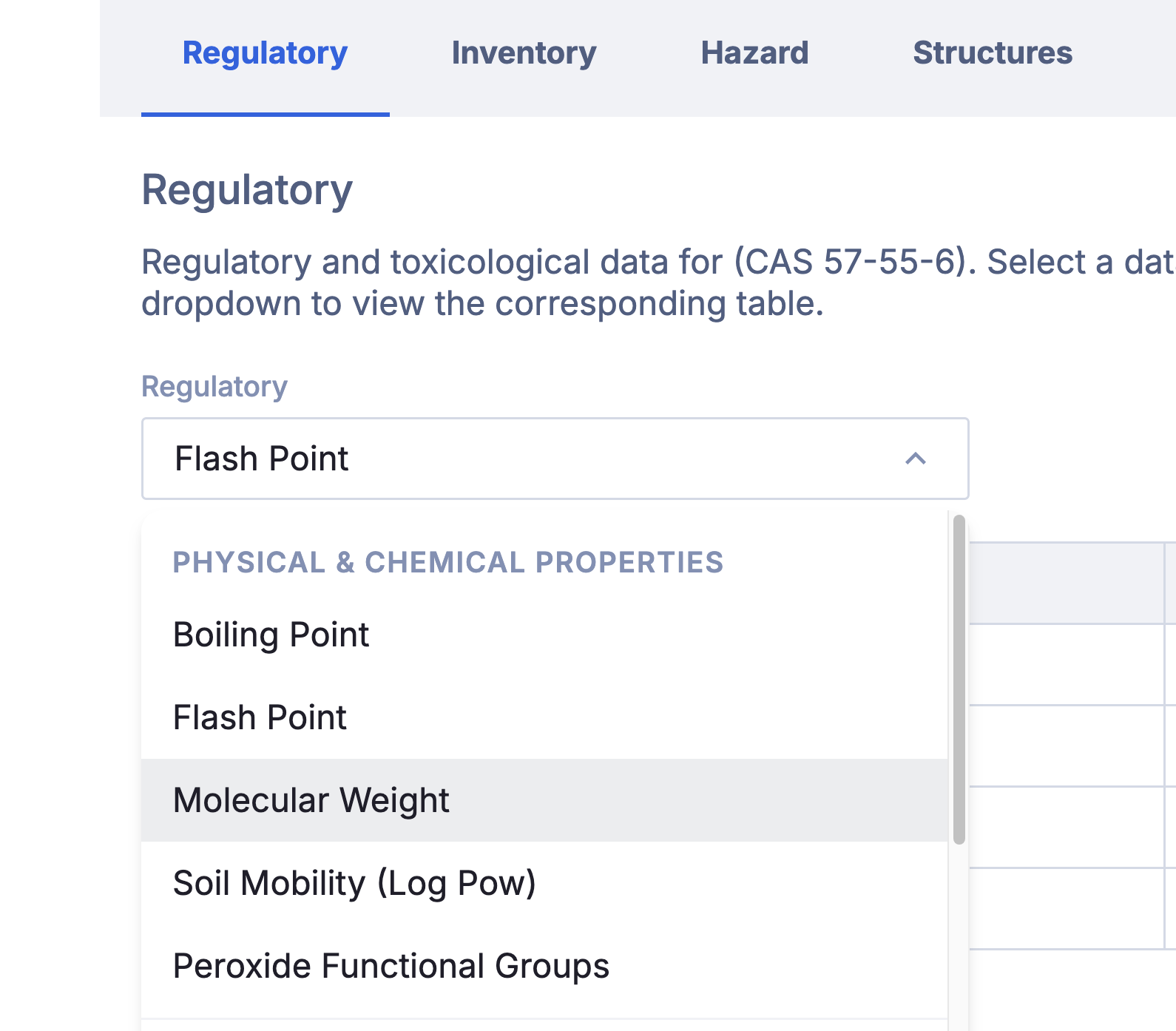
The following properties are natively supported:
Boiling Point
Flash Point
Molecular Weight
Soil Mobility (Log Pow)
Peroxide Functional Groups
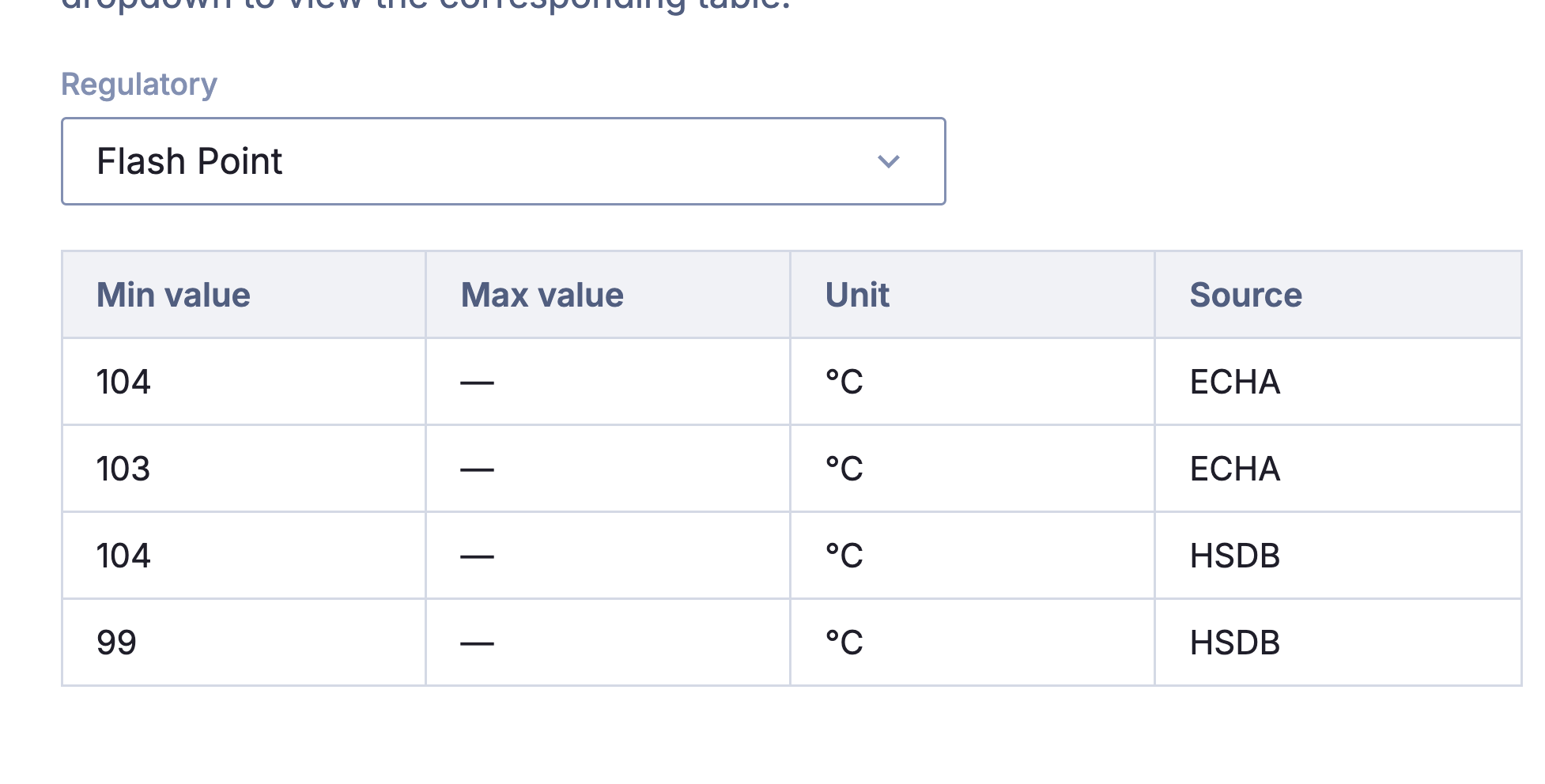
We continue to add and update this information, so expect more properties to be added over time!
You'll notice predicted and computed properties aren't here as those live on the Structure Page. Experimental values were measured on a real physical sample and belong to the substance. Predicted values are derived from molecular topology and belong to the structure. Please reach out for more on Breakthrough if interested in this modeling!
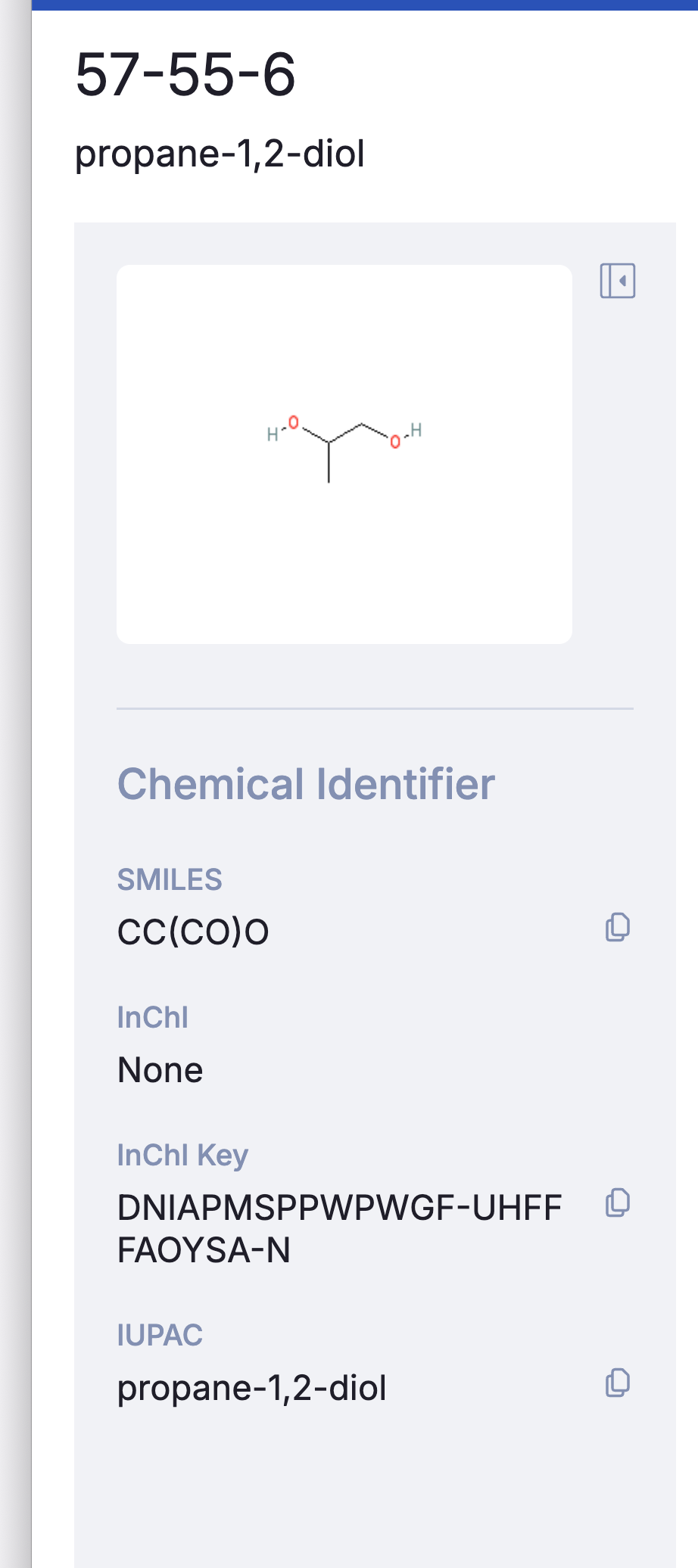
Regulatory - Toxicology, Ecotoxicology, and Regulatory Listings
The Regulatory tab shows all regulatory data Albert holds for this substance in a single table. Data from around the world is collected and simply yielded for overall substance regulatory review.
Albert groups the available regulatory data into three categories:
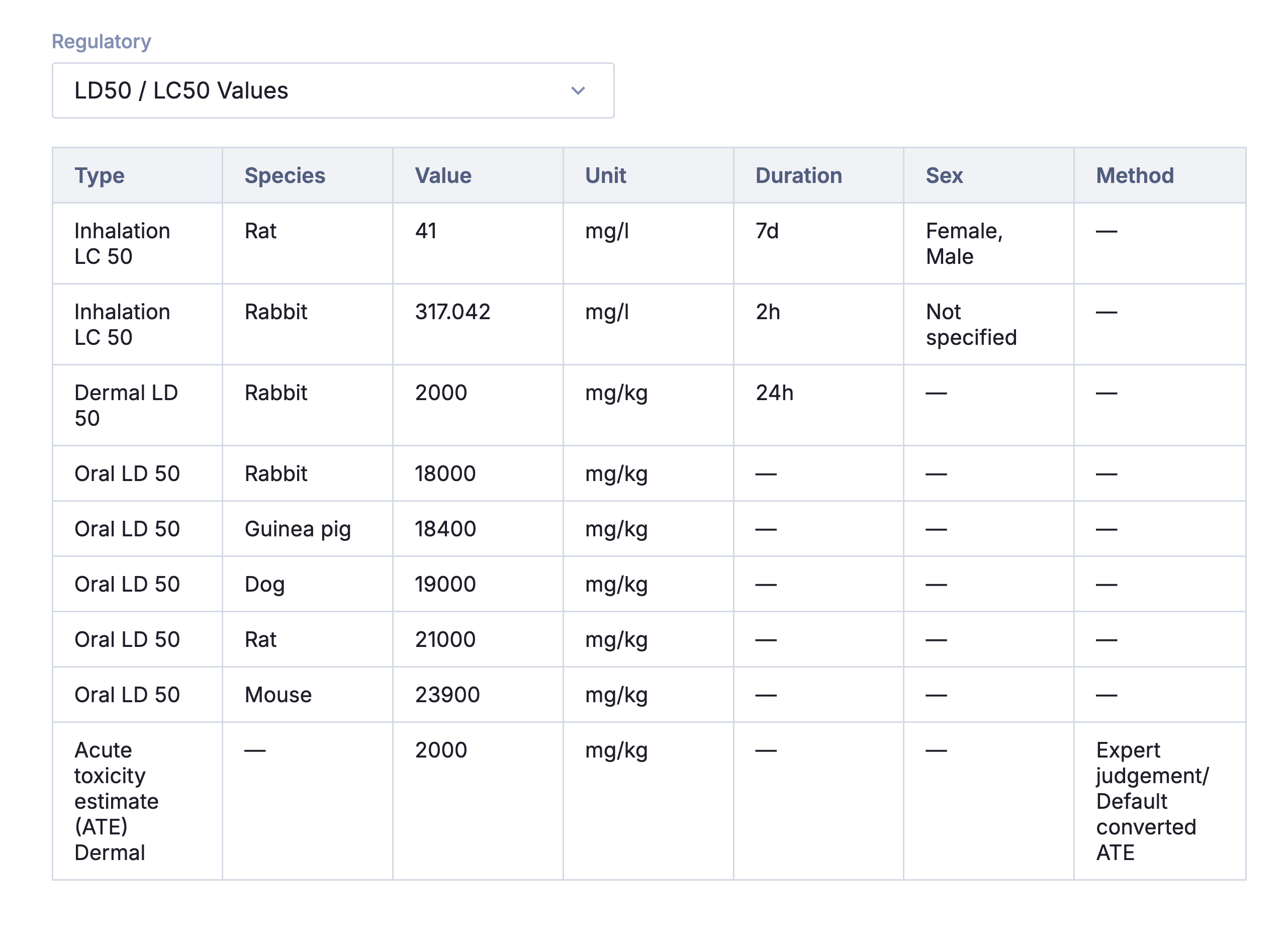
Toxicological Data
This section contains information such as Acute Oral Toxicity, LD50, and Reproductive Toxicity.
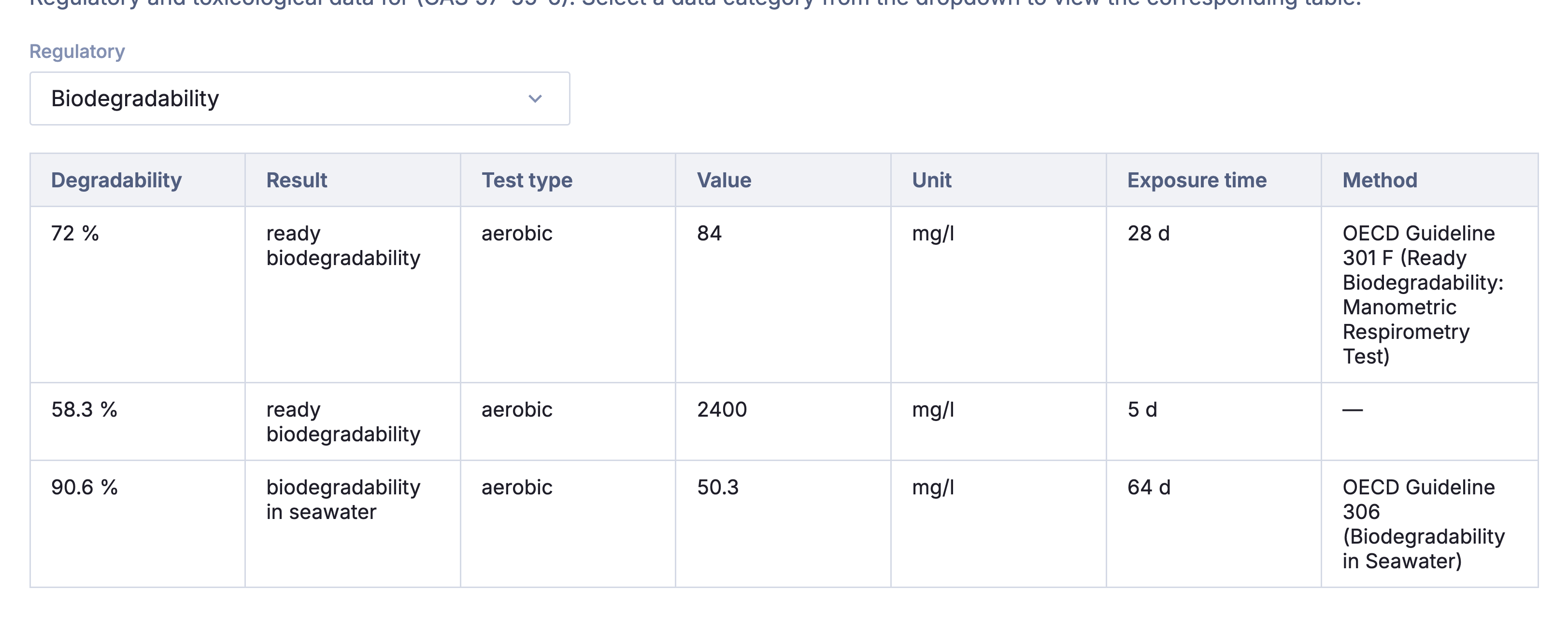
Ecotoxicology
This section contains the environmental toxicity information such as Acute Aquatic Toxicity, Biodegradability or M-Factor
Regulatory Listings
This section contains region & country specific regulation information. This include data such as California Prop 65, Japan PDSCL, and EC classification
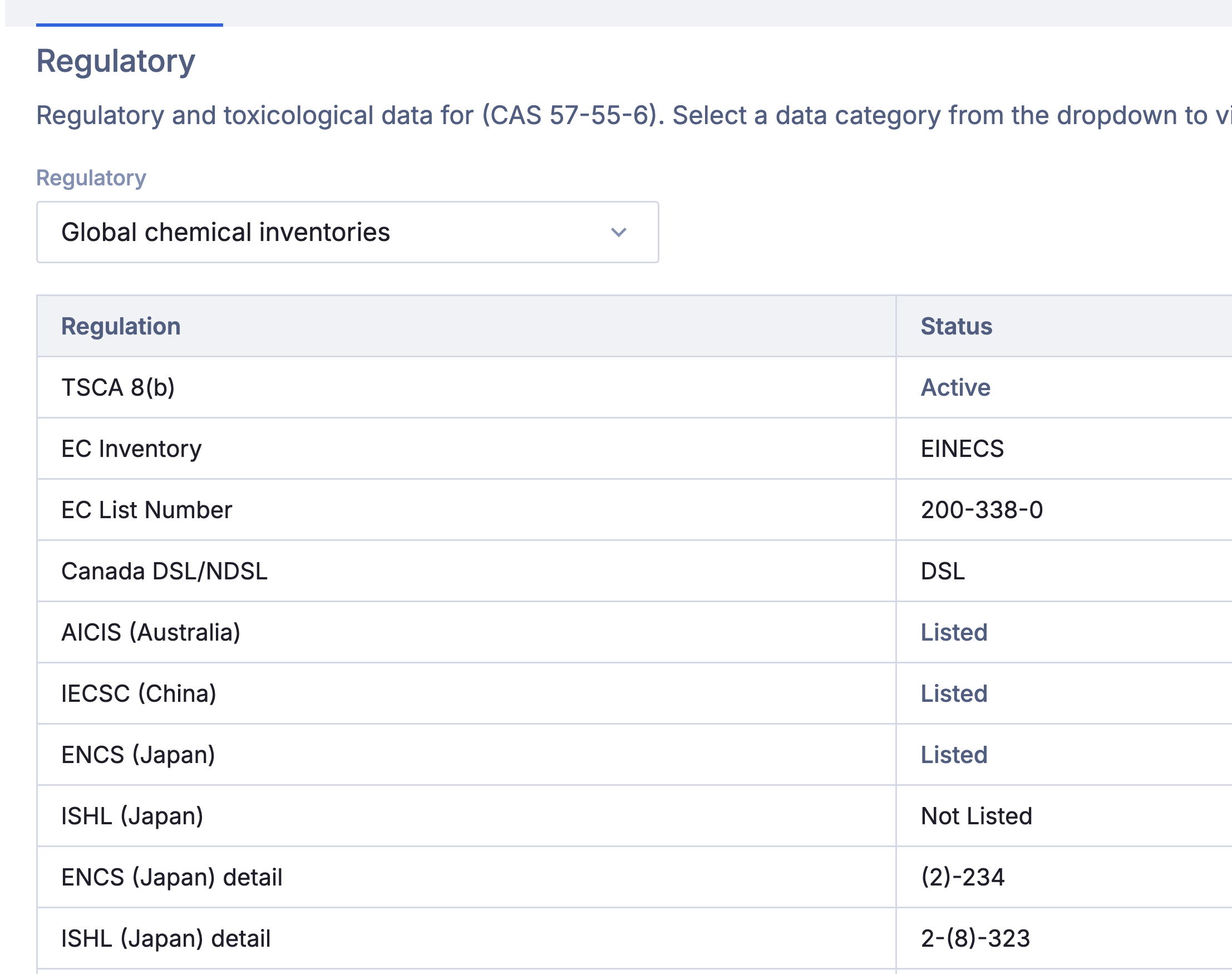
One thing worth knowing: if you expect to see a particular regulatory list and don't, it means Albert hasn't ingested that data yet, not that the substance is not regulated. Always verify against the authoritative source for compliance decisions. Please contact your Albert representative for more on expansion of Albert Regulatory lists.
Hazards
The Hazards tab shows GHS classification data: hazard class, H-code, category, and hazard statement. Pictogram icons are derived automatically from the substance's H-codes.
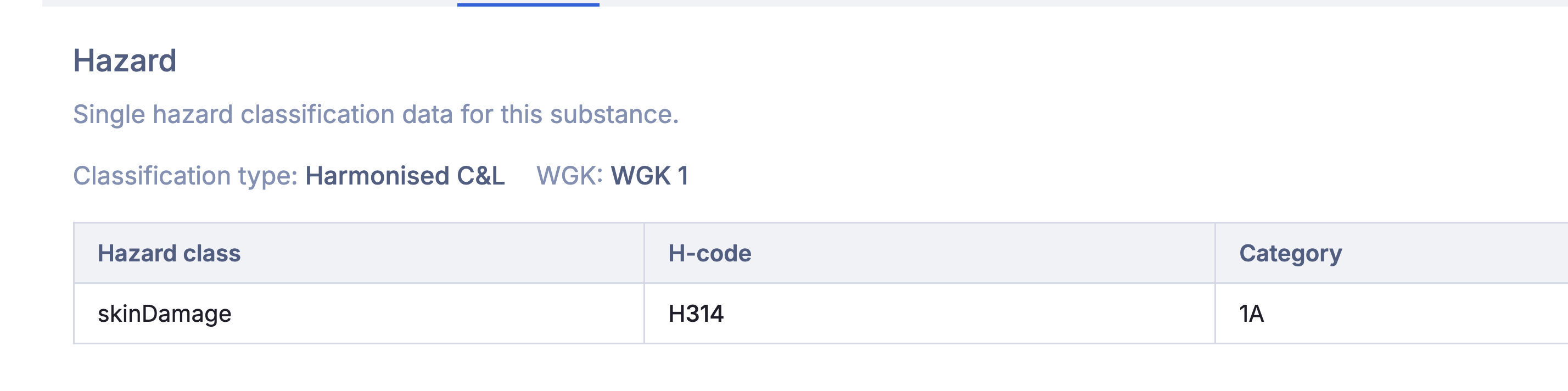
Albert stores classifications from four sources and displays them in priority order: Harmonized (legally binding EU classification under CLP), Notified (submitted to ECHA's C&L Inventory), REACH (from registration dossiers), and Self-classified (your team's own classification commonly used for novel or trade secret substances). By default, the highest-authority available classification is shown. If a self-classified record is created, that will be the hazards shown.
If you're seeing different hazard information here compared to a formula or SDS view, that's expected. The Substance Page shows classification for a single pure substance. Formula and SDS views classify a mixture which depends on the concentration of each substance and whether those concentrations cross regulatory thresholds.
Inventory
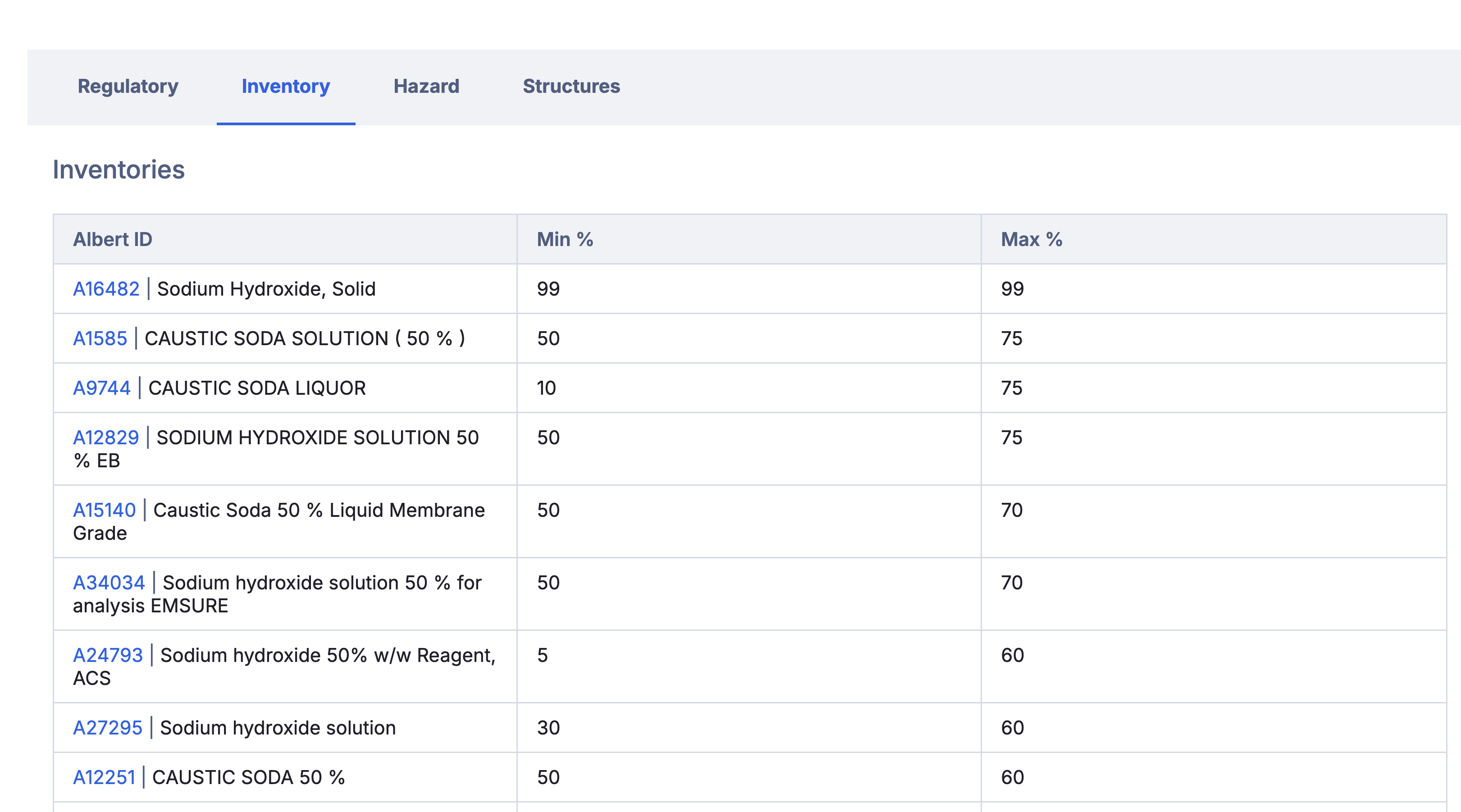
The inventory tab shows what Raw Materials in Albert use this substance, as well as the concentration defined. These are also links to easily jump to that material's inventory page.
A note on trade secret and proprietary materials
If your team works with novel or proprietary chemicals, these are fully supported. Trade secret structures get computed descriptor properties automatically. Trade secret substances can be created and managed even without a linked structure.
For customization of data, including regulatory values and hazards, please reach out to Albert Support with intended information and the substance you would like to patch the information into.