
Breakthrough Constraints
Overview
Constraints in Breakthrough are how you the chemist can setup and design your formulations to meet specific conditions and optimize around specific key inputs. Understanding how each constraint works and the use cases for each will allow for you to better utilize the Breakthrough module.
Types of Constraints Currently Supported
The types of constraints currently supported in Breakthrough are listed below.
Inventory
Parameter
Results
Tags
Pricing
Ratio
Defining Constraint Options
Must Include
Must Include is defined as required to include the specific constraint at the value and count specified by the user.
Can Include
Can Include is defined as can be included or excluded at the values and count specified by the user, depending on what the models output.
Must Exclude
Must Exclude is defined as required to be excluded from the model no matter what, usually when looking to replace an ingredient.
Inventory Constraints
Definition
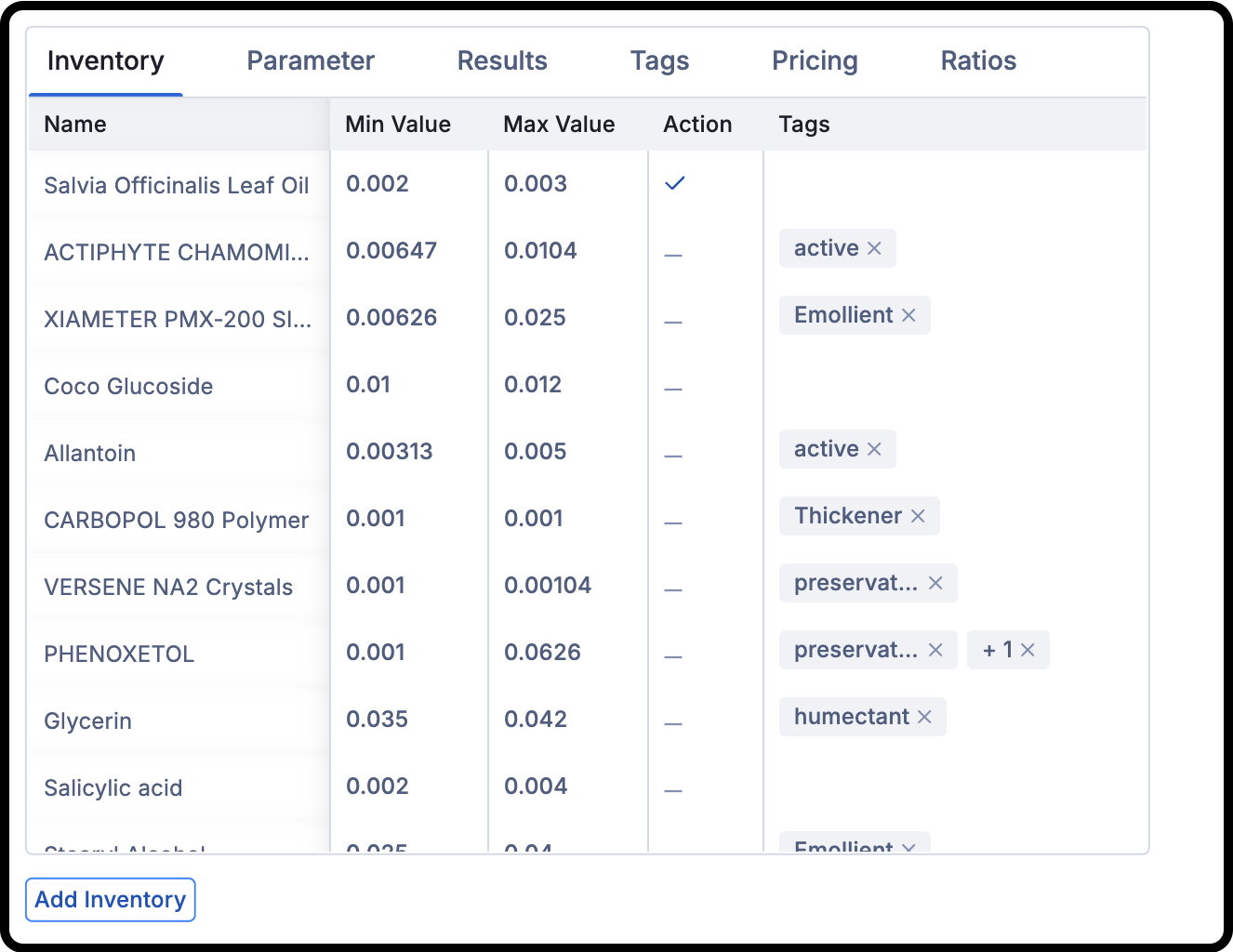
Inventory constraints are used to limit and control the ingredients of your formulations at the ingredient level. This can include setting the lower and upper bounds on the amounts and including or excluding specific ingredients (e.g. must include Salvia Officinials Leaf Oil at a concentration between 0.002-0.003).
There are two ways to constrain specific inventory in Breakthrough.
Ingredient Level (Individual Inventory)
Tags (Grouped Inventory)
Ingredient Level or Tag constraints function the same way and can be used in tandem - it just depends on what makes more sense for you, the chemist!
When To Use
Ingredient Level - you want to constrain specific ingredients at a specific value in the predicted formulations
Tags - you want to constrain specific groups of ingredients at a specific value and count in the predicted formulations
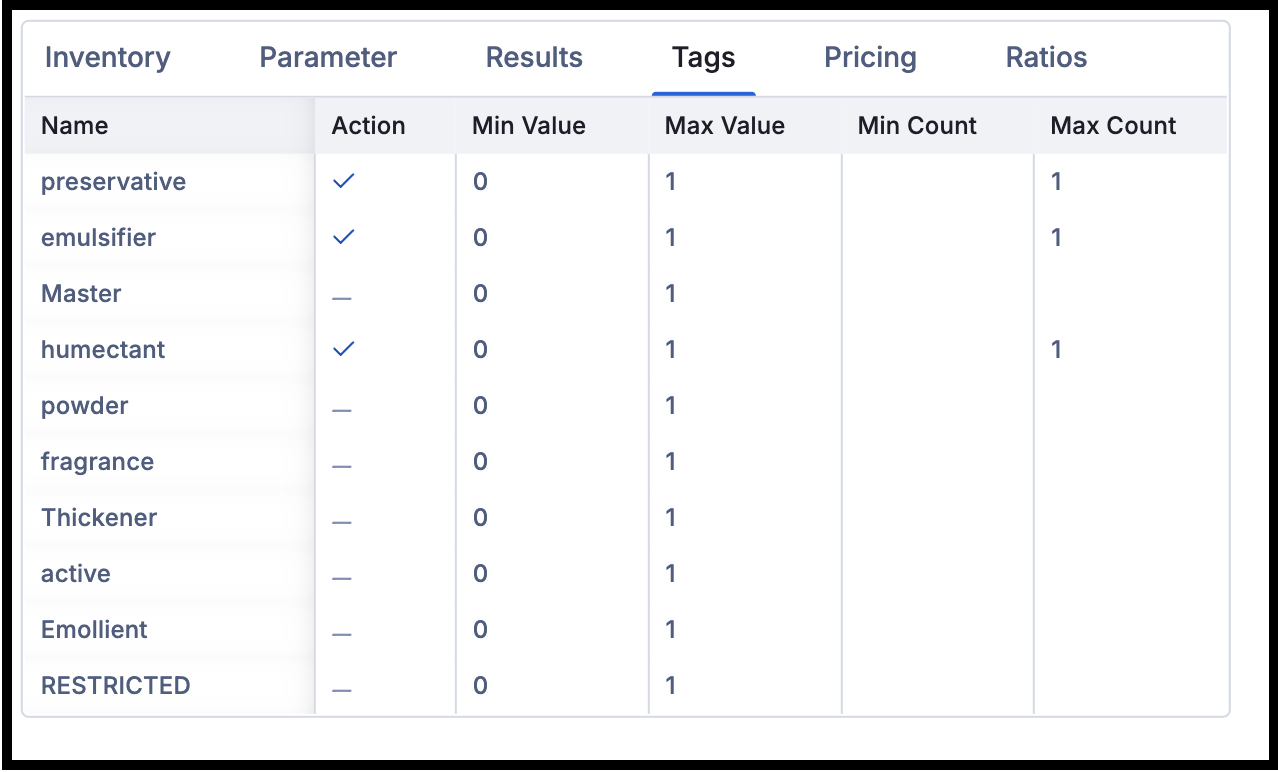
Note: When tags are added to inventory items in Breakthrough, it adds to the tag to the inventory item in the inventory module.
Parameter Constraints
Definition
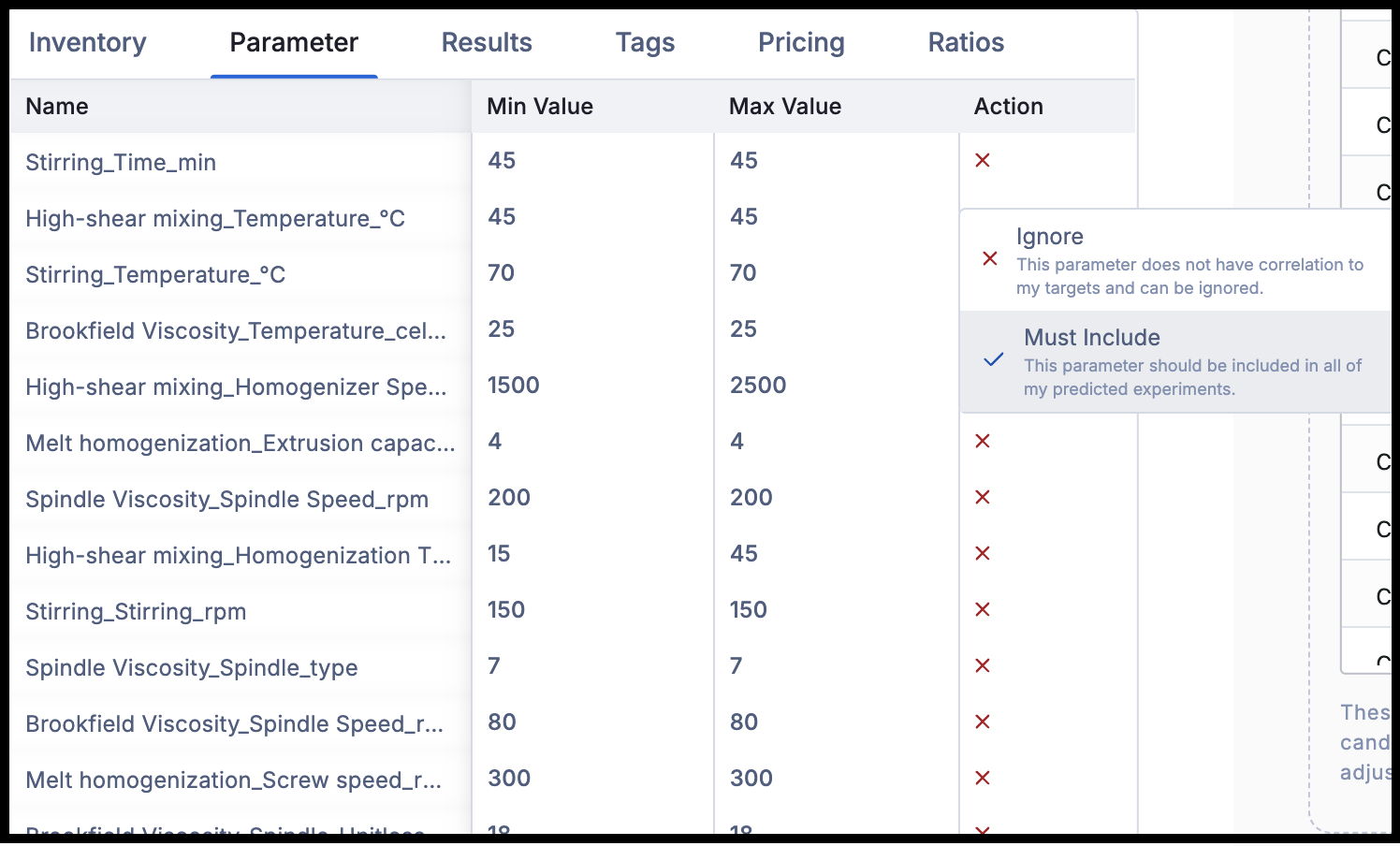
Parameter constraints are used to constrain the input process variables of the property results on your formulations. This can include choosing the variables and the limits of the parameters that are important to your test methods (e.g. including temperature at 25°C for Brookfield Viscosity).
When To Use
You can choose whether to ignore or to must include any of the process parameters and the respective value when optimizing new formulations.
Results Constraints
Definition
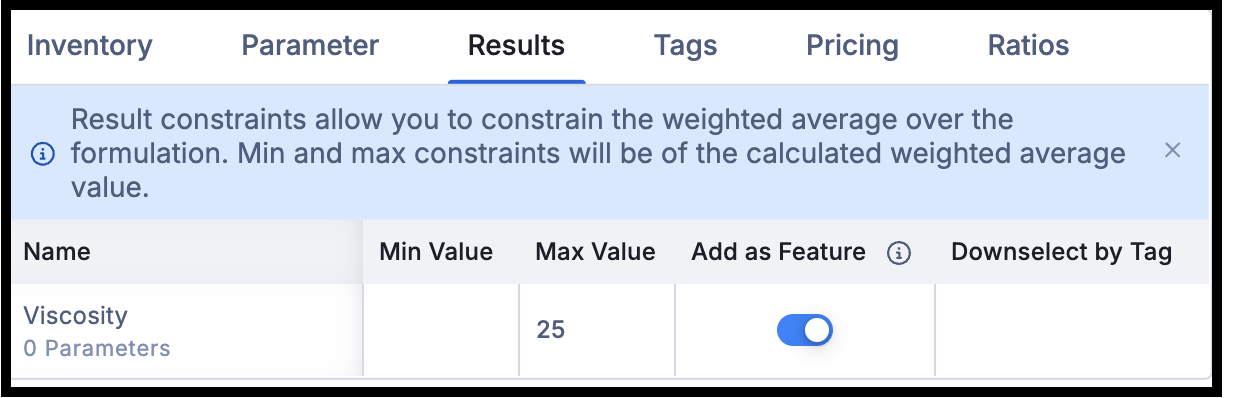
Results constraints are used to constrain the weighted average of an inventory result over your formulation as captured on the ingredients in the inventory details page. This can include choosing the results that are relevant to your property results on the formulation (e.g. Viscosity < 25 weighted average of all ingredients in the predicted formulations).
When To Use
You can use the results constraints whenever you have inventory results data captured, and can decide whether to add it as a feature if you believe that this result will effect the targets.
Pricing Constraints
Definition
Pricing constraints are used to set the upper limit of the final price of predicted formulations using the predicted formula costs from the Worksheet in the Apps Grid. This can be constrained for a specific location or for all locations, and is a way for you to limit the final cost of the predicted formulations (e.g. Price < $7.50/kg of the predicted formulations.
When To Use
You are trying to optimize around a new maximum price on an existing product to meet a new maximum price target.
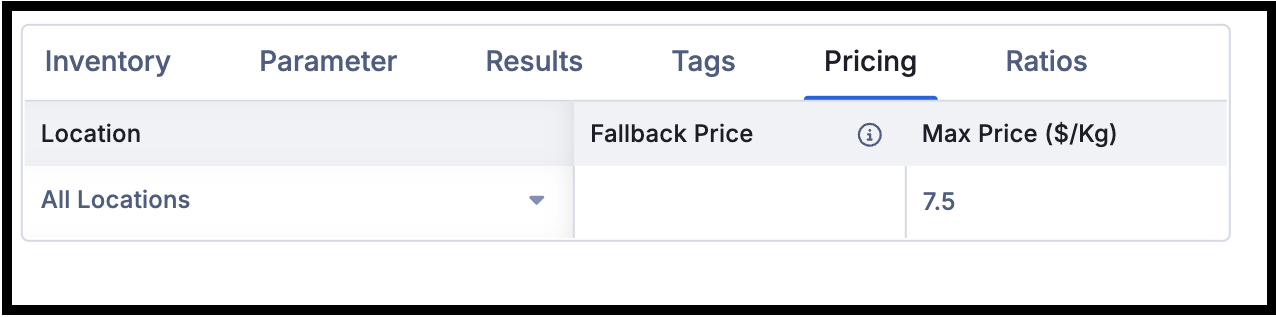
Note: Only upper limits can be set for price at the current time.
Ratio Constraints
Definition
Ratio constraints are used to set required ratios of specific inventory (or groups of inventory) in the predicted formulations. You can set a constant (automatically set to 1, the ingredient or tag and the respective value in the numerator, the ingredient or tag and the respective value in the denominator, and the min and max ratios). This can be constrained at minimum and maximum ratios for one or more ingredients using your knowledge of the design space (e.g. Glycerin must be present at a maximum of 2:1 ratio to deionized water).
When To Use
You have knowledge that the ratio of the specific ingredients has to be within a certain range for the formula to work.
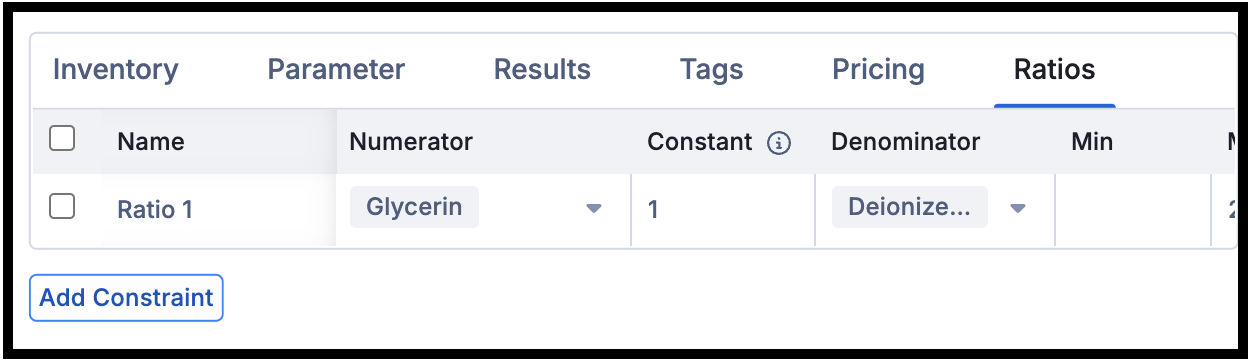
Note: If any of the set constraints are not possible, you will receive an error that will not output the new formulations.
For more information on how to use Breakthrough, please visit the Learning Lab on Breakthrough.