
ASTM Integration Overview
The ASTM integration feature allows active Albert users access to all the standards available on the ASTM platform. If your Data Template is associated with an ASTM standard, you will be able to use the integration app to read or download the latest document, or compare it with previous versions.
Accessing the ASTM Platform (ASTM Compass)
Albert Apps
Click on the Gear icon in the top right of the screen and click on ASTM.
(Note that you will only be able to see this App if you have an ASTM subscription and have communicated accordingly to your Albert representative to get this enabled.)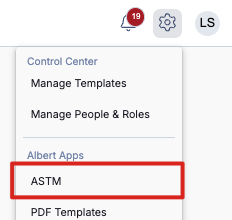
This will bring you to ASTM Compass where you can search for the ASTM document you are interested in. (Note: A subscription to ASTM Compass is required to utilize this feature.)

If you are using your iPad, please be aware that Safari might block pop-ups and you will not be able to access ASTM Platform. If this is the case, you can go to settings, then find Safari on the left panel. In the general section turn off "Block Pop-ups"
Data Template Details page
Search for a data template that is linked to an ASTM standard and click on it.

This will bring you to the Data Template Details page. Scroll down on the Data Template details on the left, and click on the standard under "App Integrations".
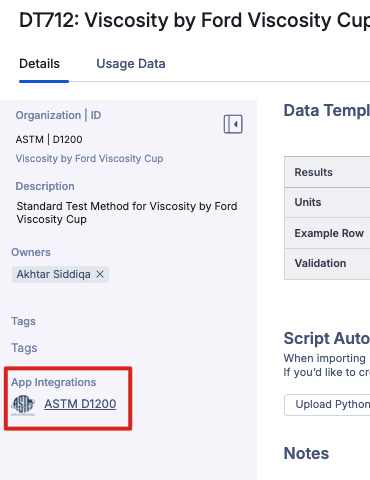
Click on the standard and this will bring you directly to the document in ASTM Compass.

Inside Property Tasks
Create or search for property task with a data template associated with an ASTM standard.
Open the Property Task
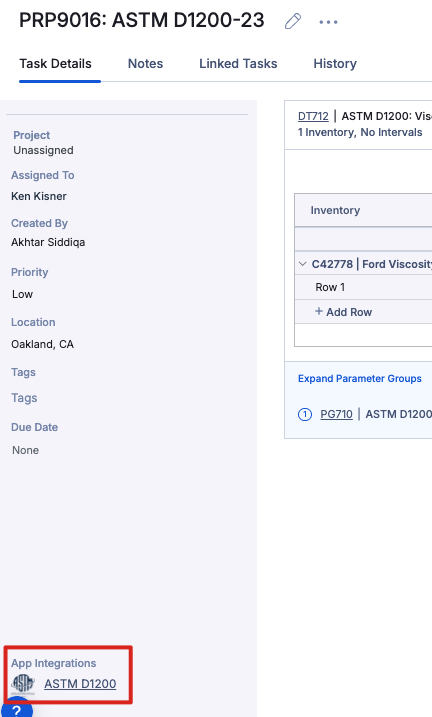
Within the Property Task, the associated ASTM will be listed with the appropriate Data Template, as shown below. You can navigate to the Data Template to view the associated ASTM, OR:

You can also scroll all the way down on the Property Task details on the left of the screen, and click on the standard under "App Integrations". This will bring you to the document of the standard in ASTM Compass.
Note that other standards can be accessed via Albert when creating a Data Template, as shown below:
