
Worksheet Row Group Visibility in Batch Tasks
The Row Group Visibility feature gives you greater clarity when executing batches in Albert. It provides a clear view of how rows are grouped inside a batch, along with real-time totals and averages, so you can manage your work more efficiently and with fewer external calculations.
Viewing Row Groups in Batch Tasks
Row groups will pull from the Worksheet and be populated into a Batch Task upon creation of the Batch Task.
With Row Group Visibility, you can:
Identify contributing rows: See which rows are included under each material grouping in your batch task.
Review totals at a glance: Each group displays an auto-SUM of all items inside the group.
Check weighted averages instantly: View the weighted average directly in the task to guide quick decisions and adjustments.
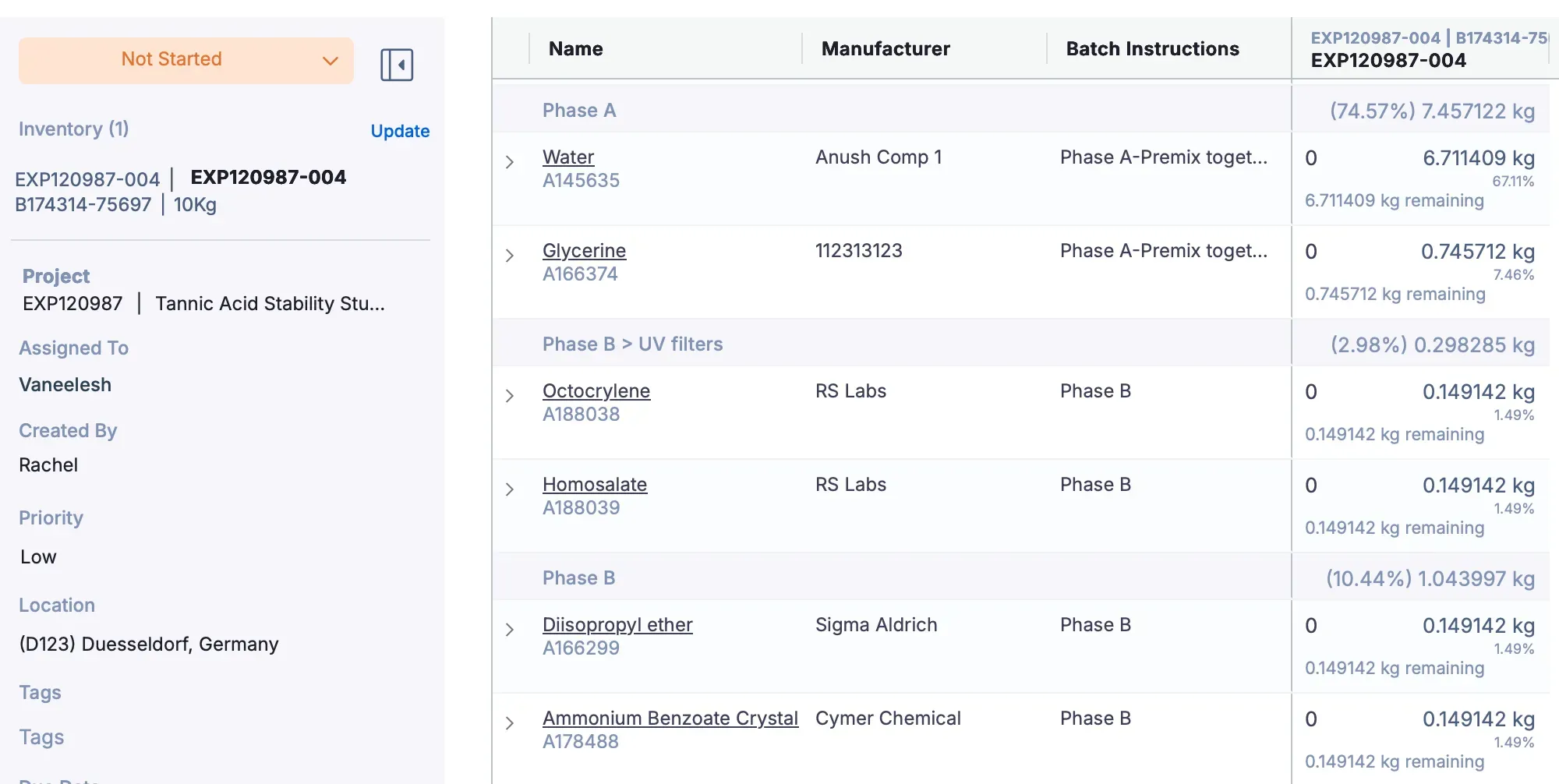
This level of visibility streamlines batch execution, supports faster adjustments, and simplifies compliance during process reviews.
Benefits of Row Group Visibility
Clarity: Quickly understand how your batch is structured, and which rows are contributing.
Audit-ready: Improves QA and regulatory compliance by making formulation inputs easier to trace.
Efficiency: Eliminate the need to export to Excel or perform manual calculations to confirm totals.
Important Notes
Row groups are fixed at the time of batch task creation.
If you change or adjust row groups after the task has already been created, those updates will not appear in the original task.
To capture the most recent grouping, duplicate the batch task.