
Worksheet - Negative Values
Edited
Negative Values in Worksheet
You can enter negative values in your Worksheet to more accurately track processes like evaporation, burn-off, or processing losses as part of your formulation and batch workflows.
Enter negative values directly into formulation rows (e.g.,
-20gfor evaporated water).Worksheet totals will update dynamically to reflect both additions and subtractions.
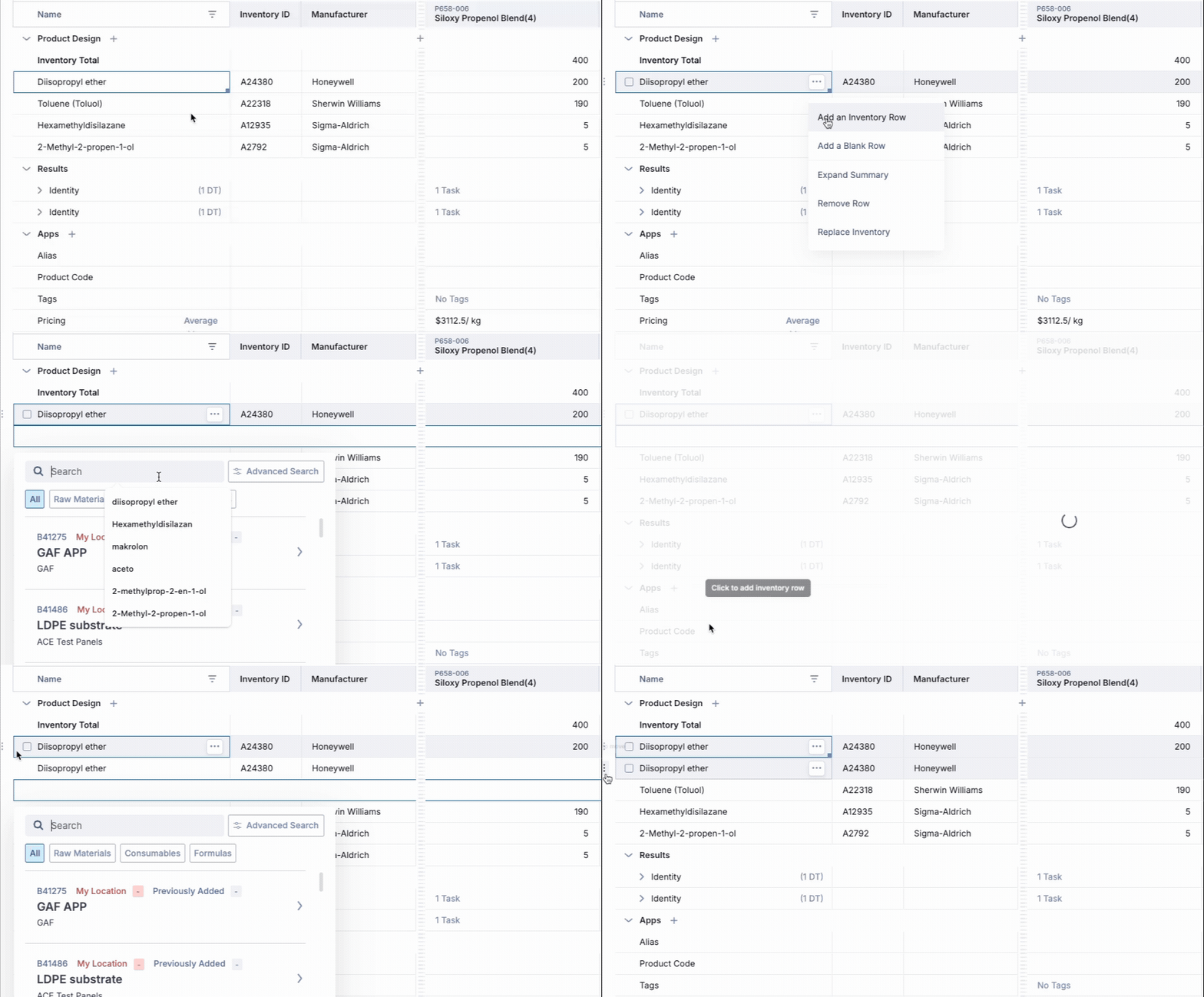
If you need to add negative values, you must first add the 'evaporated' raw material to your worksheet.
2. Double-click on each cell where you intend to input a negative value.
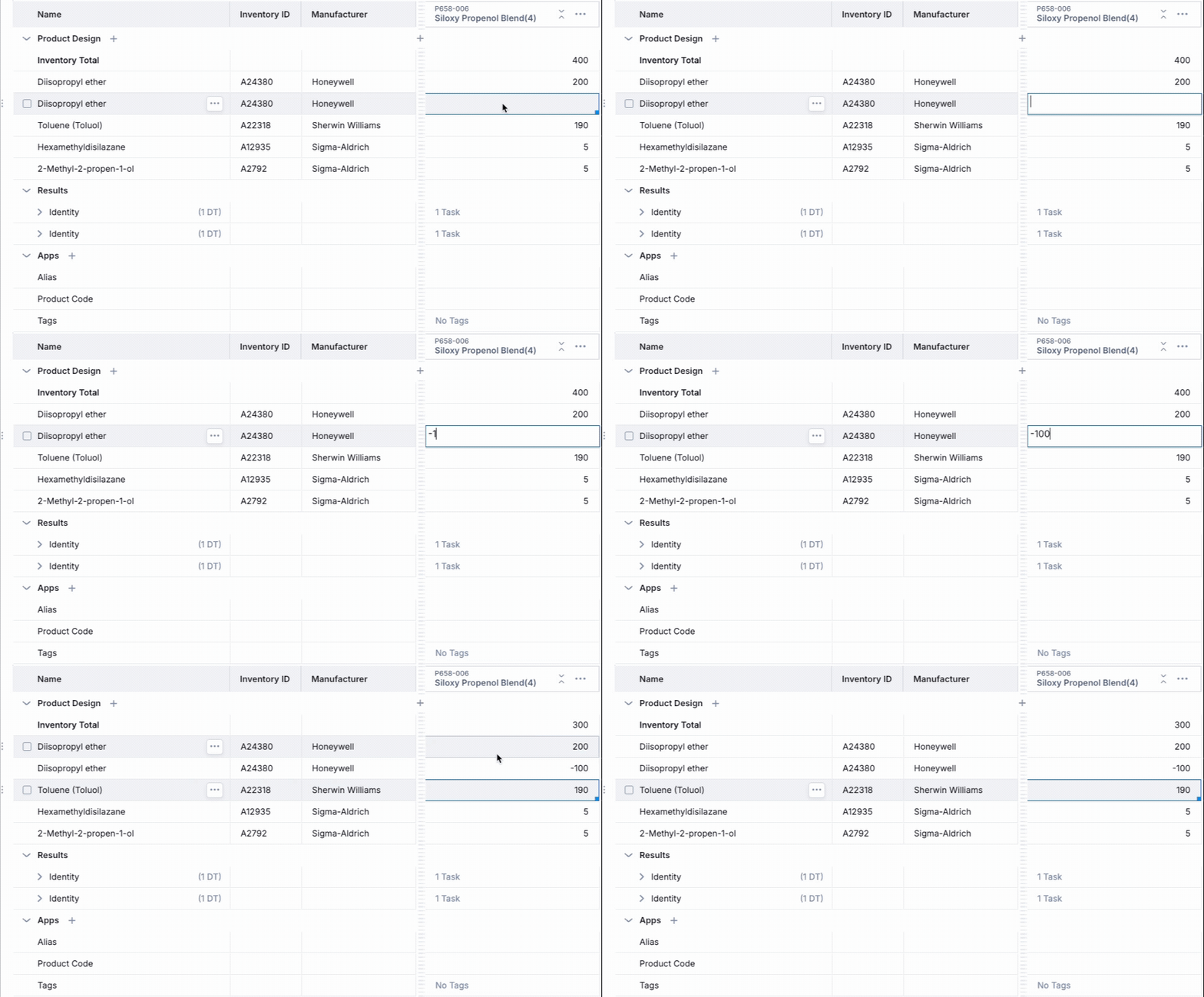
The worksheet automatically adjusts the inventory total to reflect the actual quantity used in the formulation.
Was this article helpful?
Sorry about that! Care to tell us more?