
Managing Min/Max Values in Formulas
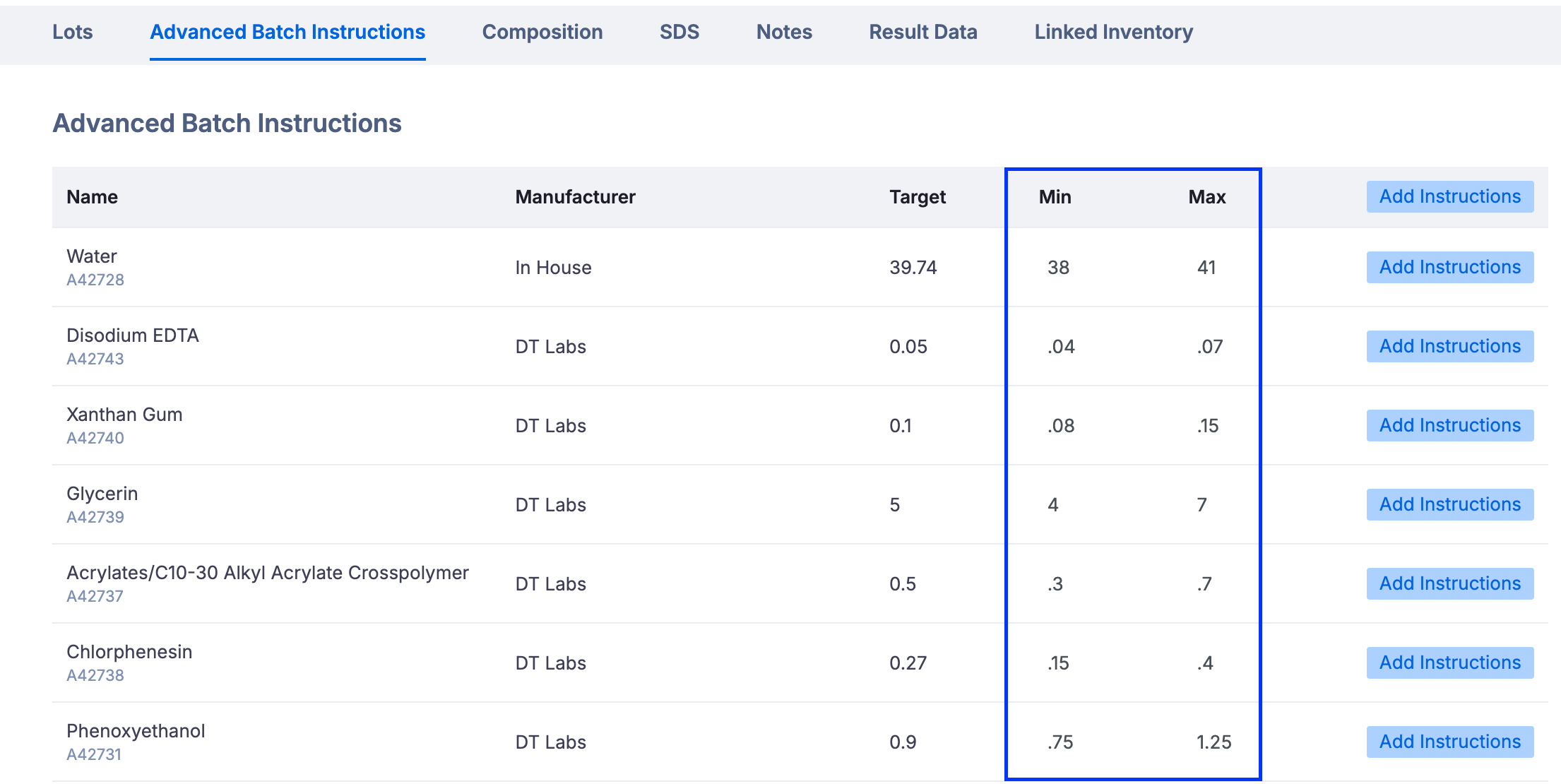
Albert allows you to set minimum (Min) and maximum (Max) tolerance values for each ingredient within the Formula Details page. These ranges support accurate batching and formulation control by making ingredient targets more precise.
How It Works
Each ingredient displays a Target, along with optional Min and Max ranges.
The Min and Max values define the acceptable tolerance window during batch execution.
This improves consistency, compliance, and confidence in your formulations.
Step-by-Step Practice
Open any formula in Albert via the Inventory.
Navigate to the Advanced Batch Instructions
Find the Target, Min, and Max columns.
Add Min/Max values for one ingredient (e.g., Target = 5, Min = 4.5, Max = 5.5).
Review how the tolerance range is displayed.
Notes and Limitations
Min/Max values cannot be edited in the worksheet at this time.
Target values cannot be changed from the Formula Details page.
If a target is removed from the worksheet, the full row (Target, Min, Max) will also be removed from Formula Details.