
Worksheet - Goal Seek
Albert's Worksheet offers Goal Seek functionality, where you can choose the desired single input variable to meet a desired formula output - directly within the Worksheet.
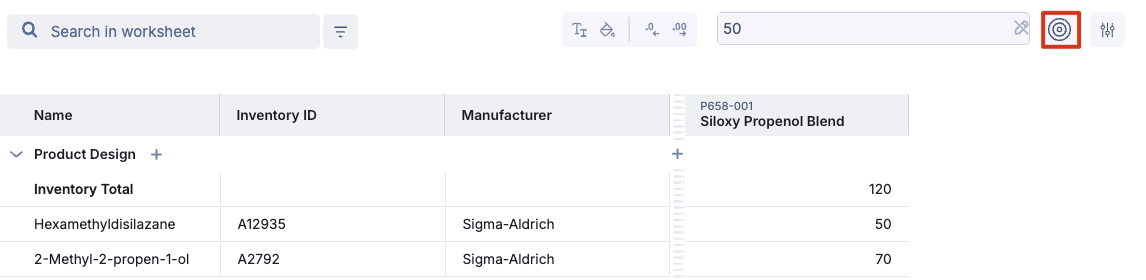
How to use Goal Seek functionality?
To leverage Goal Seek functionality, open your Worksheet and click on the Goal Seek icon at the top right of your Worksheet.
To use Goal Seek, you'll need to click on a cell that contains a calculation.

Goal Seek Example
Let's say you want to use the goal seek functionality. In this example, you want to formulate a water/peppermint oil fluid and you use raw material "Tween 60" as the emulsifying agent. The concentration of this emulsifier should be 1% in this example.
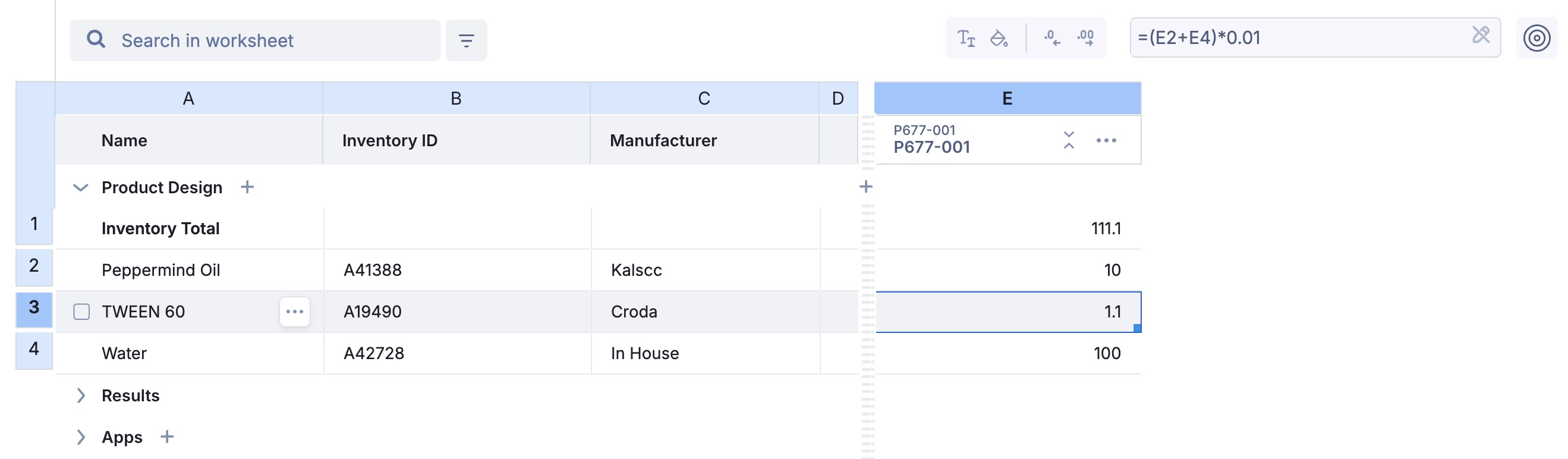
The row for tween 60 contains a formula to set its concentration to 1%
Now, you would click on the Tween 60 row to adjust it to a given value. In our example we'll use 20. We'll also adjust our water content to get our desired emulsifier content.
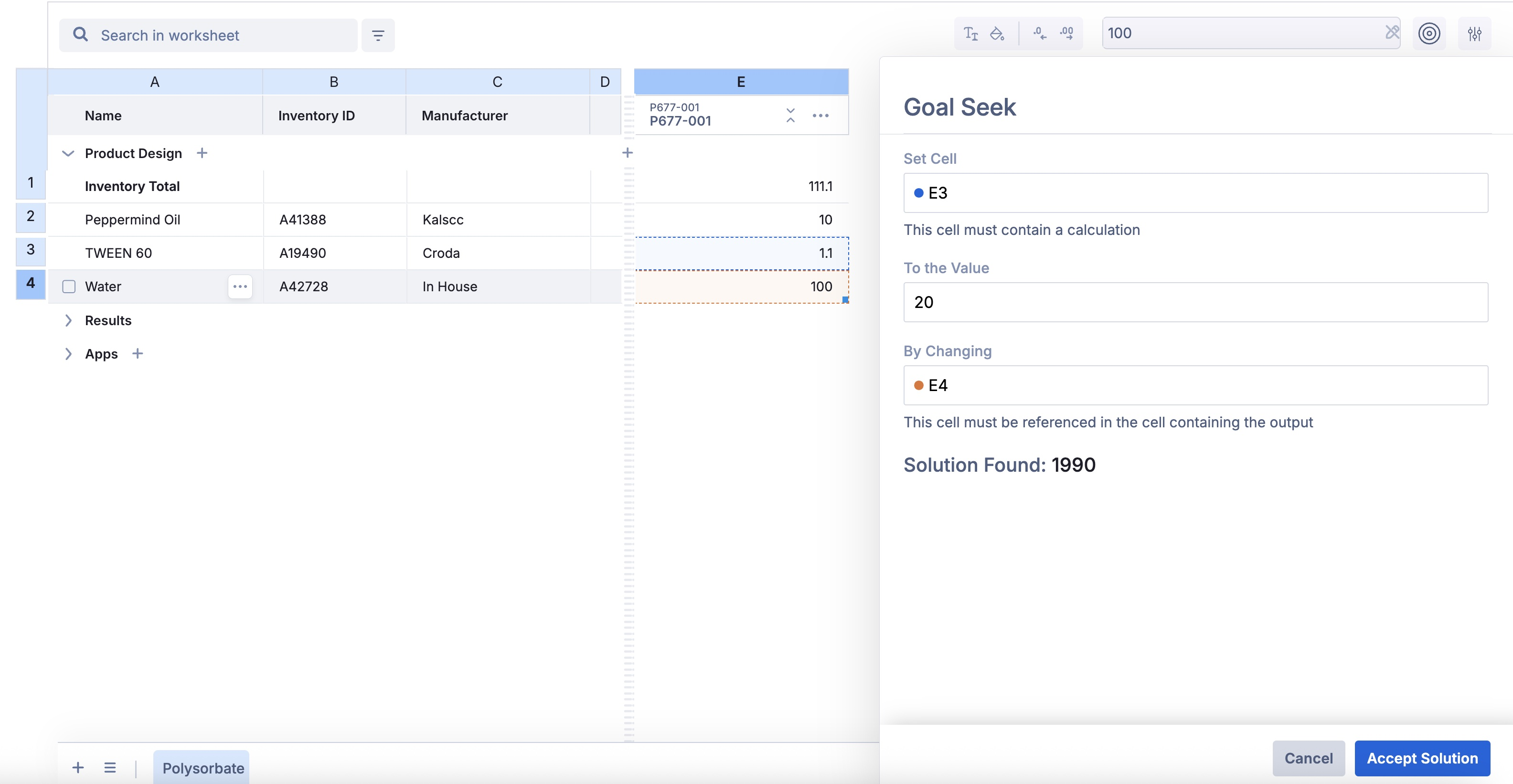
Goal is suggesting you a value which you can review before adjusting your worksheet.
Goal seek will then propose a value that you're able to review before accepting and adjusting your Worksheet. Then, the formula will be updated accordingly.
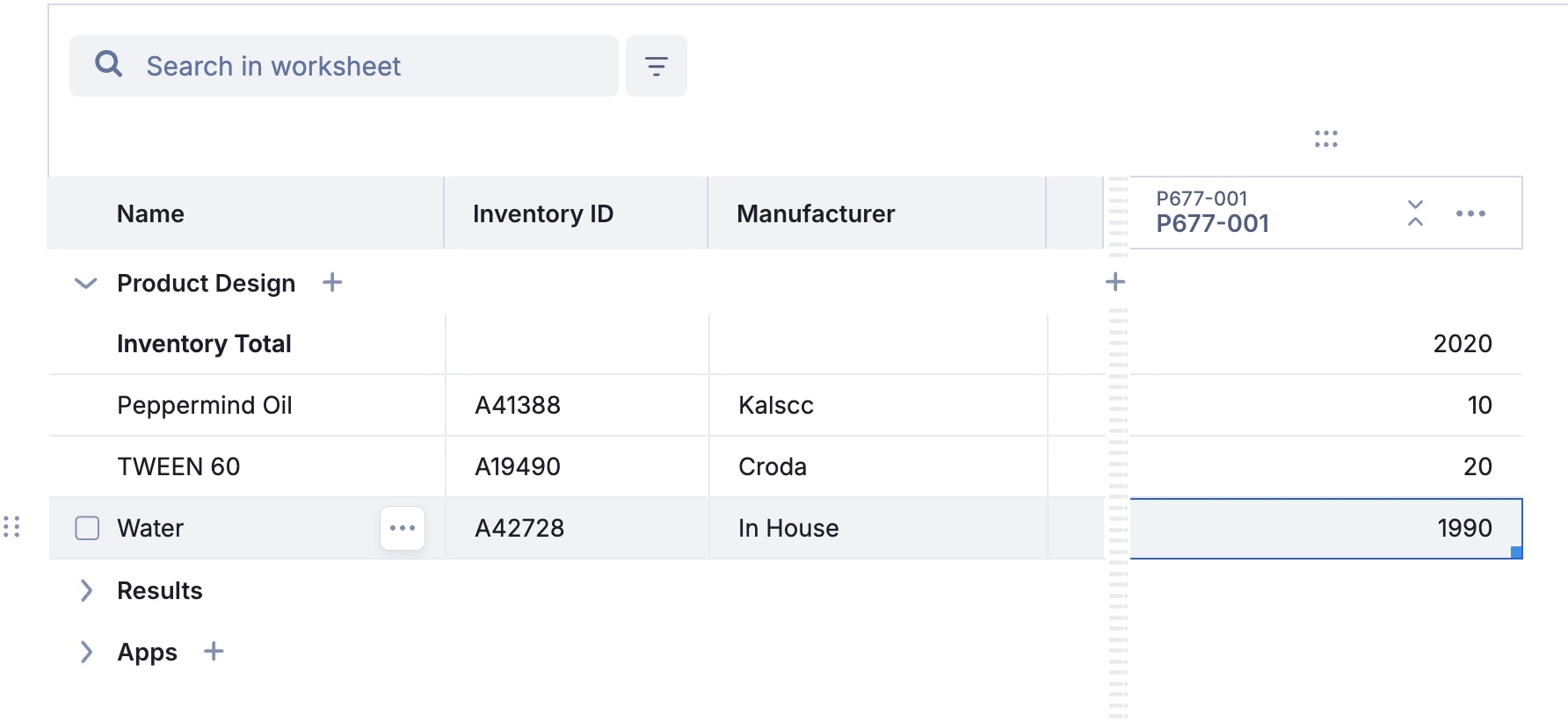
Then, the new product is created according to goal seek's suggested solution!