
Worksheet - Process Design Grid
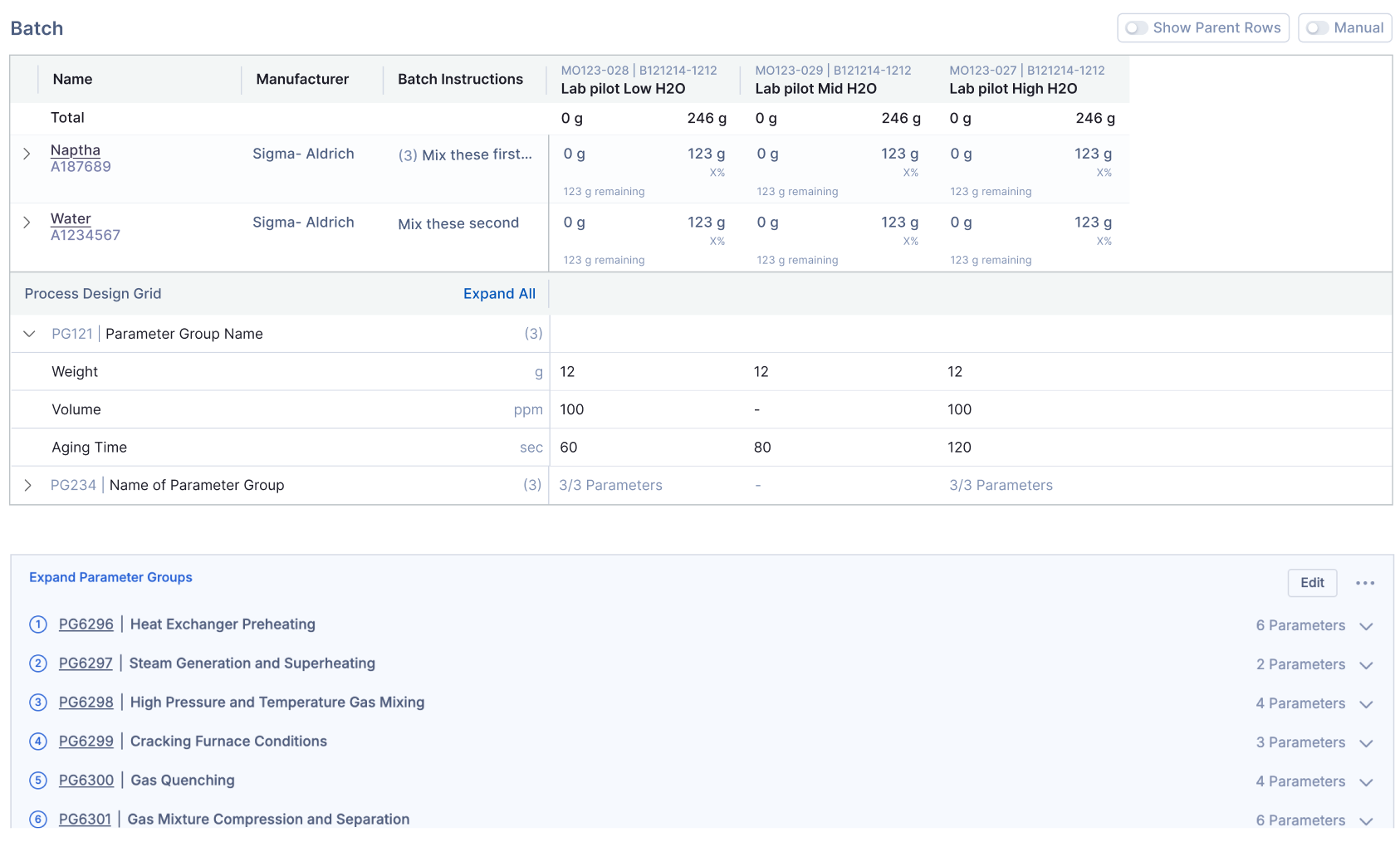
The Process Design Grid is a feature in Albert that allows you to define the process conditions for your formulation directly in the Worksheet. These conditions describe how the product is made and are automatically carried into your Batch Tasks for execution.
Value to you:
This feature brings both ingredients (what goes into your product) and process (how it is made) into one place. You no longer have to manage conditions separately; they are part of your Worksheet and flow seamlessly into Batch Tasks for execution. This reduces errors, saves time, and ensures your design and execution are always connected.

You can expand or collapse all Parameter Group rows in the Process Design Grid by clicking the caret to the left of the Process Design Grid section header as shown in the image above.
Worksheet Functionality
The Process Design Grid supports one type of rows to help you structure process data:
Parameter Group Rows (PGs): Organize related process conditions under a named group (e.g., “Polymer Prep Parameters”).
Adding Parameter Groups
From the + menu
Click the + icon in the Process Design Grid header.
Select Add a Parameter Group Row
For Parameter Groups, you can link to an existing Parameter Group
Inline within the grid
Hover over an existing row and click the three dots (…) on the right side.
Select Add a Parameter Group.
Fill in parameter rows in line with the required values (e.g., Temperature = 25°C, Time = 60 min).
Using Process Design Grid in Batch Tasks
Any parameters you define in the Process Design Grid automatically appear in your Batch Tasks.
Create a Batch Task using the Worksheet where your PDG is defined.
The linked Parameter Groups and parameter rows will be visible in the Batch Task.
Review the parameters alongside your materials.

Note: Only parameters with values entered in the Worksheet will be carried into Batch Tasks.
Deleting Rows
You can delete rows from the Process Design Grid if they are no longer needed.
Best Practices
The Process Design Grid should be used for defining processes related to the product or inventory item being created. Conditions against experiments can continue to be used in Property Tasks!
Current Limitations
Parameter Groups cannot yet be sequenced between ingredients.
Support for sequencing process steps is planned for a future update.