
Inventory - Managing Lot Costs & Pricing
Albert's Inventory allows you to manage the various price points from different vendors and ensure accurate costing in your quotes, especially when bottle lot costs vary due to size, packaging, or vendor lots.
Real-Time Pricing Intelligence
Albert's platform is designed to integrate seamlessly with existing ERP systems, creating a unified ecosystem that bridges the gap between R&D and supply chain management. This integration ensures that your formulators have the critical pricing information they need, right when they need it, fostering a more agile and responsive R&D environment.
How It Works
Default Cost = Vendor Price
• When a vendor's price is entered, the system automatically uses it as the default lot cost.
• This streamlines the quoting process, allowing immediate cost calculations.Lot-to-Lot Variability
• Certain bottles (or materials) may have variability between lots—such as special packaging sizes, shipping costs, or minimum purchase requirements.
• These variations can result in a different actual cost than the listed price.Overriding Lot Cost
• The system allows you to override the default cost with the actual lot cost once finalized.
• Overrides ensure accuracy in overall price calculation, reflecting real purchase cost—not just the vendor's quoted price.
You can add the cost by clicking the “Add Lot” button—this automatically uses the vendor’s price as the default cost, but also lets you override it for accurate lot-specific costing.
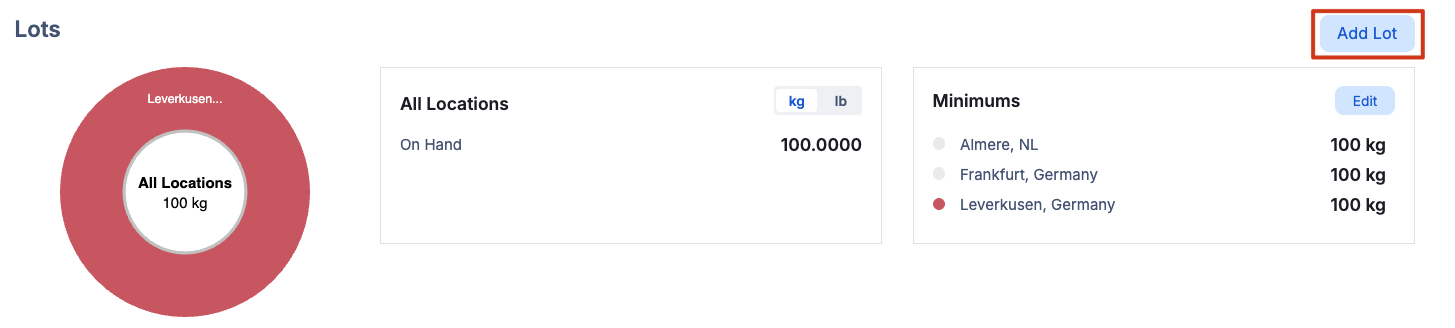
Click “Add Lot” to record the cost price.
By default, you’ll use the vendor’s quoted price, but you’re free to override it - ideal when actual costs vary between lots.
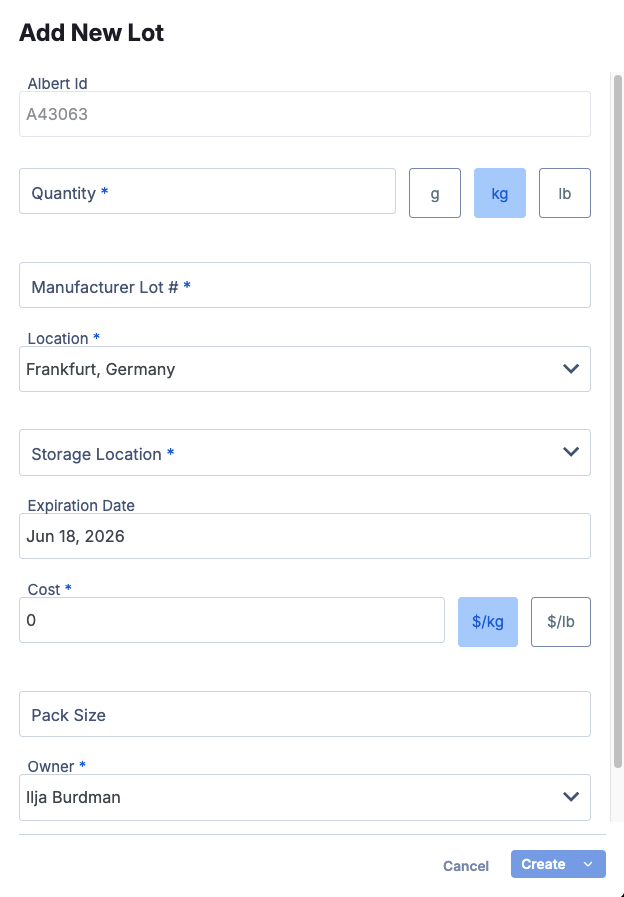
Now the lot appears with its entered costs, enabling simpler, side‑by‑side cost comparisons between lots.

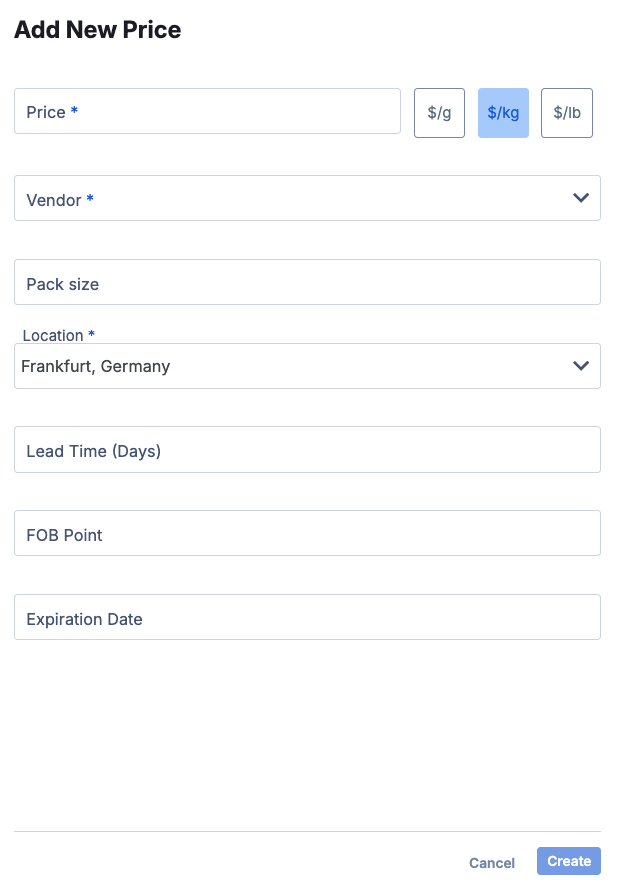
In the Pricing section towards the bottom of the Inventory page, you can manage your vendor price points. Simply click “Add Price” to enter detailed pricing information.

Additional fields enable you to track all essential ordering information.
��
This information is also essential for the Worksheet - Apps Grid
Price Calculation for your Products and Formulas
The prices assigned to your raw materials are utilized to calculate the total cost of the formulation
To compute the average price, please follow these steps:
Enter your ingredients into the worksheet.
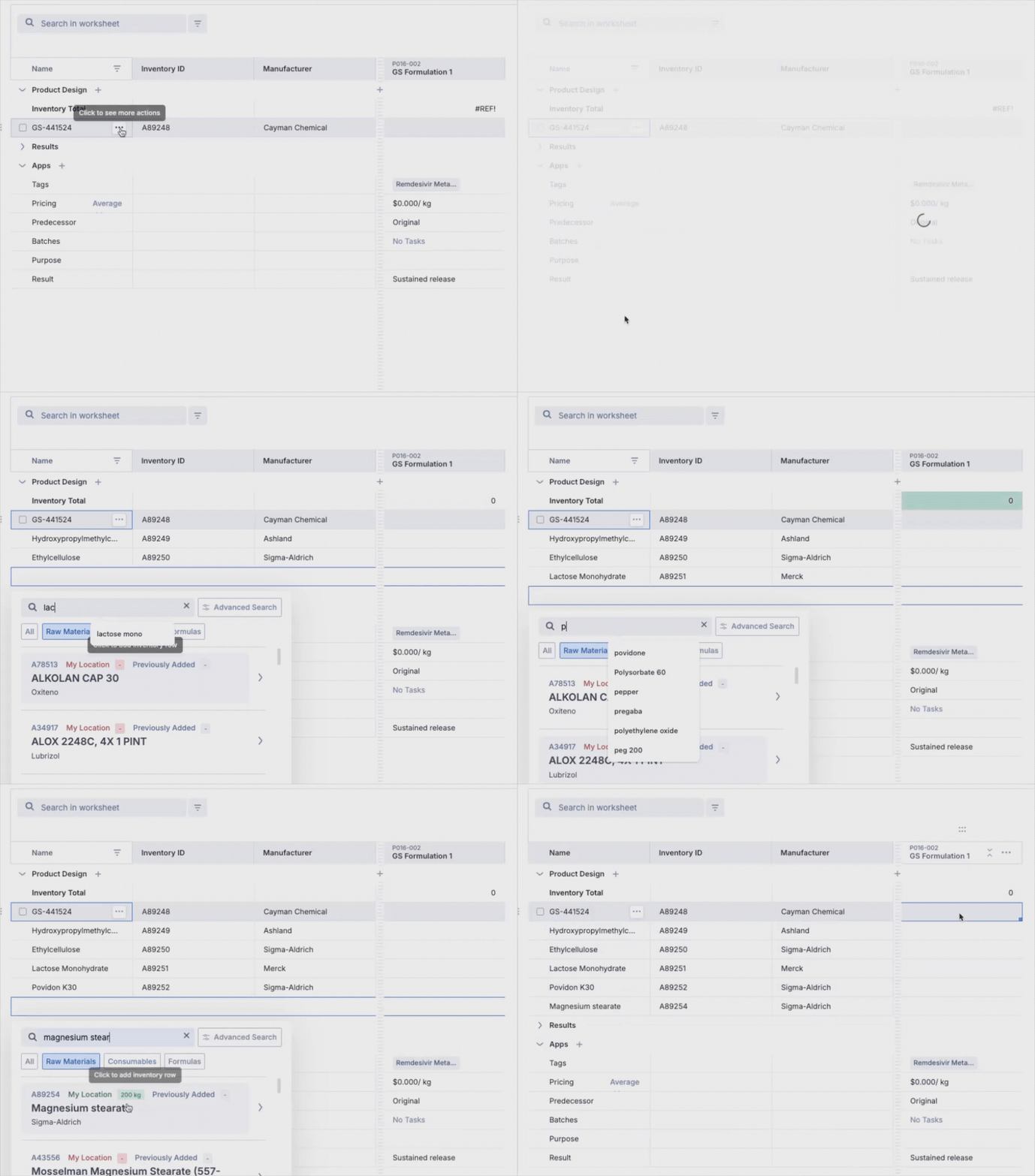
Proceed to add the ingredient quantities to the worksheet.

As you input the quantities of your ingredients, the pricing row will automatically update based on the unit prices specified in your inventory.