
Tags
Albert allows you to categorize materials with Tags that are entirely customizable to an organization’s needs. Tags work across the Albert platform to connect data in an organized way.
Search and Filter - Tags
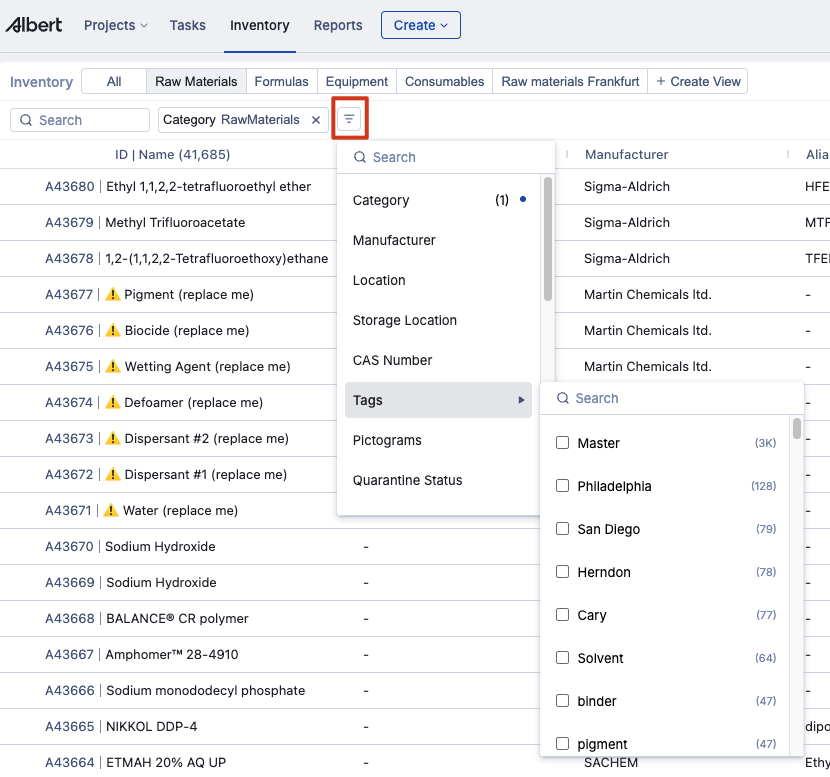
Tags are also a great way to filter and search. To find tags, go to the landing grid page and click the Filter button, highlighted in red with a square. In the filter options, you will see Tags, which you can then select.
Creating Tags – Inventory
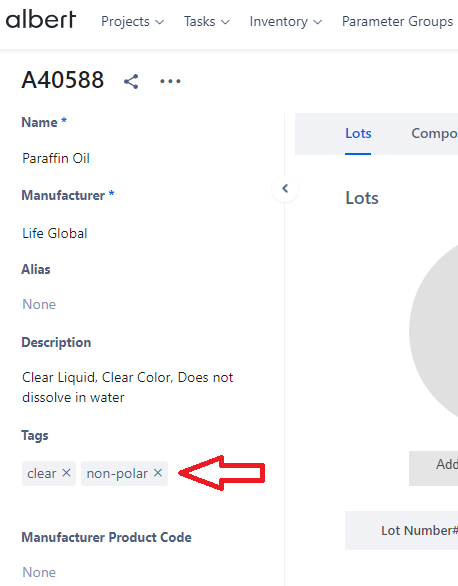
To create a tag for an inventory item, after the inventory item has been created, add text to the tags field or tick the box next to an existing tag. Tags can be created to group items together by specific features including color, application, chemistry, etc. Inventory items can have multiple tags.
Creating Tags – Tasks, Data Templates, Parameter Groups
To add a tag for a Task, Data Template, or Parameter Group, search for the tag in the tags field.
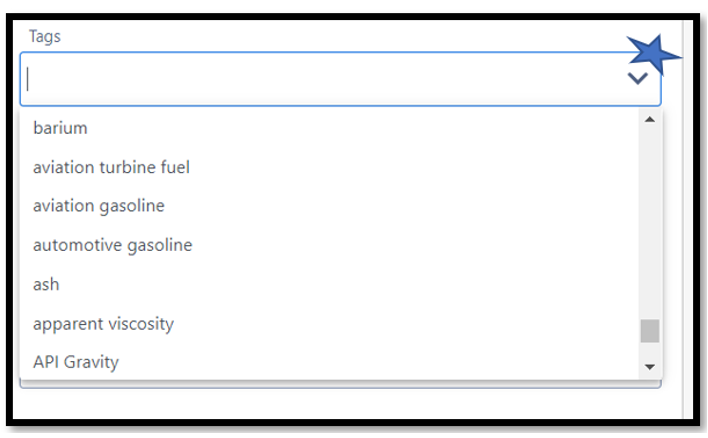
If the tag does not exist, type in the tag you would like to add and click “Add New” next to your tag. Tags can be created to group by specific features including color, application, chemistry, etc. Items can have multiple tags.

Tags – Worksheet
Tags can also be utilized for product formulations in Worksheet for a Project.
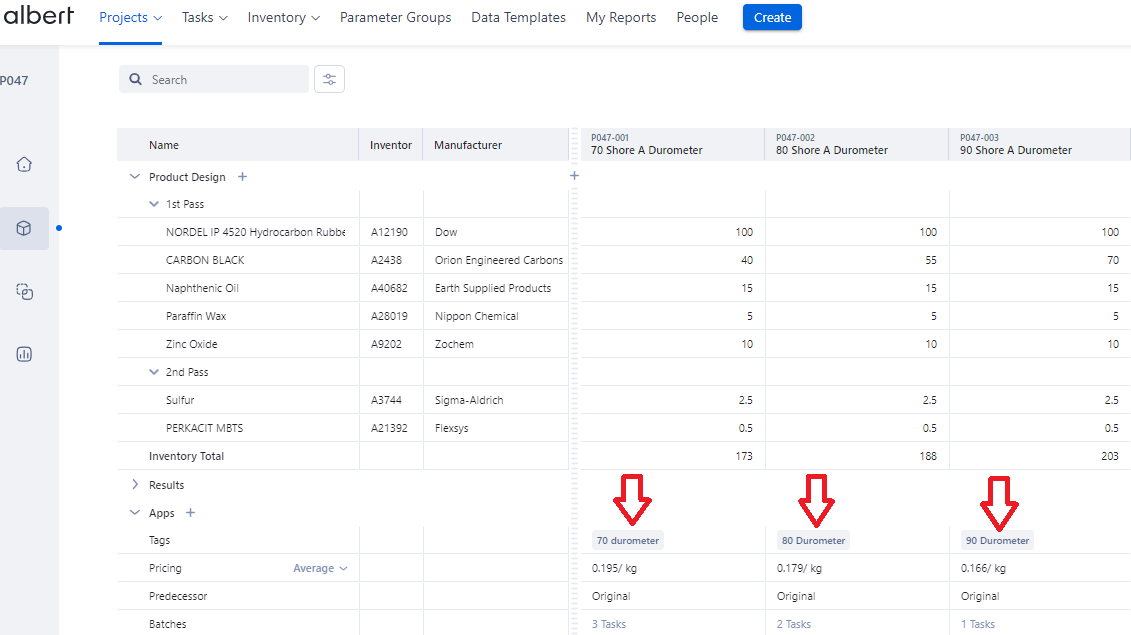
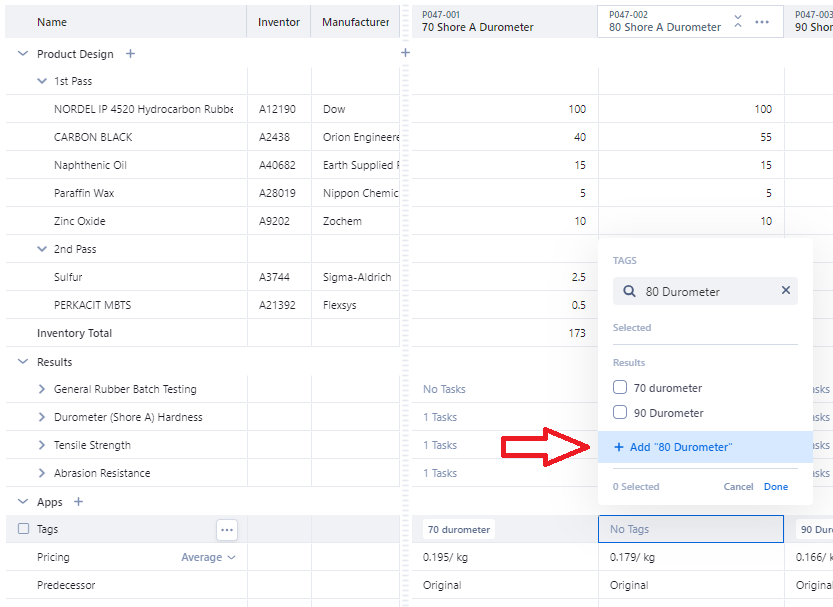
To add existing tags to a formula, click on the tags field and search for an existing tag by typing or using the drop-down arrow and selecting the tag. To add a new tag, type the name of your tag into the Search bar and select “+ Add”.
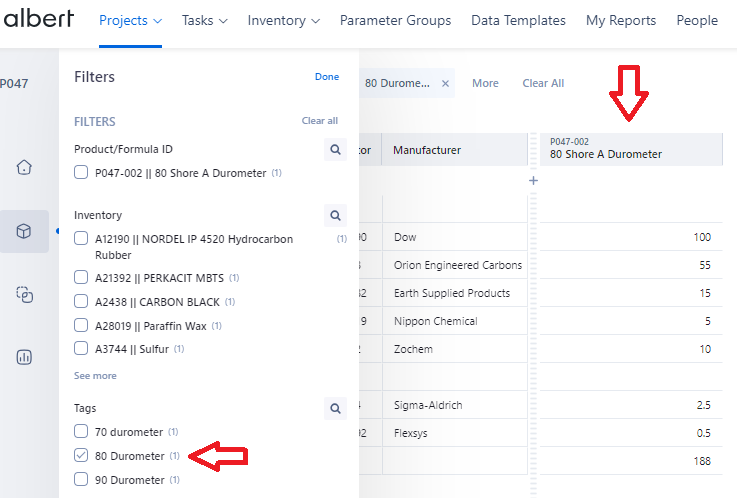
Tags can be used within the Worksheet formula grid to filter for specific product formulas. Once a tag is selected from the filter menu, only product formulas associated with that tag will be displayed.

Tags in Reports
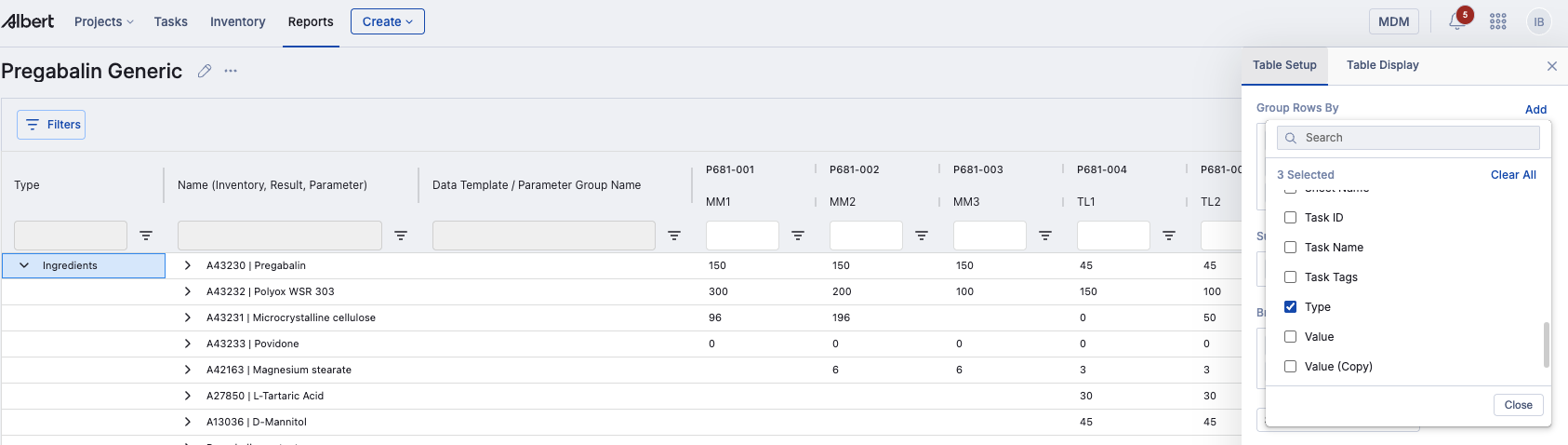
For reports, you can use Tags to group your results or break them down by columns. Go to the Edit Table button, then select Tags wherever appropriate.
In summary – tags can be a tool that organizations use to connect their data across Albert.
Tags Best Practices
Standardize and use the same tags to ensure you group items across the platform appropriately. For example, if you are trying to search for all water-soluble materials, there should be 1 tag to describe that property instead of having multiple that mean the same thing (I.e., water-soluble, waterborne, water-based, polar, etc.)